
Smooth Voxel Terrain in Babylon.js · Part 9 of 12 in the series
Part 9: Digging and Building
Dig balls out of the ground and build them up: edits change the density samples, are kept only where they happened, reach the workers as operations, and rebuild the chunks they touch all in the same frame.
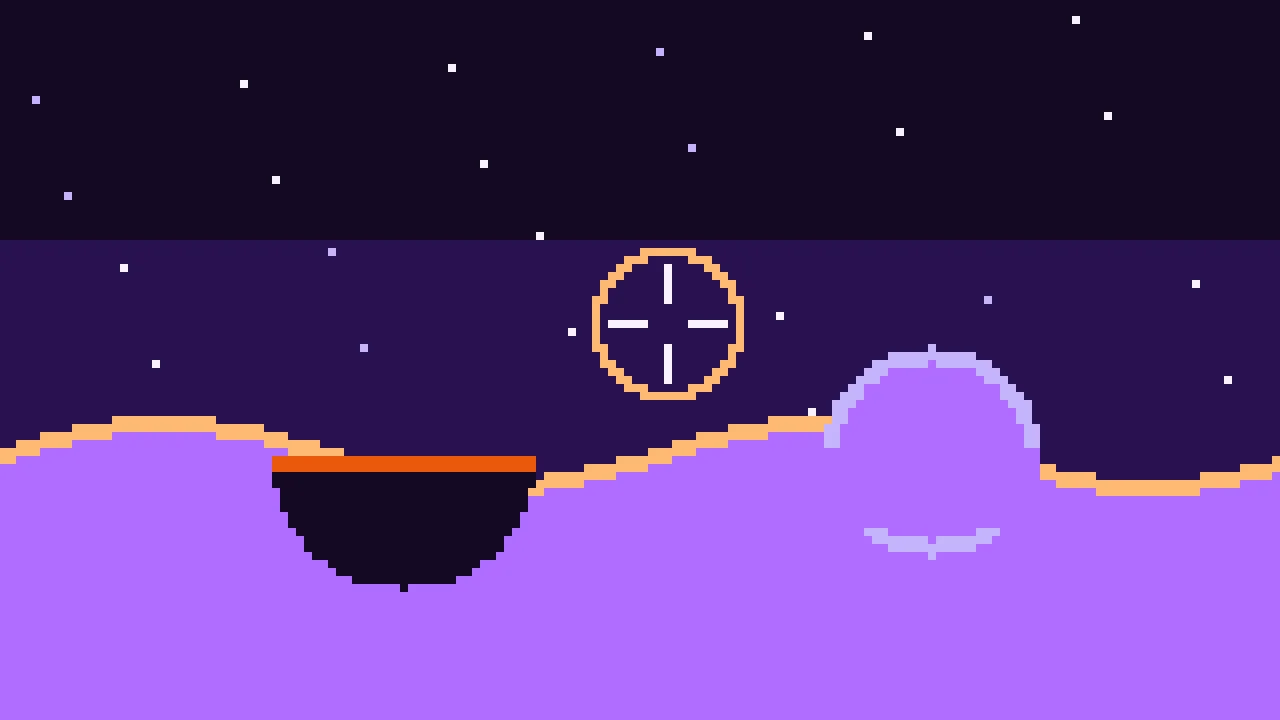
Quest objectives
- Change the terrain with the same min and max as in part 1
- Keep only the samples an edit changed, in bricks the size of a chunk
- Keep the workers' copies of the edits in step by sending them the edits
- Find the chunks an edit touches, and show their new meshes together
- Aim with a ray from the camera, and capture the mouse
The terrain of part 8 is made by a function and can't be changed. This part adds the thing that makes smooth voxel terrain worth the trouble: a tool that digs holes in it and builds it up, anywhere and in any direction.
Digging is a difference
Part 1 combined shapes with min and max. A ball of radius r has the density r - distance. Digging it out of the ground is the difference, the ground and not the ball: min(ground, -ball). Building it up is the union: max(ground, ball). That's the whole edit.
The question is where the result lives. The terrain is a function: it can't remember that a ball was dug out of it. The edits have to be kept as data, the changed density samples, and everything that reads the terrain has to read them too.
Bricks
Keeping a copy of every sample would take over a hundred megabytes for the loaded chunks alone, and the world has no end. Edits only touch a few places, so only those are kept, in bricks: blocks of 32 × 32 × 32 samples, laid out like the chunks, each holding the samples a chunk starts with. A brick is made when an edit first touches it, filled from the generated terrain, and the edit changes it from there. Where there is no brick, the terrain is still the function.
An edit doesn't change every sample in its reach. Further than 2 m outside the ball, the values keep their value: only the sign and the values near 0 shape the surface, with a step of margin for the normals. That keeps edits small and fast.
Create src/edits.ts:
import { CHUNK_SIZE, MARGIN, type DensityGrid } from './grid.ts';
import { density } from './terrain.ts';

/** A change to the terrain: a ball of ground dug away or added. */
export interface Edit {
  kind: 'dig' | 'build';
  x: number;
  y: number;
  z: number;
  radius: number;
}

/** The samples an edit changed, from the lowest corner to the highest, both included. */
export interface SampleBox {
  low: [number, number, number];
  high: [number, number, number];
}

const key = (x: number, y: number, z: number) => `${x},${y},${z}`;

/**
 * The edited terrain: the density of every sample that edits changed. The samples are
 * kept in bricks of CHUNK_SIZE³, each one holding the samples a chunk starts with, and a
 * brick exists only once an edit has touched it. Everything else is still generated.
 */
export class EditStore {
  private readonly bricks = new Map<string, Float32Array>();
  /** The highest brick in each column of bricks. */
  private readonly tops = new Map<string, number>();

  /** The density at a sample: edited if an edit changed it, generated if not. */
  sample(x: number, y: number, z: number): number {
    const bx = Math.floor(x / CHUNK_SIZE);
    const by = Math.floor(y / CHUNK_SIZE);
    const bz = Math.floor(z / CHUNK_SIZE);
    const brick = this.bricks.get(key(bx, by, bz));
    if (!brick) return density(x, y, z);
    return brick[brickIndex(x - bx * CHUNK_SIZE, y - by * CHUNK_SIZE, z - bz * CHUNK_SIZE)];
  }

  /** Applies an edit and returns the samples it changed, or null if it changed none. */
  apply(edit: Edit): SampleBox | null {
    // Samples further than 2 m outside the ball keep their value: so far from the
    // surface, the values don't shape it.
    const reach = edit.radius + 2;
    let box: SampleBox | null = null;
    for (let z = Math.ceil(edit.z - reach); z <= edit.z + reach; z += 1) {
      for (let x = Math.ceil(edit.x - reach); x <= edit.x + reach; x += 1) {
        for (let y = Math.ceil(edit.y - reach); y <= edit.y + reach; y += 1) {
          const distance = Math.hypot(x - edit.x, y - edit.y, z - edit.z);
          if (distance > reach) continue;
          // The ball's own density: above 0 inside it.
          const ball = edit.radius - distance;
          const before = this.sample(x, y, z);
          const after = edit.kind === 'dig' ? Math.min(before, -ball) : Math.max(before, ball);
          if (after === before) continue;
          this.set(x, y, z, after);
          if (!box) box = { low: [x, y, z], high: [x, y, z] };
          box.low = [Math.min(box.low[0], x), Math.min(box.low[1], y), Math.min(box.low[2], z)];
          box.high = [Math.max(box.high[0], x), Math.max(box.high[1], y), Math.max(box.high[2], z)];
        }
      }
    }
    return box;
  }

  /** Writes the edited samples into a grid whose sample (0, 0, 0) is at `origin`. */
  applyTo(grid: DensityGrid, origin: { x: number; y: number; z: number }): void {
    // The grid reaches MARGIN samples into the bricks around the chunk's own.
    const first = (o: number) => Math.floor((o - MARGIN) / CHUNK_SIZE);
    const last = (o: number) => Math.floor((o + CHUNK_SIZE + MARGIN) / CHUNK_SIZE);
    for (let bz = first(origin.z); bz <= last(origin.z); bz += 1) {
      for (let by = first(origin.y); by <= last(origin.y); by += 1) {
        for (let bx = first(origin.x); bx <= last(origin.x); bx += 1) {
          const brick = this.bricks.get(key(bx, by, bz));
          if (!brick) continue;
          // The samples the brick and the grid share, in the grid's numbers.
          const from = (b: number, o: number) => Math.max(b * CHUNK_SIZE - o, -MARGIN);
          const to = (b: number, o: number) => Math.min((b + 1) * CHUNK_SIZE - 1 - o, CHUNK_SIZE + MARGIN);
          for (let z = from(bz, origin.z); z <= to(bz, origin.z); z += 1) {
            for (let y = from(by, origin.y); y <= to(by, origin.y); y += 1) {
              for (let x = from(bx, origin.x); x <= to(bx, origin.x); x += 1) {
                grid.values[grid.index(x, y, z)] = brick[brickIndex(
                  origin.x + x - bx * CHUNK_SIZE,
                  origin.y + y - by * CHUNK_SIZE,
                  origin.z + z - bz * CHUNK_SIZE,
                )];
              }
            }
          }
        }
      }
    }
  }

  /** The highest layer of chunks with an edited brick in the column, or -Infinity. */
  highestLayer(x: number, z: number): number {
    return this.tops.get(`${x},${z}`) ?? -Infinity;
  }

  private set(x: number, y: number, z: number, value: number): void {
    const bx = Math.floor(x / CHUNK_SIZE);
    const by = Math.floor(y / CHUNK_SIZE);
    const bz = Math.floor(z / CHUNK_SIZE);
    let brick = this.bricks.get(key(bx, by, bz));
    if (!brick) {
      // A brick starts out as the generated terrain.
      brick = new Float32Array(CHUNK_SIZE ** 3);
      for (let k = 0; k < CHUNK_SIZE; k += 1) {
        for (let i = 0; i < CHUNK_SIZE; i += 1) {
          // Up the column last, as the terrain likes it.
          for (let j = 0; j < CHUNK_SIZE; j += 1) {
            brick[brickIndex(i, j, k)] = density(bx * CHUNK_SIZE + i, by * CHUNK_SIZE + j, bz * CHUNK_SIZE + k);
          }
        }
      }
      this.bricks.set(key(bx, by, bz), brick);
      this.tops.set(`${bx},${bz}`, Math.max(by, this.highestLayer(bx, bz)));
    }
    brick[brickIndex(x - bx * CHUNK_SIZE, y - by * CHUNK_SIZE, z - bz * CHUNK_SIZE)] = value;
  }
}

function brickIndex(x: number, y: number, z: number): number {
  return x + CHUNK_SIZE * (y + CHUNK_SIZE * z);
}sample()reads a sample of the terrain as it is now: from its brick if it has one, from the function if not.apply()goes over the samples within reach of the ball, works out the new value withminormax, and writes it if it changed. It returns the box of samples that changed, so that the world knows which chunks to build again.applyTo()writes the edited samples into a chunk's grid after the grid has been sampled. A grid reaches two samples into its neighbors' bricks, so up to 27 bricks can have samples in it; most of them don't exist.highestLayer()tells the world how high the edits reach in a column. A tower built into the sky lies above the highest ground part 7 knows about.
A chunk is built from the function, then the edits. In src/chunks.ts, replace buildChunk():
/** Samples the terrain in a chunk and meshes it, or null when it holds no surface. */
export function buildChunk(chunk: ChunkPosition, mesher: MesherName, edits: EditStore): ChunkMesh | null {
  const origin = { x: chunk.x * CHUNK_SIZE, y: chunk.y * CHUNK_SIZE, z: chunk.z * CHUNK_SIZE };
  const grid = new DensityGrid().fill(density, origin);
  edits.applyTo(grid, origin);
  if (!grid.hasSurface()) return null;
  const mesh = MESHERS[mesher].mesh(grid);

  // Meters below the generated ground, for the material: soil first, then rock.
  const { positions } = mesh;
  const depths = new Float32Array(positions.length / 3);
  for (let i = 0; i < depths.length; i += 1) {
    const x = origin.x + positions[i * 3];
    const y = origin.y + positions[i * 3 + 1];
    const z = origin.z + positions[i * 3 + 2];
    depths[i] = surfaceHeight(x, z) - y;
  }
  return { ...mesh, depths };
}
Edits in the workers
The chunks are built in the workers, so the workers need the edits. Sending them the bricks with every job would copy a lot of data over and over. Instead, each worker keeps its own EditStore, and the page sends it the edits: a kind, a point and a radius, a few bytes. Every worker applies the same edits with the same code, and messages to a worker arrive in the order they were sent, so all copies end up the same as the page's.
A worker that is busy when an edit arrives applies it after its current chunk. That chunk was built from the old terrain, but its result is out of date anyway: the edit counted the chunk's version up, so it is built again.
Replace src/chunkWorker.ts. A message is now a chunk to build or an edit:
import { buildChunk, type ChunkMesh, type ChunkPosition } from './chunks.ts';
import { EditStore, type Edit } from './edits.ts';
import type { MesherName } from './meshers.ts';

export interface ChunkJob {
  chunk: ChunkPosition;
  mesher: MesherName;
}

/** What the page sends: a chunk to build, or an edit for the worker's copy of the edits. */
export type WorkerMessage = ({ type: 'build' } & ChunkJob) | { type: 'edit'; edit: Edit };

export interface ChunkResult {
  /** null when the chunk holds no surface. */
  mesh: ChunkMesh | null;
  /** Milliseconds the worker spent on the chunk. */
  time: number;
}

// Every worker keeps its own copy of the edits, made from the same edits as the page's.
const edits = new EditStore();

self.onmessage = (event: MessageEvent<WorkerMessage>) => {
  const message = event.data;
  if (message.type === 'edit') {
    edits.apply(message.edit);
    return;
  }
  const started = performance.now();
  const mesh = buildChunk(message.chunk, message.mesher, edits);
  const result: ChunkResult = { mesh, time: performance.now() - started };
  // Hand the arrays' memory over to the page instead of copying it.
  const transfer = mesh
    ? [mesh.positions.buffer, mesh.normals.buffer, mesh.indices.buffer, mesh.depths.buffer]
    : [];
  self.postMessage(result, { transfer });
};
The pool learns to send an edit to every worker, busy or not. Replace src/workers.ts:
import type { ChunkJob, ChunkResult, WorkerMessage } from './chunkWorker.ts';
import type { Edit } from './edits.ts';

/** A few workers that build chunks, each one chunk at a time. */
export class ChunkWorkers {
  private readonly all: Worker[] = [];
  private readonly idle: Worker[] = [];
  readonly count: number;

  constructor() {
    // One core for the page, the others for the workers, but not too many.
    this.count = Math.min(Math.max((navigator.hardwareConcurrency || 2) - 1, 1), 6);
    for (let i = 0; i < this.count; i += 1) {
      this.all.push(new Worker(new URL('./chunkWorker.ts', import.meta.url), { type: 'module' }));
    }
    this.idle.push(...this.all);
  }

  /** Sends an edit to every worker, busy or not. A worker takes it after its current job. */
  broadcast(edit: Edit): void {
    const message: WorkerMessage = { type: 'edit', edit };
    for (const worker of this.all) worker.postMessage(message);
  }

  /** How many workers wait for a job. */
  get free(): number {
    return this.idle.length;
  }

  /** Builds a chunk on a free worker; check `free` first. */
  run(job: ChunkJob): Promise<ChunkResult> {
    const worker = this.idle.pop();
    if (!worker) throw new Error('No free worker');
    return new Promise((resolve) => {
      worker.onmessage = (event: MessageEvent<ChunkResult>) => {
        this.idle.push(worker);
        resolve(event.data);
      };
      worker.postMessage({ type: 'build', ...job } satisfies WorkerMessage);
    });
  }
}
Rebuilding together
An edit near a chunk's border changes several chunks: every chunk whose samples, margin included, hold a changed sample. Their new meshes arrive one after the other. For a frame or two, a new chunk next to an old one shows a crack where the surface doesn't meet any more. So the chunks of one edit form a batch: their meshes are held back until the last one is built, and then shown in the same frame. Replace src/world.ts:
import type { Material, Mesh, Scene, Vector3 } from '@babylonjs/core/pure';
import { chunkKey, type ChunkMesh, type ChunkPosition } from './chunks.ts';
import { EditStore, type Edit } from './edits.ts';
import { CHUNK_SIZE, MARGIN } from './grid.ts';
import { createMesh } from './meshData.ts';
import type { MesherName } from './meshers.ts';
import { highestGround } from './terrain.ts';
import type { ChunkWorkers } from './workers.ts';

/** How far around the camera chunks are loaded, in chunks. */
export const VIEW_RADIUS = 8;
/** The lowest layer of chunks: below it the world is solid. */
const LOWEST_LAYER = -2;
/** Milliseconds per frame for handing new meshes to the graphics card. */
const SHOW_BUDGET = 4;

/** Chunks that an edit changed: their new meshes are shown together, once all are built. */
interface Batch {
  left: number;
  results: Finished[];
}

interface Chunk {
  position: ChunkPosition;
  mesh: Mesh | null;
  /** Counts up whenever the chunk has to be built again. */
  version: number;
  /** The version the chunk's mesh shows; -1 before it has one. */
  shown: number;
  /** The version a worker builds, or that waits to be shown; -1 when there is none. */
  pending: number;
  /** The batch the next build belongs to, if an edit asked for it. */
  batch: Batch | null;
}

interface Finished {
  chunk: Chunk;
  version: number;
  data: ChunkMesh | null;
}

/** The chunks around the camera: which to load, build, show and drop. */
export class World {
  mesher: MesherName = 'marching-cubes';
  /** The page's copy of the edits. */
  readonly edits = new EditStore();
  private readonly chunks = new Map<string, Chunk>();
  /** The highest layer of chunks that can hold ground, per column. */
  private readonly tops = new Map<string, number>();
  /** Meshes ready to be shown, in groups that are shown in the same frame. */
  private readonly finished: Finished[][] = [];
  private focus = { x: 0, y: 0, z: 0 };
  private readonly scene: Scene;
  private readonly material: Material;
  private readonly workers: ChunkWorkers;

  constructor(scene: Scene, material: Material, workers: ChunkWorkers) {
    this.scene = scene;
    this.material = material;
    this.workers = workers;
  }

  /** Switches the mesher. Every chunk is built again and keeps its mesh until then. */
  setMesher(mesher: MesherName): void {
    this.mesher = mesher;
    for (const chunk of this.chunks.values()) chunk.version += 1;
  }

  /** Digs or builds: changes the terrain here and in the workers, and rebuilds its chunks. */
  edit(edit: Edit): void {
    const box = this.edits.apply(edit);
    if (!box) return;
    this.workers.broadcast(edit);

    // Every chunk whose samples, margin included, hold a changed sample.
    const first = (axis: number) => Math.ceil((box.low[axis] - CHUNK_SIZE - MARGIN) / CHUNK_SIZE);
    const last = (axis: number) => Math.floor((box.high[axis] + MARGIN) / CHUNK_SIZE);
    const batch: Batch = { left: 0, results: [] };
    for (let z = first(2); z <= last(2); z += 1) {
      for (let x = first(0); x <= last(0); x += 1) {
        this.tops.delete(`${x},${z}`);
        for (let y = first(1); y <= last(1); y += 1) {
          const chunk = this.chunks.get(chunkKey({ x, y, z })) ?? this.addChunk({ x, y, z });
          chunk.version += 1;
          // An older edit's batch stops waiting for this chunk: it comes with this one.
          if (chunk.batch) this.settle(chunk.batch);
          chunk.batch = batch;
          batch.left += 1;
        }
      }
    }
  }

  /** Once a frame: follows the camera at `focus`. */
  update(focus: Vector3): void {
    this.focus = { x: focus.x, y: focus.y, z: focus.z };
    this.dropFar();
    this.startJobs();
    this.showFinished();
  }

  /** How many chunks are loaded, and how many of them wait for a mesh. */
  get counts(): { loaded: number; waiting: number } {
    let waiting = 0;
    for (const chunk of this.chunks.values()) if (chunk.shown !== chunk.version) waiting += 1;
    return { loaded: this.chunks.size, waiting };
  }

  /** The column of chunks the camera is in. */
  private get center(): { x: number; z: number } {
    return { x: Math.floor(this.focus.x / CHUNK_SIZE), z: Math.floor(this.focus.z / CHUNK_SIZE) };
  }

  private addChunk(position: ChunkPosition): Chunk {
    const chunk = { position, mesh: null, version: 0, shown: -1, pending: -1, batch: null };
    this.chunks.set(chunkKey(position), chunk);
    return chunk;
  }

  private dropFar(): void {
    const center = this.center;
    // A little beyond the view radius, so that chunks at the edge are not dropped and
    // loaded again while the camera moves back and forth.
    const limit = (VIEW_RADIUS + 1.5) ** 2;
    for (const [key, chunk] of this.chunks) {
      if ((chunk.position.x - center.x) ** 2 + (chunk.position.z - center.z) ** 2 <= limit) continue;
      chunk.mesh?.dispose();
      this.chunks.delete(key);
      // A batch waiting for this chunk's build would wait forever.
      if (chunk.batch) this.settle(chunk.batch);
    }
    for (const key of this.tops.keys()) {
      const [x, z] = key.split(',').map(Number);
      if ((x - center.x) ** 2 + (z - center.z) ** 2 > limit) this.tops.delete(key);
    }
  }

  /** Gives every free worker the chunk that needs building most: edited ones, then the nearest. */
  private startJobs(): void {
    if (this.workers.free === 0) return;
    const wanted: { position: ChunkPosition; distance: number }[] = [];
    // Chunks that an edit changed come first, wherever they are.
    for (const chunk of this.chunks.values()) {
      if (chunk.batch && chunk.pending < 0) wanted.push({ position: chunk.position, distance: -1 });
    }
    // Then the chunks around the camera, nearest first.
    const center = this.center;
    for (let dz = -VIEW_RADIUS; dz <= VIEW_RADIUS; dz += 1) {
      for (let dx = -VIEW_RADIUS; dx <= VIEW_RADIUS; dx += 1) {
        if (dx * dx + dz * dz > VIEW_RADIUS * VIEW_RADIUS) continue;
        const x = center.x + dx;
        const z = center.z + dz;
        for (let y = LOWEST_LAYER; y <= this.top(x, z); y += 1) {
          const chunk = this.chunks.get(chunkKey({ x, y, z }));
          if (chunk && (chunk.batch || chunk.pending >= 0 || chunk.shown === chunk.version)) continue;
          const distance = Math.hypot(
            (x + 0.5) * CHUNK_SIZE - this.focus.x,
            (y + 0.5) * CHUNK_SIZE - this.focus.y,
            (z + 0.5) * CHUNK_SIZE - this.focus.z,
          );
          wanted.push({ position: { x, y, z }, distance });
        }
      }
    }
    wanted.sort((a, b) => a.distance - b.distance);

    for (const { position } of wanted.slice(0, this.workers.free)) {
      const chunk = this.chunks.get(chunkKey(position)) ?? this.addChunk(position);
      const version = chunk.version;
      const batch = chunk.batch;
      chunk.batch = null;
      chunk.pending = version;
      this.workers.run({ chunk: position, mesher: this.mesher }).then((result) => {
        const finished = { chunk, version, data: result.mesh };
        if (batch) {
          batch.results.push(finished);
          this.settle(batch);
        } else {
          this.finished.push([finished]);
        }
        // The worker is free again: no need to wait for the next frame.
        this.startJobs();
      });
    }
  }

  /** Counts a chunk of a batch as done; the last one hands the batch over to be shown. */
  private settle(batch: Batch): void {
    batch.left -= 1;
    // An edit's chunks go first, before the meshes of the chunks that just came into view.
    if (batch.left === 0) this.finished.unshift(batch.results);
  }

  /** The highest layer of chunks in a column that can hold ground, edited or generated. */
  private top(x: number, z: number): number {
    const key = `${x},${z}`;
    let top = this.tops.get(key);
    if (top === undefined) {
      const generated = Math.floor(highestGround(x * CHUNK_SIZE, z * CHUNK_SIZE, CHUNK_SIZE) / CHUNK_SIZE);
      top = Math.max(generated, this.edits.highestLayer(x, z));
      this.tops.set(key, top);
    }
    return top;
  }

  /** Shows the meshes the workers made, as many groups as fit into the frame's budget. */
  private showFinished(): void {
    const started = performance.now();
    while (this.finished.length > 0 && performance.now() - started < SHOW_BUDGET) {
      for (const { chunk, version, data } of this.finished.shift()!) {
        chunk.pending = -1;
        // Dropped while it was being built: the chunk is gone.
        if (this.chunks.get(chunkKey(chunk.position)) !== chunk) continue;
        chunk.mesh?.dispose();
        chunk.mesh = data ? this.createChunkMesh(chunk.position, data) : null;
        chunk.shown = version;
      }
    }
  }

  private createChunkMesh(position: ChunkPosition, data: ChunkMesh): Mesh {
    const mesh = createMesh(`chunk ${chunkKey(position)}`, data, this.scene);
    mesh.setVerticesData('depth', data.depths, false, 1);
    mesh.position.set(position.x * CHUNK_SIZE, position.y * CHUNK_SIZE, position.z * CHUNK_SIZE);
    mesh.material = this.material;
    // The chunk never moves: Babylon.js can stop working out its world matrix.
    mesh.freezeWorldMatrix();
    return mesh;
  }
}edit()applies the edit here, sends it to the workers, and counts up the version of every chunk it touches. Chunks that weren't loaded yet are added, such as the air above a column that a tower now reaches into.A
Batchcounts the chunks it still waits for. When a chunk's build belongs to a batch, its result goes into the batch, and the last one hands all of them over at once.finishedis now a list of groups, andshowFinished()shows whole groups.startJobs()takes the edited chunks first, wherever they are, and then the nearest ones as before. Digging should feel immediate.settle()counts a chunk as done for a batch without its mesh: when the chunk is dropped, or when a newer edit takes it into its own batch. Without that, a batch could wait forever, and the edit would never show.top()takes the edits into account, andedit()clears a column's cached top, so it is worked out again.
The tool
The tool digs where the camera looks. A ray from the camera through the middle of the screen finds the first triangle it hits: Babylon.js's pickWithRay() tests the meshes' bounding boxes and then their triangles. A see-through ball shows where the edit will go and how big it is. Create src/tool.ts:
import {
  Color3,
  CreateSphere,
  StandardMaterial,
  type Camera,
  type Mesh,
  type Scene,
} from '@babylonjs/core/pure';
import type { World } from './world.ts';

/** How far the tool reaches, in meters. */
const REACH = 80;
/** Milliseconds between edits while a mouse button is held down. */
const REPEAT = 120;
/** The smallest and largest ball the tool makes, in meters of radius. */
const SMALLEST = 1.5;
const LARGEST = 8;

/** Digs and builds where the camera looks, and shows the ball it would dig or build. */
export class DigTool {
  radius = 3;
  private action: 'dig' | 'build' | null = null;
  private lastEdit = 0;
  private readonly marker: Mesh;
  private readonly scene: Scene;
  private readonly camera: Camera;
  private readonly world: World;

  constructor(scene: Scene, camera: Camera, world: World) {
    this.scene = scene;
    this.camera = camera;
    this.world = world;
    this.marker = CreateSphere('marker', { diameter: 1, segments: 16 }, scene);
    const material = new StandardMaterial('marker', scene);
    material.emissiveColor = Color3.FromHexString('#f97316');
    material.disableLighting = true;
    material.alpha = 0.3;
    this.marker.material = material;
    // The camera's ray must find the ground, not the marker.
    this.marker.isPickable = false;
  }

  start(action: 'dig' | 'build'): void {
    this.action = action;
    this.lastEdit = 0;
  }

  stop(): void {
    this.action = null;
  }

  /** Makes the ball bigger or smaller by `steps` half meters. */
  resize(steps: number): void {
    this.radius = Math.min(Math.max(this.radius + steps * 0.5, SMALLEST), LARGEST);
  }

  update(now: number): void {
    const hit = this.scene.pickWithRay(this.camera.getForwardRay(REACH));
    if (!hit?.pickedPoint) {
      this.marker.isVisible = false;
      return;
    }
    this.marker.isVisible = true;
    this.marker.position.copyFrom(hit.pickedPoint);
    this.marker.scaling.setAll(this.radius * 2);
    if (this.action && now - this.lastEdit >= REPEAT) {
      this.lastEdit = now;
      const { x, y, z } = hit.pickedPoint;
      this.world.edit({ kind: this.action, x, y, z, radius: this.radius });
    }
  }
}
Holding a button down repeats the edit every 120 ms. Each new ball is centered where the ray hits now, at the bottom of the hole just dug, so holding the left button digs deeper and deeper, and holding the right one builds a column towards you.
Capturing the mouse
Dragging the mouse to look and clicking to dig don't go together. The page captures the mouse with the Pointer Lock API instead: after a click, the cursor is hidden, every mouse movement turns the camera, and the buttons are free. The camera of Babylon.js already turns on mouse movement while the pointer is locked. Esc gives the mouse back.
The tool needs a marker material and rays. In src/main.ts, import RegisterRay and RegisterStandardMaterial and call them with the others:
RegisterStandardEngineExtensions();
// For the texture array of the terrain.
RegisterEnginesExtensionsEngineRawTexture();
RegisterShaderMaterial();
// For the tool: the marker's material, and the ray that finds the ground.
RegisterStandardMaterial();
RegisterRay();
Import DigTool, and after the camera, create the tool and listen to the mouse:
const tool = new DigTool(scene, camera, world);
// The mouse wheel sizes the tool instead of moving the camera.
camera.inputs.removeByType('FreeCameraMouseWheelInput');

// A click captures the mouse, so that it turns the camera without a button held down.
// While it is captured, the left button digs and the right one builds.
canvas.addEventListener('pointerdown', (event) => {
  if (document.pointerLockElement !== canvas) {
    canvas.requestPointerLock();
    return;
  }
  if (event.button === 0) tool.start('dig');
  if (event.button === 2) tool.start('build');
});
window.addEventListener('pointerup', () => tool.stop());
canvas.addEventListener('contextmenu', (event) => event.preventDefault());
canvas.addEventListener('wheel', (event) => tool.resize(-Math.sign(event.deltaY)), { passive: true });
The tool aims once per frame, and the HUD shows its size:
scene.onBeforeRenderObservable.add(() => {
  world.update(camera.position);
  tool.update(performance.now());
  const { loaded, waiting } = world.counts;
  const { x, y, z } = camera.position;
  hud.textContent =
    `${MESHERS[world.mesher].label}: ${loaded} chunks, ${waiting} waiting\n` +
    `x ${x.toFixed(0)}, y ${y.toFixed(0)}, z ${z.toFixed(0)}\n` +
    `Tool ${tool.radius.toFixed(1)} m\n` +
    `${engine.getFps().toFixed(0)} fps`;
});
A crosshair marks the middle of the screen. Replace index.html:
<!doctype html>
<html lang="en">
  <head>
    <meta charset="UTF-8" />
    <meta name="viewport" content="width=device-width, initial-scale=1.0" />
    <title>Voxel terrain</title>
  </head>
  <body>
    <canvas id="game"></canvas>
    <div id="crosshair"></div>
    <div id="hud"></div>
    <div id="help">
      Click to look around · WASD fly, Q/E down/up, Shift faster · left dig, right build,
      wheel size · M mesher
    </div>
    <script type="module" src="/src/main.ts"></script>
  </body>
</html>
And add its style to src/style.css, two lines drawn with gradients:
#crosshair {
  position: fixed;
  left: 50%;
  top: 50%;
  width: 14px;
  height: 14px;
  margin: -7px 0 0 -7px;
  background:
    linear-gradient(#fff7ed, #fff7ed) center / 2px 100% no-repeat,
    linear-gradient(#fff7ed, #fff7ed) center / 100% 2px no-repeat;
  opacity: 0.8;
  pointer-events: none;
}Try it
Click into the demo to capture the mouse. Aim at the ground and hold the left button: a shaft opens and goes deeper, soil at its rim and rock below. Hold the right button and a mound of rock grows out of the grass. Scroll to make the ball bigger or smaller. Dig across a chunk border, and the hole has no crack, because both chunks show their new mesh in the same frame. And switch the mesher with M: the edits stay, because both meshers read the same samples.
So far you fly. In the next part you walk on the ground, and into the holes you dig.