
Biomes and Vegetation on Voxel Terrain in Babylon.js · Part 5 of 12 in the series
Part 5: Grass
Grow grass on the terrain: tufts scattered in the chunk workers on the ground as it really is, at places that stay put after every edit, drawn by the tens of thousands as instances of one small mesh, lush or dry by the biome, and only near the camera.
Biomes and Vegetation on Voxel Terrain in Babylon.jsPart 5 of 12
On this page
Quest objectives
- Get random numbers that are the same for the same place, whenever they are asked for
- Find places for plants on the ground of a chunk, edits and overhangs included
- Scatter plants only in the chunks near the camera
- Draw one mesh thousands of times with a buffer of instances
- Thin the grass out with distance without anyone seeing which tufts go
- Shade blades from root to tip, lush or dry by the biome
So far, grass is a texture. This part grows the real thing on it: tufts of blades, thick on the meadow, tall and dry in the savanna, short in the tundra, next to none in the desert. That takes three answers: where a tuft grows, what a tuft is, and how tens of thousands of them get drawn. Most of what this part builds is not about grass at all, and the flowers and ferns of the next part will use it again.
Random numbers that stay put
Plants are scattered chunk by chunk, in the workers, and a chunk is built again after every edit near it and when you switch the mesher. A tuft has to stand at the same place every time, or the meadow would jump whenever you dig. A seeded generator, as the terrain uses it, can't promise that: it hands out a row of numbers, and which number a tuft gets depends on how many were asked for before it. What is needed is a number that depends on the place and on nothing else. Add to src/random.ts:
/**
 * A number from 0 to 1 that looks random, and is the same for the same three whole
 * numbers: for what has to come out the same wherever and whenever it is worked out.
 */
export function hash(a: number, b: number, c = 0): number {
  let h = Math.imul(a, 374761393) ^ Math.imul(b, 668265263) ^ Math.imul(c, 1274126177);
  h = Math.imul(h ^ (h >>> 15), 2246822519);
  h = Math.imul(h ^ (h >>> 13), 3266489917);
  return ((h ^ (h >>> 16)) >>> 0) / 4294967296;
}
hash() mixes the bits of three whole numbers until nothing of their order is left. Two of them will be the numbers of a cell of the world, the third says which of the cell's random numbers is meant: its place, its size, its turn.
What the biomes say
How much grass grows, how high and how dry, is one more entry in each biome's row. In src/climate.ts, replace the list of the biomes:
/**
 * The biomes, each with the climate it is at home in and a color for the map. A place
 * belongs to the biome whose climate is nearest to its own. `ground` is the texture that
 * covers its ground, and `tint` colors its soil and rock. `shape` holds the numbers that
 * shape its ground, in meters: see Shape. `grass` says how much of the ground grass covers,
 * from 0 to 1, how high it grows in meters, and how dry it is: 0 is lush, 1 is straw.
 */
export const BIOMES = [
  {
    name: 'Meadow', temperature: 0.5, moisture: 0.4, color: '#7fae3c', ground: 'grass', tint: '#ffffff',
    shape: { base: 12, hills: 40, mountains: 150, knolls: 0, dunes: 0 },
    grass: { amount: 1, height: 0.42, tone: 0.1 },
  },
  {
    name: 'Broadleaf forest', temperature: 0.52, moisture: 0.76, color: '#3c7a2a', ground: 'litter', tint: '#f2f0e6',
    shape: { base: 14, hills: 46, mountains: 150, knolls: 0, dunes: 0 },
    grass: { amount: 0.5, height: 0.36, tone: 0.2 },
  },
  {
    name: 'Conifer forest', temperature: 0.3, moisture: 0.62, color: '#28584a', ground: 'needles', tint: '#e6e8f2',
    shape: { base: 20, hills: 55, mountains: 170, knolls: 10, dunes: 0 },
    grass: { amount: 0.22, height: 0.3, tone: 0.35 },
  },
  {
    name: 'Tundra', temperature: 0.1, moisture: 0.45, color: '#c3ccd6', ground: 'moss', tint: '#dfe6f5',
    shape: { base: 24, hills: 20, mountains: 190, knolls: 5, dunes: 0 },
    grass: { amount: 0.3, height: 0.2, tone: 0.65 },
  },
  {
    name: 'Savanna', temperature: 0.76, moisture: 0.5, color: '#c9a545', ground: 'straw', tint: '#ffd9b0',
    shape: { base: 7, hills: 12, mountains: 40, knolls: 22, dunes: 0 },
    grass: { amount: 0.5, height: 0.75, tone: 1 },
  },
  {
    name: 'Desert', temperature: 0.86, moisture: 0.14, color: '#e8bd7c', ground: 'sand', tint: '#ffc08a',
    shape: { base: 9, hills: 14, mountains: 70, knolls: 30, dunes: 9 },
    grass: { amount: 0.03, height: 0.5, tone: 1 },
  },
] as const;
Places to grow
A plant is eight numbers: where it stands, from its chunk's low corner, and its size, then its turn, the light it gets, a tone and a random number. Two groups of four, because that is how the shader will get them. Finding the places is the work. Create src/scatter.ts:
import { BIOME_COUNT, BIOMES, biomeWeights, climateAt, cooling } from './climate.ts';
import { CHUNK_SIZE, type DensityGrid } from './grid.ts';
import { hash } from './random.ts';
import { lightAt, type LightGrid } from './skyLight.ts';
import { SEA, surfaceHeight } from './terrain.ts';

/**
 * Floats per plant: x, y and z from the chunk's low corner and the plant's size in
 * meters, then its turn in radians, the light it gets, its tone and a random number.
 */
export const PLANT_FLOATS = 8;

/** What grows in a chunk: the plants of each kind, PLANT_FLOATS numbers each. */
export interface Scattered {
  grass: Float32Array;
}

/** Meters between the places where a tuft of grass may grow. */
const GRASS_SPACING = 0.4;
/** Ground whose normal points up less than this is too steep for plants. */
const STEEPEST = 0.72;
/** Ground dug deeper than this below the generated surface is bare. */
const DEEPEST = 1;
/** Plants need this much of the sky's light. */
const DARKEST = 0.6;
/** Below this temperature the ground is under snow, and the shore stays bare this high. */
const SNOW_LINE = 0.09;
const SHORE = 2.5;

/** A place on the ground where something may grow. */
interface Spot {
  /** Where it is, from the chunk's low corner. */
  x: number;
  y: number;
  z: number;
  /** The numbers of its cell in the world: what hash() takes. */
  cellX: number;
  cellZ: number;
  /** How much the ground's normal points up, from 0 to 1. */
  up: number;
  /** Its height above the sea, and that of the ground as it was generated. */
  height: number;
  generated: number;
  /** The temperature at its height, and how much of each biome it is. */
  temperature: number;
  biomes: Float32Array;
}

/** A plant on its way into the list: `values` are its PLANT_FLOATS numbers. */
interface Plant {
  rank: number;
  values: number[];
}

const lerp = (a: number, b: number, t: number) => a + (b - a) * t;

/** The density at a point between the samples of one level of the grid. */
function densityAt(grid: DensityGrid, x: number, level: number, z: number): number {
  const x0 = Math.floor(x);
  const z0 = Math.floor(z);
  return lerp(
    lerp(grid.get(x0, level, z0), grid.get(x0 + 1, level, z0), x - x0),
    lerp(grid.get(x0, level, z0 + 1), grid.get(x0 + 1, level, z0 + 1), x - x0),
    z - z0,
  );
}

/**
 * Finds a spot in every cell of `spacing` meters of a chunk, moved about at random in its
 * cell, on each floor of the ground that the chunk's grid holds there. `salt` makes the
 * random numbers differ from those of other kinds of plants.
 */
function eachSpot(
  grid: DensityGrid,
  origin: { x: number; y: number; z: number },
  spacing: number,
  salt: number,
  visit: (spot: Spot) => void,
): void {
  const spot: Spot = { x: 0, y: 0, z: 0, cellX: 0, cellZ: 0, up: 0, height: 0, generated: 0, temperature: 0, biomes: new Float32Array(BIOME_COUNT) };
  const cells = CHUNK_SIZE / spacing;
  for (let k = 0; k < cells; k += 1) {
    for (let i = 0; i < cells; i += 1) {
      // The cell's number in the world: its random numbers are the same in every chunk
      // and after every edit.
      spot.cellX = origin.x / spacing + i;
      spot.cellZ = origin.z / spacing + k;
      spot.x = (i + hash(spot.cellX, spot.cellZ, salt)) * spacing;
      spot.z = (k + hash(spot.cellX, spot.cellZ, salt + 1)) * spacing;
      let climate = null;

      // Down the column: the ground's surface is where air lies above solid.
      for (let level = CHUNK_SIZE - 1; level >= 0; level -= 1) {
        const below = densityAt(grid, spot.x, level, spot.z);
        const above = densityAt(grid, spot.x, level + 1, spot.z);
        if (below <= 0 || above > 0) continue;
        spot.y = level + below / (below - above);
        spot.height = origin.y + spot.y;
        const [gx, gy, gz] = grid.gradient(Math.round(spot.x), Math.round(spot.y), Math.round(spot.z));
        spot.up = -gy / (Math.hypot(gx, gy, gz) || 1);
        // The climate and the generated height are the same all the way down the column.
        if (!climate) {
          climate = climateAt(origin.x + spot.x, origin.z + spot.z);
          spot.generated = surfaceHeight(origin.x + spot.x, origin.z + spot.z);
        }
        spot.temperature = climate.temperature - cooling(spot.height);
        biomeWeights(spot.temperature, climate.moisture, spot.biomes);
        visit(spot);
      }
    }
  }
}

/**
 * Whether plants grow on a spot at all: not where it is steep, where the ground was dug
 * away, on the shore, in the water or under snow.
 */
function fertile(spot: Spot): boolean {
  if (spot.up < STEEPEST || spot.generated - spot.height > DEEPEST) return false;
  if (spot.generated < SEA + SHORE || spot.height < SEA) return false;
  return spot.temperature >= SNOW_LINE;
}

/**
 * Makes the list of a chunk's plants: looks up the light where each stands, leaves out
 * those in the dark, and puts the rest in the order of their ranks. That order is random,
 * so the first half of the list is spread as evenly as all of it.
 */
function pack(plants: Plant[], light: LightGrid, origin: { x: number; y: number; z: number }): Float32Array {
  const positions = new Float32Array(plants.length * 3);
  const normals = new Float32Array(plants.length * 3);
  plants.forEach(({ values }, p) => {
    positions.set(values.slice(0, 3), p * 3);
    normals[p * 3 + 1] = 1;
  });
  // The light as the vertices of the mesh get it; it goes into the plant's sixth number.
  const lights = lightAt(light, origin, positions, normals);
  plants.forEach((plant, p) => (plant.values[5] = lights[p]));
  const lit = plants.filter(({ values }) => values[5] >= DARKEST).sort((a, b) => a.rank - b.rank);
  const packed = new Float32Array(lit.length * PLANT_FLOATS);
  lit.forEach(({ values }, p) => packed.set(values, p * PLANT_FLOATS));
  return packed;
}

/** The tufts of grass of a chunk. How many grow, how high and how dry is up to the biomes. */
function scatterGrass(grid: DensityGrid, origin: { x: number; y: number; z: number }, light: LightGrid): Float32Array {
  const tufts: Plant[] = [];
  eachSpot(grid, origin, GRASS_SPACING, 0, (spot) => {
    if (!fertile(spot)) return;
    let amount = 0;
    let height = 0;
    let tone = 0;
    for (let b = 0; b < BIOME_COUNT; b += 1) {
      amount += BIOMES[b].grass.amount * spot.biomes[b];
      height += BIOMES[b].grass.height * spot.biomes[b];
      tone += BIOMES[b].grass.tone * spot.biomes[b];
    }
    const random = (n: number) => hash(spot.cellX, spot.cellZ, n);
    if (random(2) >= amount) return;
    tufts.push({
      rank: random(3),
      values: [spot.x, spot.y, spot.z, height * (0.7 + random(4) * 0.6), random(5) * Math.PI * 2, 1, tone + (random(6) - 0.5) * 0.25, random(7)],
    });
  });
  return pack(tufts, light, origin);
}

/** Everything that grows on the ground in a chunk's grid. */
export function scatter(grid: DensityGrid, origin: { x: number; y: number; z: number }, light: LightGrid): Scattered {
  return { grass: scatterGrass(grid, origin, light) };
}eachSpot()lays a grid of cells over the chunk, 40 cm wide for the grass, and finds one spot in every cell, at a random place inside it. The cells are numbered in the world, not in the chunk: a cell's random numbers are the same from whichever chunk it is seen, and after every edit.The height of the spot comes from the chunk's density grid, which holds the ground as it really is, with everything you dug and built.
densityAt()blends the four columns of samples around the spot. Going down the levels, the surface is where a solid level lies below one of air, and the two densities say how far between them. A column can cross the surface more than once, under an overhang or in a cave: each floor gets its spot.The climate and the generated height are worked out once per column, and only if it has ground at all. The biomes are those at the spot's own height, so a mountain's grass is the grass of the cold.
fertile()keeps plants off the ground that the shader of part 2 doesn't paint as cover either: steep slopes, ground dug more than a meter below the generated surface, the sand of the shore, the water and the snow. A pit you dig is bare soil and rock, and so it has no grass.scatterGrass()blends the biomes' numbers by their weights. A cell grows a tuft if its random number is below the amount: every cell on the meadow, half of them in the broadleaf forest, three in a hundred in the desert.pack()looks up the light for all plants at once, withlightAt()of the terrain series, as if they were vertices that face up. Plants that get less than 0.6 of the sky's light are left out: no grass in caves. The rest is sorted by a random rank, which will matter below.
Why in the worker, and not on the page from the finished mesh? The worker has the grid and the light anyway, the page would have to search triangles, and the work, 6400 cells per chunk, stays out of the frame.
Only near the camera
A chunk builds its plants if it is asked to. In src/chunks.ts, import scatter and the type Scattered from ./scatter.ts, and replace BuiltChunk and buildChunk():
/** A built chunk: its mesh, and its grid of light and its plants if they were asked for. */
export interface BuiltChunk {
  /** null when the chunk holds no surface. */
  mesh: ChunkMesh | null;
  light: LightGrid | null;
  plants: Scattered | null;
}

/**
 * Samples the terrain in a chunk and meshes it. The light is worked out for the mesh, and
 * handed out too with `keepLight`, for the blocks. With `plants`, plants are scattered on
 * the chunk's ground.
 */
export function buildChunk(
  chunk: ChunkPosition,
  mesher: MesherName,
  edits: EditStore,
  keepLight: boolean,
  plants: boolean,
): BuiltChunk {
  const origin = { x: chunk.x * CHUNK_SIZE, y: chunk.y * CHUNK_SIZE, z: chunk.z * CHUNK_SIZE };
  const grid = new DensityGrid().fill(density, origin);
  edits.applyTo(grid, origin);
  const surface = grid.hasSurface();
  const light = surface || keepLight ? lightGrid(origin, edits) : null;
  if (!surface) return { mesh: null, light, plants: null };
  const mesh = MESHERS[mesher].mesh(grid);

  // Meters below the generated ground, for the material: soil first, then rock. And the
  // climate, for the biome.
  const { positions } = mesh;
  const depths = new Float32Array(positions.length / 3);
  const climates = new Float32Array(depths.length * 2);
  for (let i = 0; i < depths.length; i += 1) {
    const x = origin.x + positions[i * 3];
    const y = origin.y + positions[i * 3 + 1];
    const z = origin.z + positions[i * 3 + 2];
    depths[i] = surfaceHeight(x, z) - y;
    const { temperature, moisture } = climateAt(x, z);
    climates.set([temperature, moisture], i * 2);
  }
  const vertexLight = lightAt(light!, origin, mesh.positions, mesh.normals);
  return {
    mesh: { ...mesh, depths, light: vertexLight, climates },
    light: keepLight ? light : null,
    plants: plants ? scatter(grid, origin, light!) : null,
  };
}
The job says whether it wants plants, and their lists travel back like the mesh's arrays, without a copy. Replace src/chunkWorker.ts:
import { buildChunk, type BuiltChunk, type ChunkPosition } from './chunks.ts';
import { EditStore, type Edit } from './edits.ts';
import type { MesherName } from './meshers.ts';

export interface ChunkJob {
  chunk: ChunkPosition;
  mesher: MesherName;
  /** Whether to hand out the chunk's grid of light. */
  keepLight: boolean;
  /** Whether to scatter plants on the chunk's ground. */
  plants: boolean;
}

/** What the page sends: a chunk to build, or an edit for the worker's copy of the edits. */
export type WorkerMessage = ({ type: 'build' } & ChunkJob) | { type: 'edit'; edit: Edit };

export interface ChunkResult extends BuiltChunk {
  /** Milliseconds the worker spent on the chunk. */
  time: number;
}

// Every worker keeps its own copy of the edits, made from the same edits as the page's.
const edits = new EditStore();

self.onmessage = (event: MessageEvent<WorkerMessage>) => {
  const message = event.data;
  if (message.type === 'edit') {
    edits.apply(message.edit);
    return;
  }
  const started = performance.now();
  const { mesh, light, plants } = buildChunk(message.chunk, message.mesher, edits, message.keepLight, message.plants);
  const result: ChunkResult = { mesh, light, plants, time: performance.now() - started };
  // Hand the arrays' memory over to the page instead of copying it.
  const transfer: Transferable[] = mesh
    ? [mesh.positions, mesh.normals, mesh.indices, mesh.depths, mesh.light, mesh.climates].map((array) => array.buffer)
    : [];
  if (light) transfer.push(light.nodes.buffer);
  if (plants) transfer.push(...Object.values(plants).map((list: Float32Array) => list.buffer));
  self.postMessage(result, { transfer });
};
The world loads chunks 256 m around the camera, and nobody sees a blade of grass that far away. Scattering them everywhere would take time and a lot of memory. So only chunks within 96 m get plants, and they keep them up to 128 m: with the same distance for both, walking back and forth over the line would build chunks again and again. In src/world.ts, import the type Scattered from ./scatter.ts, and add to the constants:
/** Chunks nearer to the camera than this, in meters, get plants. */
const PLANT_RANGE = 96;
/** And chunks that have plants keep them up to this distance. */
const PLANT_KEEP = 128;
A chunk remembers whether it was built with plants, and so does a finished build. Replace Chunk and Finished:
interface Chunk {
  position: ChunkPosition;
  mesh: Mesh | null;
  /** Counts up whenever the chunk has to be built again. */
  version: number;
  /** The version the chunk's mesh shows; -1 before it has one. */
  shown: number;
  /** The version a worker builds, or that waits to be shown; -1 when there is none. */
  pending: number;
  /** The batch the next build belongs to, if an edit asked for it. */
  batch: Batch | null;
  /** Whether the chunk was built with plants. */
  planted: boolean;
}

interface Finished {
  chunk: Chunk;
  version: number;
  /** Whether the chunk was built with plants. */
  planted: boolean;
  data: ChunkMesh | null;
  light: LightGrid | null;
  /** The chunk's plants, or null if it was built without any, or has no ground for them. */
  plants: Scattered | null;
}
The world tells whoever draws the plants when a chunk has new ones, or none any more. Add to the fields of World, after onEdit:
/** Called when a chunk has new plants, or with null when it has none any more. */
onPlants: (position: ChunkPosition, plants: Scattered | null) => void = () => {};
In addChunk(), a new chunk starts with planted: false. Whether a chunk is near is measured to its box, not to its middle: 0 inside it. And dropFar() takes the plants from chunks that are too far for them, long before the chunks themselves go. Replace dropFar() with these two methods:
/** Whether a chunk is nearer to the camera than `range` meters. */
private near({ x, y, z }: ChunkPosition, range: number): boolean {
  // How far the camera is outside the chunk's box along each axis.
  const beyond = (corner: number, focus: number) => Math.max(corner * CHUNK_SIZE - focus, 0, focus - (corner + 1) * CHUNK_SIZE);
  return Math.hypot(beyond(x, this.focus.x), beyond(y, this.focus.y), beyond(z, this.focus.z)) < range;
}

private dropFar(): void {
  const center = this.center;
  // A little beyond the view radius, so that chunks at the edge are not dropped and
  // loaded again while the camera moves back and forth.
  const limit = (VIEW_RADIUS + 1.5) ** 2;
  for (const [key, chunk] of this.chunks) {
    // The plants go long before the chunk does.
    if (chunk.planted && !this.near(chunk.position, PLANT_KEEP)) {
      chunk.planted = false;
      this.onPlants(chunk.position, null);
    }
    if ((chunk.position.x - center.x) ** 2 + (chunk.position.z - center.z) ** 2 <= limit) continue;
    chunk.mesh?.dispose();
    if (chunk.planted) this.onPlants(chunk.position, null);
    this.chunks.delete(key);
    this.lights.delete(key);
    // A batch waiting for this chunk's build would wait forever.
    if (chunk.batch) this.settle(chunk.batch);
  }
  for (const key of this.tops.keys()) {
    const [x, z] = key.split(',').map(Number);
    if ((x - center.x) ** 2 + (z - center.z) ** 2 > limit) this.tops.delete(key);
  }
}
A chunk that was built while it was far has no plants. When the camera comes near, it is built again, as the building series did it for a grid of light that a chunk lacked. Replace startJobs():
/** Gives every free worker the chunk that needs building most: edited ones, then the nearest. */
private startJobs(): void {
  if (this.workers.free === 0) return;
  const wanted: { position: ChunkPosition; distance: number }[] = [];
  // Chunks that an edit changed come first, wherever they are.
  for (const chunk of this.chunks.values()) {
    if (chunk.batch && chunk.pending < 0) wanted.push({ position: chunk.position, distance: -1 });
  }
  // Then the chunks around the camera, nearest first.
  const center = this.center;
  for (let dz = -VIEW_RADIUS; dz <= VIEW_RADIUS; dz += 1) {
    for (let dx = -VIEW_RADIUS; dx <= VIEW_RADIUS; dx += 1) {
      if (dx * dx + dz * dz > VIEW_RADIUS * VIEW_RADIUS) continue;
      const x = center.x + dx;
      const z = center.z + dz;
      for (let y = LOWEST_LAYER; y <= this.top(x, z); y += 1) {
        const chunk = this.chunks.get(chunkKey({ x, y, z }));
        // A chunk that is built is built again only for a grid of light it lacks, or
        // for its plants, once the camera has come near.
        const built = chunk && chunk.shown === chunk.version &&
          (this.lights.has(chunkKey({ x, y, z })) || !this.wantsLight({ x, y, z })) &&
          (chunk.planted || !this.near({ x, y, z }, PLANT_RANGE));
        if (chunk && (chunk.batch || chunk.pending >= 0 || built)) continue;
        const distance = Math.hypot(
          (x + 0.5) * CHUNK_SIZE - this.focus.x,
          (y + 0.5) * CHUNK_SIZE - this.focus.y,
          (z + 0.5) * CHUNK_SIZE - this.focus.z,
        );
        wanted.push({ position: { x, y, z }, distance });
      }
    }
  }
  wanted.sort((a, b) => a.distance - b.distance);

  for (const { position } of wanted.slice(0, this.workers.free)) {
    const chunk = this.chunks.get(chunkKey(position)) ?? this.addChunk(position);
    const version = chunk.version;
    const batch = chunk.batch;
    chunk.batch = null;
    chunk.pending = version;
    const keepLight = this.wantsLight(position);
    const plants = this.near(position, PLANT_RANGE);
    this.workers.run({ chunk: position, mesher: this.mesher, keepLight, plants }).then((result) => {
      const finished = { chunk, version, planted: plants, data: result.mesh, light: result.light, plants: result.plants };
      if (batch) {
        batch.results.push(finished);
        this.settle(batch);
      } else {
        this.finished.push([finished]);
      }
      // The worker is free again: no need to wait for the next frame.
      this.startJobs();
    });
  }
}
And when a build is shown, its plants are handed on. Replace showFinished():
/** Shows the meshes the workers made, as many groups as fit into the frame's budget. */
private showFinished(): void {
  const started = performance.now();
  while (this.finished.length > 0 && performance.now() - started < SHOW_BUDGET) {
    for (const { chunk, version, planted, data, light, plants } of this.finished.shift()!) {
      chunk.pending = -1;
      // Dropped while it was being built: the chunk is gone.
      if (this.chunks.get(chunkKey(chunk.position)) !== chunk) continue;
      chunk.mesh?.dispose();
      chunk.mesh = data ? this.createChunkMesh(chunk.position, data) : null;
      chunk.shown = version;
      if (light) {
        this.lights.set(chunkKey(chunk.position), light);
        this.onLight(chunk.position);
      }
      // Built without plants, a chunk that had some has them no more.
      if (plants || chunk.planted) this.onPlants(chunk.position, plants);
      chunk.planted = planted;
    }
  }
}
A chunk that an edit builds again comes back with its plants scattered anew on the new ground, at the same spots where the ground is still there. That is all digging needs: the grass around a hole stays, the grass in it is gone.
One mesh, thousands of times
A chunk of meadow has thousands of tufts. One mesh with all their blades would be megabytes per chunk. Instead, the graphics card draws one small mesh, the tuft, once for every plant: instancing. The usual way in Babylon.js gives every instance a matrix of 16 numbers. A tuft never tilts and is the same size in every direction, so its eight numbers are enough, and the vertex shader does with them what the matrix would do.
For that, the plants' list goes into a buffer that is marked as holding instances, and the buffer is split into two attributes of four numbers each. The mesh is then told how often to draw itself. Create src/chunkPlants.ts:
import { BoundingInfo, Buffer, Mesh, Vector3, VertexData, type Material, type Scene } from '@babylonjs/core/pure';
import { chunkKey, type ChunkPosition } from './chunks.ts';
import { CHUNK_SIZE } from './grid.ts';
import { PLANT_FLOATS } from './scatter.ts';

/** A plant's shape: a mesh, with two more numbers per vertex under the name `extra.kind`. */
export interface PlantShape {
  positions: number[];
  indices: number[];
  extra: { kind: string; data: number[] };
}

/** How far a kind of plant is drawn, in meters from the camera. */
export interface PlantRange {
  /** Up to this distance a chunk shows all its plants. */
  allWithin: number;
  /** At `range` it shows this share of them, and beyond none. */
  fewest: number;
  range: number;
}

/**
 * Hands a list of plants to the graphics card, as the instances a mesh is drawn for: one
 * buffer, read once per instance instead of once per vertex. Its first four floats are
 * the attribute `place`, the next four `look`. Dispose of the buffer with the mesh.
 */
export function instanceBuffer(mesh: Mesh, plants: Float32Array): Buffer {
  const buffer = new Buffer(mesh.getEngine(), plants, false, PLANT_FLOATS, false, true);
  mesh.setVerticesBuffer(buffer.createVertexBuffer('place', 0, 4));
  mesh.setVerticesBuffer(buffer.createVertexBuffer('look', 4, 4));
  mesh.forcedInstanceCount = Math.max(plants.length / PLANT_FLOATS, 1);
  return buffer;
}

interface Patch {
  mesh: Mesh;
  /** The plants' numbers, on the graphics card. */
  buffer: Buffer;
  count: number;
}

/**
 * The plants of one kind in the scene: one mesh per chunk, which draws the same shape once
 * for every plant of the chunk.
 */
export class ChunkPlants {
  private readonly patches = new Map<string, Patch>();
  private readonly scene: Scene;
  private readonly material: Material;
  private readonly shape: PlantShape;
  private readonly range: PlantRange;

  constructor(scene: Scene, material: Material, shape: PlantShape, range: PlantRange) {
    this.scene = scene;
    this.material = material;
    this.shape = shape;
    this.range = range;
  }

  /** How many plants are drawn. */
  get shown(): number {
    let shown = 0;
    for (const { mesh } of this.patches.values()) if (mesh.isEnabled()) shown += mesh.forcedInstanceCount;
    return shown;
  }

  /** A chunk's plants came, or went: then `plants` is null. */
  set(position: ChunkPosition, plants: Float32Array | null): void {
    const key = chunkKey(position);
    const old = this.patches.get(key);
    if (old) {
      old.mesh.dispose();
      old.buffer.dispose();
      this.patches.delete(key);
    }
    if (!plants || plants.length === 0) return;

    const mesh = new Mesh(`plants ${key}`, this.scene);
    const data = new VertexData();
    data.positions = this.shape.positions;
    data.indices = this.shape.indices;
    data.applyToMesh(mesh);
    mesh.setVerticesData(this.shape.extra.kind, this.shape.extra.data, false, 2);
    const buffer = instanceBuffer(mesh, plants);
    const count = plants.length / PLANT_FLOATS;

    mesh.position.set(position.x * CHUNK_SIZE, position.y * CHUNK_SIZE, position.z * CHUNK_SIZE);
    // The mesh itself is one plant at the chunk's corner. Babylon.js must know that the
    // instances fill the whole chunk, or it would not draw them when the corner is out of view.
    mesh.setBoundingInfo(new BoundingInfo(new Vector3(-2, -2, -2), new Vector3(CHUNK_SIZE + 2, CHUNK_SIZE + 4, CHUNK_SIZE + 2)));
    mesh.material = this.material;
    mesh.isPickable = false;
    mesh.freezeWorldMatrix();
    this.patches.set(key, { mesh, buffer, count });
  }

  /** Once a frame: the further a chunk is from the camera, the fewer of its plants are drawn. */
  update(focus: Vector3): void {
    const { allWithin, fewest, range } = this.range;
    for (const { mesh, count } of this.patches.values()) {
      const low = mesh.position;
      const nearest = Vector3.Clamp(focus, low, low.add(new Vector3(CHUNK_SIZE, CHUNK_SIZE, CHUNK_SIZE)));
      const distance = Vector3.Distance(focus, nearest);
      mesh.setEnabled(distance < range);
      // The plants are in a random order: the first ones are spread as evenly as all.
      const share = 1 - (1 - fewest) * Math.min(Math.max((distance - allWithin) / (range - allWithin), 0), 1);
      mesh.forcedInstanceCount = Math.max(Math.ceil(count * share), 1);
    }
  }
}instanceBuffer()is the heart of it. The sixth argument ofBuffermakes the graphics card step through it once per instance, not once per vertex.createVertexBuffer()names a stretch of each plant's numbers as an attribute:placefrom the first,lookfrom the fifth.forcedInstanceCountsays how many instances to draw.set()makes a mesh of the shape for a chunk, at the chunk's corner. The shape brings one attribute of its own, two numbers per vertex: for the grass, where along its blade a vertex is.Babylon.js leaves out meshes that are not in view, and it judges that by the mesh's box, which is the box of one tuft at the chunk's corner. The mesh gets the chunk's box instead, with some room for plants that reach over the edge. Now a chunk of grass behind the camera costs nothing.
update()thins the grass out. Up to 12 m from a chunk all its tufts are drawn, at 60 m a fifth of them, beyond that none. Drawing fewer is one number: the count of instances. The first fifth of the list is the fifth that stays, and becausepack()put the list in a random order, that fifth is spread over the chunk as evenly as all of them.
The class is not called Grass, because nothing in it is about grass: the shape, the material and the range come from outside.
A tuft
The tuft is six blades, each two corners at the root, two half way up and a tip: five vertices, three triangles. The blades stand a little apart and lean out more the higher they get. Every vertex knows how far up its blade it is, and a shade that its blade has. Create src/grass.ts:
import { Color3, ShaderMaterial, Vector2, type Scene } from '@babylonjs/core/pure';
import type { PlantRange, PlantShape } from './chunkPlants.ts';
import fragmentSource from './grass.fragment.glsl?raw';
import vertexSource from './grass.vertex.glsl?raw';
import { LIGHT_UNIFORMS, setLight, type FogOptions } from './material.ts';
import { seededRandom } from './random.ts';

/** How far the grass is drawn: all of it near the camera, a fifth of it 60 m away. */
export const GRASS_RANGE: PlantRange = { allWithin: 12, fewest: 0.2, range: 60 };
/** Meters from the camera at which the grass starts to shrink into the ground. */
const FADE_FROM = 42;
/** Blades in a tuft. */
const BLADES = 6;

/** A tuft of grass, one meter high: a few blades that lean out from its middle. */
export function tuft(): PlantShape {
  const random = seededRandom(3);
  const positions: number[] = [];
  const blades: number[] = [];
  const indices: number[] = [];
  for (let b = 0; b < BLADES; b += 1) {
    const turn = ((b + random() * 0.8) / BLADES) * Math.PI * 2;
    const out = [Math.cos(turn), Math.sin(turn)];
    const height = 0.5 + random() * 0.5;
    const lean = 0.1 + random() * 0.45;
    const width = 0.04 + random() * 0.025;
    const shade = 0.85 + random() * 0.3;
    // The blades stand a little apart, so that a tuft covers some ground.
    const apart = 0.08 + random() * 0.3;
    const first = positions.length / 3;
    // Two corners at the root and two half way up, then the tip. The blade bends out
    // more the higher it gets, and starts a little below the ground.
    for (const along of [0, 0.5, 1]) {
      const reach = apart + lean * along * along * height;
      const middle = [out[0] * reach, along * height - 0.08, out[1] * reach];
      const half = width * (1 - along);
      if (along < 1) positions.push(middle[0] + out[1] * half, middle[1], middle[2] - out[0] * half);
      positions.push(middle[0] - out[1] * half, middle[1], middle[2] + out[0] * half);
      for (let corner = along < 1 ? 0 : 1; corner < 2; corner += 1) blades.push(along, shade);
    }
    indices.push(first, first + 1, first + 2, first + 1, first + 3, first + 2, first + 2, first + 3, first + 4);
  }
  return { positions, indices, extra: { kind: 'blade', data: blades } };
}

/** The grass's material: blades colored from root to tip, lit like the ground they stand on. */
export function createGrassMaterial(scene: Scene, options: FogOptions): ShaderMaterial {
  const material = new ShaderMaterial(
    'grass',
    scene,
    { vertexSource, fragmentSource },
    {
      attributes: ['position', 'blade', 'place', 'look'],
      uniforms: ['world', 'viewProjection', ...LIGHT_UNIFORMS, 'grassRange', 'lushRoot', 'lushTip', 'dryRoot', 'dryTip'],
    },
  );
  setLight(material, options);
  material.setVector2('grassRange', new Vector2(FADE_FROM, GRASS_RANGE.range));
  // The roots have the colors of the ground's textures, so that the tufts grow out of them.
  material.setColor3('lushRoot', Color3.FromHexString('#4e7f2b'));
  material.setColor3('lushTip', Color3.FromHexString('#9fca50'));
  material.setColor3('dryRoot', Color3.FromHexString('#a48a42'));
  material.setColor3('dryTip', Color3.FromHexString('#e3cd78'));
  // A blade is seen from both sides.
  material.backFaceCulling = false;
  return material;
}
The tuft is one meter high: the plant's size scales it. The colors of the roots are those of the ground's textures, the lush one of the grass texture and the dry one of the straw, so that the tufts grow out of the ground and don't stand on it.
The grass's shaders
The vertex shader does the matrix's work: it turns the tuft about its root by the plant's turn, scales it, and puts it in its place. Create src/grass.vertex.glsl:
precision highp float;

// A vertex of the tuft, and where along its blade it is: x from 0 at the root to 1 at
// the tip, y the blade's own shade.
attribute vec3 position;
attribute vec2 blade;
// The tuft, one for every instance: its place from the chunk's corner and its size,
// then its turn, its light, its tone and a random number.
attribute vec4 place;
attribute vec4 look;

uniform mat4 world;
uniform mat4 viewProjection;
uniform vec3 cameraPosition;
// Where the grass starts to shrink away, and where it is gone, in meters from the camera.
uniform vec2 grassRange;

varying vec3 vPosition;
varying vec2 vBlade;
varying float vLight;
varying float vTone;

void main() {
  vec3 root = (world * vec4(place.xyz, 1.0)).xyz;
  // Toward the edge of its range the grass shrinks into the ground.
  float size = place.w * (1.0 - smoothstep(grassRange.x, grassRange.y, distance(root, cameraPosition)));
  float c = cos(look.x);
  float s = sin(look.x);
  vec3 turned = vec3(position.x * c - position.z * s, position.y, position.x * s + position.z * c);
  vPosition = root + turned * size;
  vBlade = blade;
  vLight = look.y;
  vTone = look.z;
  gl_Position = viewProjection * vec4(vPosition, 1.0);
}
Between 42 and 60 m from the camera the tufts shrink into the ground, so that the grass has no edge that moves along with you. Together with the thinning, the far end of the grass is a few short tufts on a ground of the same color. Create src/grass.fragment.glsl:
precision highp float;

varying vec3 vPosition;
varying vec2 vBlade;
varying float vLight;
varying float vTone;

uniform vec3 cameraPosition;
uniform vec3 sunDirection;
uniform vec3 sunColor;
uniform vec3 skyColor;
uniform vec3 caveColor;
uniform vec3 fogColor;
uniform vec2 fogRange;
// The colors of a blade at its root and at its tip, lush and dry.
uniform vec3 lushRoot;
uniform vec3 lushTip;
uniform vec3 dryRoot;
uniform vec3 dryTip;

void main() {
  // From the root's color to the tip's, lush or dry by the tuft's tone. Down between
  // the blades it is darker.
  float tone = clamp(vTone, 0.0, 1.0);
  vec3 color = mix(mix(lushRoot, dryRoot, tone), mix(lushTip, dryTip, tone), vBlade.x);
  color *= vBlade.y * mix(0.75, 1.0, vBlade.x);

  // Lit like flat ground: grass that shaded each blade by its own tilt would flicker.
  float sky = vLight;
  float sun = max(-sunDirection.y, 0.0) * smoothstep(0.6, 1.0, sky);
  vec3 lit = color * (skyColor * pow(sky, 1.5) + caveColor + sunColor * sun);

  float fog = smoothstep(fogRange.x, fogRange.y, distance(vPosition, cameraPosition));
  gl_FragColor = vec4(mix(lit, fogColor, fog), 1.0);
}
A blade is colored from its root to its tip, between the lush and the dry colors by the tuft's tone, and darker near the ground. It is lit like flat ground: by how high the sun stands, not by how the blade is tilted. Blades lit each by its own tilt make a meadow that glitters like broken glass. The sky's light is the plant's, which pack() looked up.
The page
In src/main.ts, import ChunkPlants from ./chunkPlants.ts, and createGrassMaterial, GRASS_RANGE and tuft from ./grass.ts. After the world is made:
// The grass of the chunks near the camera.
const grassMaterial = createGrassMaterial(scene, fog);
const grass = new ChunkPlants(scene, grassMaterial, tuft(), GRASS_RANGE);
world.onPlants = (position, plants) => grass.set(position, plants?.grass ?? null);
Three more lines. In the frame, after farView.update(): grass.update(camera.position);. In dive(), grassMaterial joins the list of the materials whose fog changes. And the HUD counts, after its first line: `${grass.shown} tufts of grass\n` +.
Try it
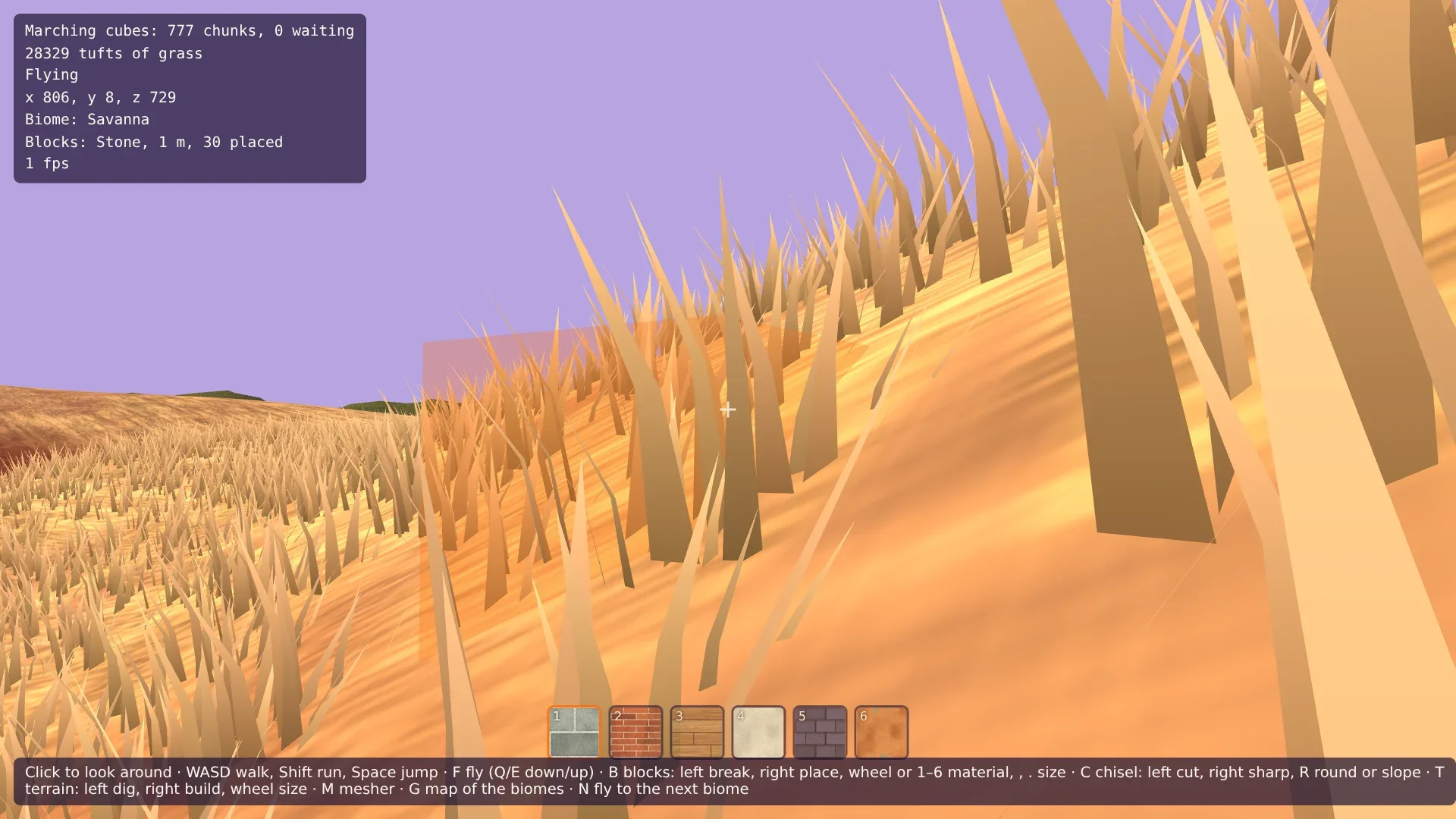
The meadow at the start is full of grass, and the HUD says how many tufts are drawn. Walk, and watch the far end of the grass: it doesn't pop in, it grows. Dig a hole with T: its floor is bare, the grass around it didn't move. Build a mound with the right button: grass grows on its top. Switch the mesher with M: every tuft stays where it was. Then press N until you are in the savanna, and land with F: the grass is tall and the color of straw. In the desert, you have to look for a tuft.
If your machine struggles, GRASS_SPACING in src/scatter.ts and GRASS_RANGE in src/grass.ts are the numbers to turn.
Comments
The comments are GitHub Discussions: sign in with GitHub to write one.
The comments come from GitHub, through giscus. Loading them sends your IP address to giscus.app and GitHub.