
Biomes and Vegetation on Voxel Terrain in Babylon.js · Part 2 of 12 in the series
Part 2: Ground for every biome
Give every biome its own ground: five more textures painted in code, from forest litter to sand, blended by the biomes' weights in the shader, a tint for each biome's soil and rock, and snow that lies where it is cold instead of above a fixed height.
Biomes and Vegetation on Voxel Terrain in Babylon.jsPart 2 of 12
On this page
Quest objectives
- Paint five more ground textures in code, and keep bright colors from overflowing
- Tell the shader which texture covers each biome
- Blend the covers and tints of the biomes by their weights
- Let snow fall by temperature, with a patchy edge
Part 1 gave every place the weights of six biomes, and painted them as a map. Now the weights choose the ground itself. Each biome gets a texture that covers its ground where the meadow has grass: leaf litter in the broadleaf forest, needles and moss under conifers, low olive plants in the tundra, straw in the savanna, sand in the desert. Its soil and rock get a tint. And the snow, which so far lies above 105 m wherever that is, follows the temperature.
Colors that overflow
The new textures are brighter than the old ones, and that brings out a flaw in a helper of the terrain series. shade() multiplies a color, and a bright straw yellow made a third brighter has more than 255 of red. The textures are painted into an array of bytes, and a byte that is given 266 doesn't stop at 255: it starts again at 0 and holds 10. The yellow loses its red and turns green. In src/textures.ts, replace shade:
// Not above 255: a byte that overflows starts again at 0, which turns bright straw green.
export const shade = (color: Rgb, amount: number): Rgb => color.map((c) => Math.min(c * (1 + amount), 255)) as Rgb;
Five more textures
The texture array gets five more layers. In src/textures.ts, the list becomes export const LAYERS = ['grass', 'soil', 'rock', 'snow', 'litter', 'needles', 'moss', 'straw', 'sand'] as const;. The first four keep their numbers, so the shader finds soil, rock and snow where they were. The painters need noises of their own. In PAINTERS, add after snowPatches:
const litterPatches = layeredNoise(4, 8, 16);
const leaves = tilingNoise(40);
const needlePatches = layeredNoise(4, 8, 32);
const needles = tilingNoise(128, 24);
const mossPatches = layeredNoise(4, 8, 16, 32);
const lichen = tilingNoise(24);
const strawPatches = layeredNoise(4, 8, 16);
const stalks = tilingNoise(128, 16);
const sandPatches = layeredNoise(4, 8, 64);
const ripples = tilingNoise(3);
And the painters themselves, after the one for snow:
// The floor of a broadleaf forest: dark green, with last year's leaves on it.
litter: (u, v) => {
  const color = mix(hex('#3a5a26'), hex('#5c5a2c'), litterPatches(u, v) + 0.5);
  const leaf = leaves(u, v);
  return leaf > 0.45 ? mix(color, hex('#96703a'), (leaf - 0.45) * 4) : shade(color, blades(u, v) * 0.4);
},
// Under conifers: brown needles, all lying one way, and cushions of moss.
needles: (u, v) => {
  const color = shade(mix(hex('#4f3a26'), hex('#6e5334'), needlePatches(u, v) + 0.5), needles(u, v) * 0.35);
  const moss = needlePatches(v, u);
  return moss > 0.12 ? mix(color, hex('#4d6d33'), Math.min((moss - 0.12) * 6, 0.85)) : color;
},
// Tundra: low, olive plants, pale lichen and a few stones.
moss: (u, v) => {
  const color = mix(hex('#5d6238'), hex('#8a8250'), mossPatches(u, v) + 0.5);
  const spot = lichen(u, v);
  if (spot > 0.5) return mix(color, hex('#c2c4a4'), (spot - 0.5) * 3);
  return pebbles(v, u) > 0.6 ? hex('#7d7a80') : color;
},
// Savanna: dry stalks, with the earth showing through.
straw: (u, v) => {
  const patch = strawPatches(u, v);
  const color = shade(mix(hex('#a48a42'), hex('#cdb561'), patch + 0.5), stalks(u, v) * 0.4);
  return patch < -0.22 ? mix(color, hex('#8f6b43'), Math.min((-0.22 - patch) * 6, 0.8)) : color;
},
// Sand, with ripples the wind made: stripes across the texture, bent by noise.
sand: (u, v) => {
  const color = mix(hex('#d6b477'), hex('#ecd29a'), sandPatches(u, v) + 0.5);
  return shade(color, Math.sin((v * 14 + ripples(u, v) * 1.5) * Math.PI * 2) * 0.05);
},
They use the tricks of the first four, with a few new ones:
Litter is dark green in patches, shaded by the noise of the grass's blades. Where a second noise is high lies a brown leaf.
Needles are shaded by a noise that is 128 cells wide and only 24 high: its spots are streaks, all lying one way. The cushions of moss read the noise of the patches again with u and v swapped, which gives a second pattern for nothing.
Moss, the tundra's ground, has pale spots of lichen, and a few stones from the pebble noise of the soil.
Straw is shaded by stalks, as the needles are, and where its patches are darkest the earth shows through.
Sand has ripples: a sine wave up the texture, 14 times, bent by a coarse noise. A whole number of waves, so that the texture still tiles.
What covers each biome
The biomes say which layer is theirs. In src/climate.ts, replace the list of biomes:
/**
 * The biomes, each with the climate it is at home in and a color for the map. A place
 * belongs to the biome whose climate is nearest to its own. `ground` is the texture that
 * covers its ground, and `tint` colors its soil and rock.
 */
export const BIOMES = [
  { name: 'Meadow', temperature: 0.5, moisture: 0.4, color: '#7fae3c', ground: 'grass', tint: '#ffffff' },
  { name: 'Broadleaf forest', temperature: 0.52, moisture: 0.76, color: '#3c7a2a', ground: 'litter', tint: '#f2f0e6' },
  { name: 'Conifer forest', temperature: 0.3, moisture: 0.62, color: '#28584a', ground: 'needles', tint: '#e6e8f2' },
  { name: 'Tundra', temperature: 0.1, moisture: 0.45, color: '#c3ccd6', ground: 'moss', tint: '#dfe6f5' },
  { name: 'Savanna', temperature: 0.76, moisture: 0.5, color: '#c9a545', ground: 'straw', tint: '#ffd9b0' },
  { name: 'Desert', temperature: 0.86, moisture: 0.14, color: '#e8bd7c', ground: 'sand', tint: '#ffc08a' },
] as const;
The tints are near white: they are multiplied with the soil's and the rock's colors. The savanna's and the desert's are warm, which turns grey rock reddish and brown soil sandy; the cold biomes' are a little blue. One rock texture is enough for all six.
The shader gets both as uniforms, as it got the map colors. In src/material.ts, add 'biomeGrounds' and 'biomeTints' to the list of uniforms in createTerrainMaterial(), and replace the lines that set the biomes' uniforms:
// The biomes: the climate each is at home in, and its color on the map.
material.setArray2('biomeClimates', BIOMES.flatMap((biome) => [biome.temperature, biome.moisture]));
material.setArray3('biomeColors', BIOMES.flatMap((biome) => Color3.FromHexString(biome.color).asArray()));
// What covers each biome's ground, as the number of its layer, and the tint of its rock.
material.setFloats('biomeGrounds', BIOMES.map((biome) => LAYERS.indexOf(biome.ground)));
material.setArray3('biomeTints', BIOMES.flatMap((biome) => Color3.FromHexString(biome.tint).asArray()));
material.setFloat('mapView', 0);
A layer goes to the shader as its number in LAYERS, and the map is off from now on. In src/main.ts, it starts off too: let mapView = false;.
Blending the ground
In src/terrain.fragment.glsl, add after the uniform biomeColors:
// The layer that covers each biome's ground, and the tint of its soil and rock.
uniform float biomeGrounds[BIOMES];
uniform vec3 biomeTints[BIOMES];
The layer for grass has no constant any more: it is the meadow's cover, and comes in through the uniform like the others. Replace the four constants of the layers:
// The layers of the texture array that every biome shares.
const float SOIL = 1.0;
const float ROCK = 2.0;
const float SNOW = 3.0;
// Below this temperature snow lies, and this much colder it covers everything.
const float SNOW_LINE = 0.12;
const float SNOW_BAND = 0.07;
In main(), replace everything from the comment about grass on gentle slopes to the line that mixes in the map, both included:
// The biomes of this spot, from its climate: the higher up, the colder.
float temperature = vClimate.x - max(vPosition.y, 0.0) * COOLING;
float biomes[BIOMES];
biomeWeights(vec2(temperature, vClimate.y), biomes);

// Each biome's cover on gentle slopes at the surface, rock on steep ones and deeper
// down, soil between them. Where biomes meet, their covers and tints blend.
float flat_ = normal.y;
float cover = smoothstep(0.7, 0.85, flat_) * (1.0 - smoothstep(0.5, 2.0, vDepth));
float rock = max(1.0 - smoothstep(0.45, 0.7, flat_), smoothstep(3.0, 6.0, vDepth));
vec3 covered = vec3(0.0);
vec3 tint = vec3(0.0);
vec3 mapColor = vec3(0.0);
for (int i = 0; i < BIOMES; i += 1) {
  if (biomes[i] <= 0.0) continue;
  if (cover > 0.0) covered += triplanar(biomeGrounds[i], blend) * biomes[i];
  tint += biomeTints[i] * biomes[i];
  mapColor += biomeColors[i] * biomes[i];
}

vec3 color = triplanar(SOIL, blend) * tint;
if (cover > 0.0) color = mix(color, covered, cover);
if (rock > 0.0) color = mix(color, triplanar(ROCK, blend) * tint, rock);

// Snow where it is cold, on ground flat enough to hold it. The rock's texture,
// stretched over 150 m, makes its edge patchy.
float patches = (texture(layers, vec3(vPosition.xz / 150.0, ROCK)).r - 0.5) * 0.2;
float snow = smoothstep(SNOW_LINE, SNOW_LINE - SNOW_BAND, temperature + patches) * smoothstep(0.55, 0.75, flat_);
if (snow > 0.0) color = mix(color, triplanar(SNOW, blend), snow);

// On the map, the textures only shade the color a little.
color = mix(color, mapColor * (0.5 + color.g), mapView);
The weights are worked out first now, since everything depends on them.
coveris whatgrasswas: gentle slopes at the surface. What lies there is each biome's layer times its weight. A biome with no weight is skipped, so deep inside a biome the shader reads one texture, as before, and only in the strips along the borders two or three.The tint is blended the same way, and colors the soil and the rock.
The snow lies where the temperature, cooled by the height, is below
SNOW_LINE, and covers everythingSNOW_BANDbelow that. A straight edge would look painted, so a noise moves the line a little: the red of the rock's texture, read at one repeat per 150 m, which costs one more lookup and no new texture.The map comes last, and still works.
On a mountain in the meadow, the snow starts about a hundred meters up, as it did. In the savanna it starts far higher, and the cold middle of the tundra is white down to the plain. The far view needs no change at all: it uses the same shader and the same attributes, so the land to the horizon is colored by its biomes too.
Try it
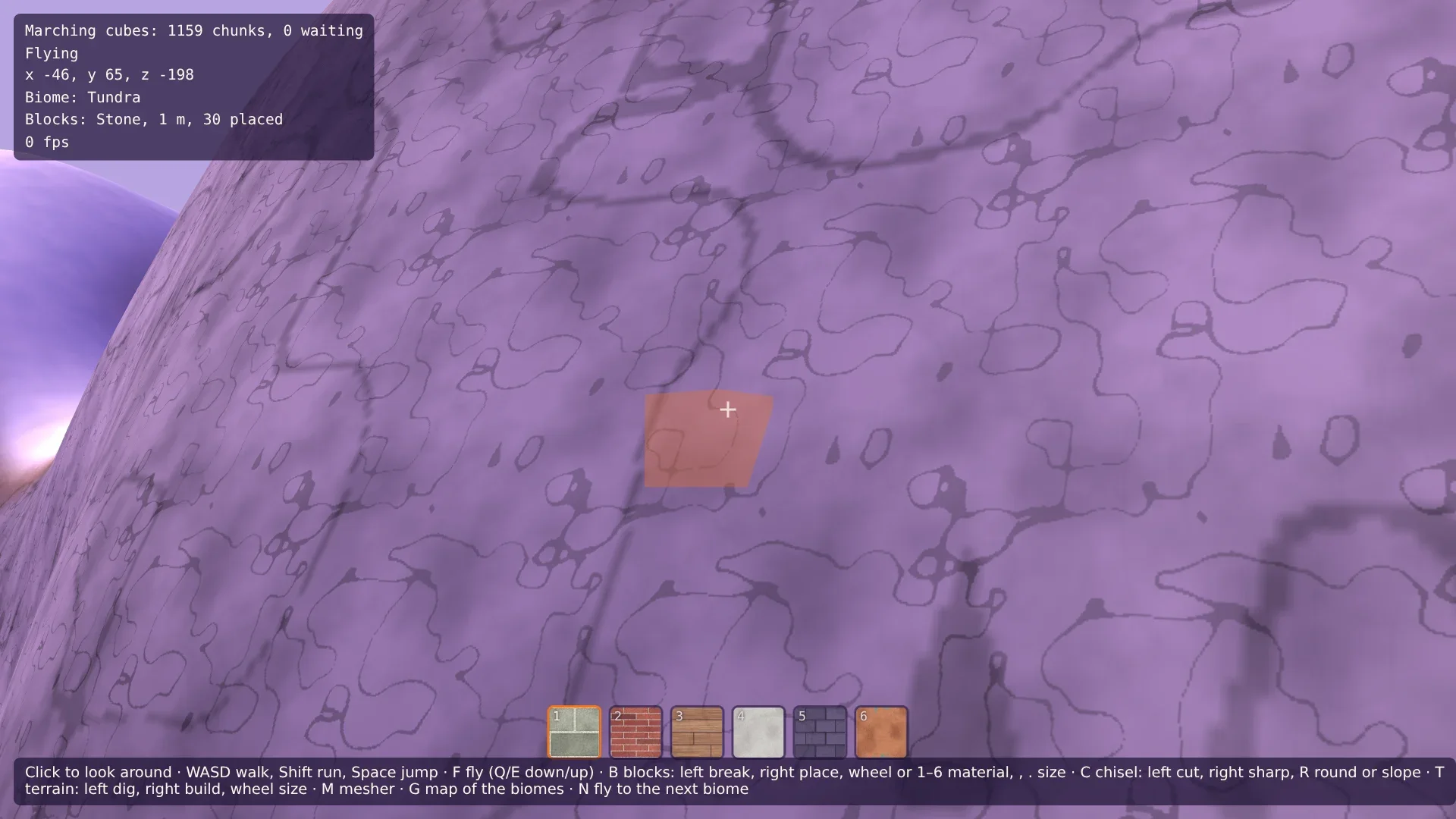
Press N to fly from biome to biome, and look at the ground of each: the dark floor of the broadleaf forest with its leaves, the needles and moss, the tundra with snow in patches, the straw, the sand. Land with F and walk across a border: one ground fades into the other within a few steps. Find a steep slope in the desert and one in the tundra and compare their rock. Fly up with E and look at the snow on the mountains: it reaches lower where the land is cold. G still shows the map, to check which biome is which.
Comments
The comments are GitHub Discussions: sign in with GitHub to write one.
The comments come from GitHub, through giscus. Loading them sends your IP address to giscus.app and GitHub.