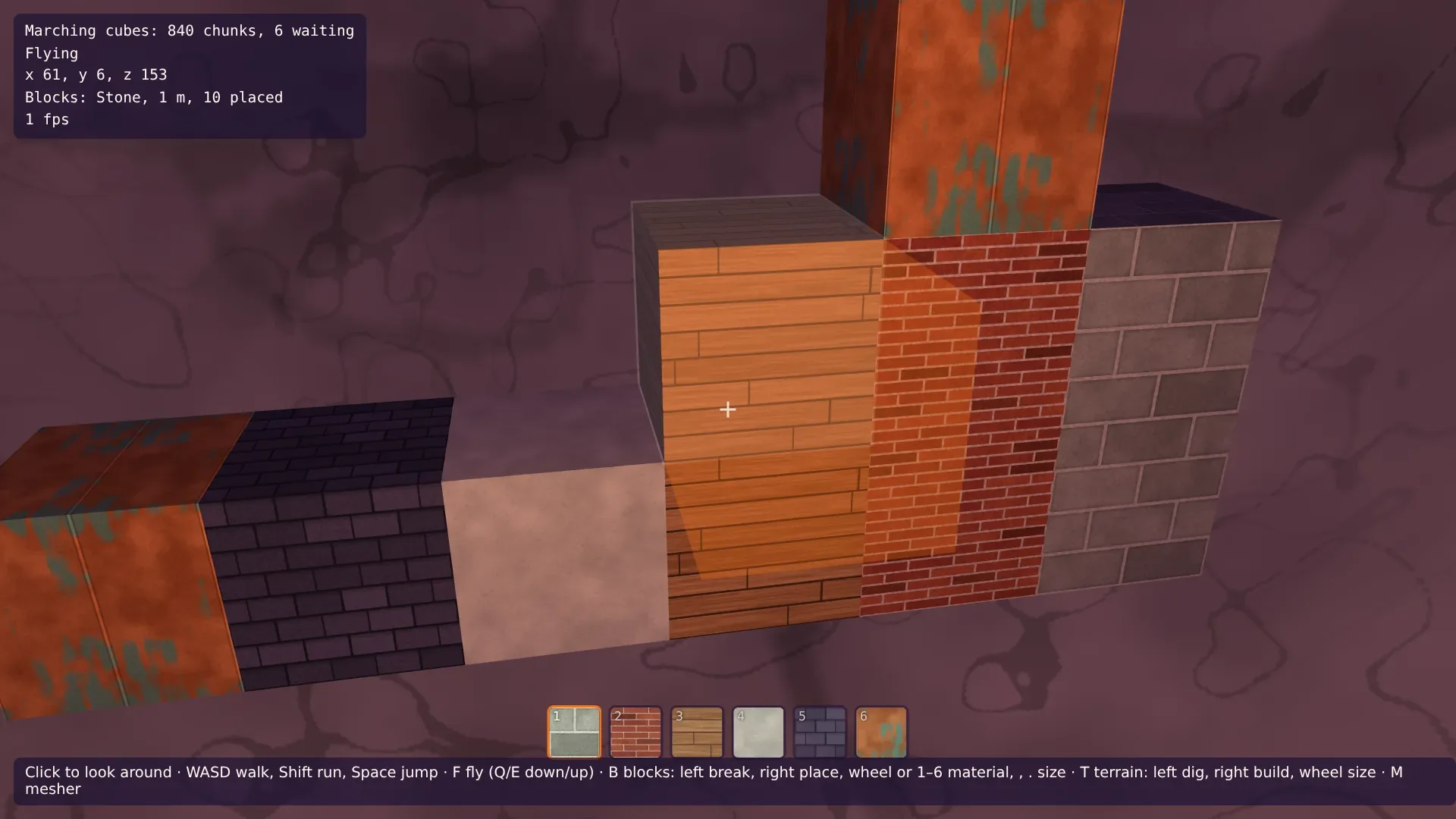
Building on Voxel Terrain in Babylon.js · Part 2 of 10 in the series
Part 2: Painted Blocks and Their Light
Paint six materials in code, from bricks to copper, and lay them on the blocks by their place in the world, so that walls read as one surface. A bar shows the materials, and blocks in caves get dark, from the light grids the workers already work out.
Quest objectives
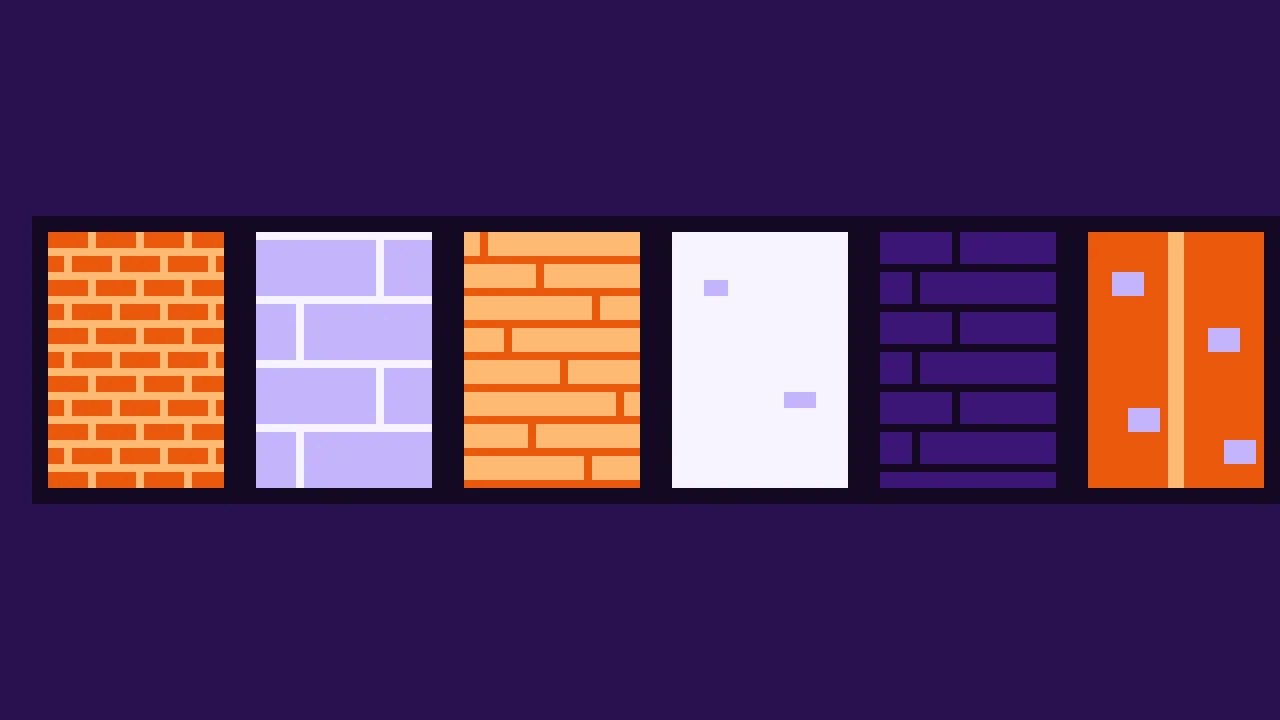
- Paint textures that repeat once per meter, from running bonds of stones and bricks
- Project the textures by position, so that neighboring blocks continue each other
- Show the materials in a bar at the bottom of the screen
- Split the cave light into a grid and a lookup, and keep the grids where blocks are
- Light the blocks from those grids, so that they get dark in caves
The blocks of part 1 are flat colors. This part paints them, the way part 8 of the terrain series painted the grass and the rock: in code, into the layers of a texture array, with no image files. And it gives them the cave light of part 11, so that a block in a cave is as dark as the walls around it.
One meter of texture
The terrain's textures are noise, and it doesn't matter where one repeats. Bricks are different: rows of a fixed height, joints at fixed places. If every block showed the whole texture, a wall of half-meter blocks would have four times as many bricks as a wall of 1 m blocks, and the joints wouldn't meet. So the texture is laid on by position: one texture covers one meter of the world, and a block shows the part of it that lies where the block is. Two blocks side by side continue the same bricks, whatever their sizes, and a wall reads as one surface.
That is the terrain's projection again: the texture seen along x, y and z, picked by the direction a surface faces. Here the sides are flat, so each takes one projection. Rounded blocks, from part 4 on, blend them.
Bonds
Stones, bricks and roof slates are laid in a running bond: rows of units, every other row shifted by half a unit. One function covers all of them. For a point of the texture, it works out the row, the unit in the row, and how far the point is from the nearest joint. A point near a joint gets mortar, and each unit gets its own shade from a hash of its row and number, so that no two bricks look quite the same.
The painters need the noise helpers of the terrain textures. In src/textures.ts, export them, and let a noise stretch, with a different number of cells up the texture than across:
export type Rgb = [number, number, number];
export type Pattern = (u: number, v: number) => number;

const random = seededRandom(7);
const smooth = (t: number) => t * t * (3 - 2 * t);
const lerp = (a: number, b: number, t: number) => a + (b - a) * t;

/**
 * Noise that repeats `period` times across the texture, and `periodV` times up it:
 * random values on a grid, blended smoothly. The grid wraps around, so the texture tiles
 * without seams.
 */
export function tilingNoise(period: number, periodV = period): Pattern {
  const values = Float32Array.from({ length: period * periodV }, () => random() * 2 - 1);
  const at = (i: number, j: number) => values[(i % period) + (j % periodV) * period];
  return (u, v) => {
    const x = u * period;
    const y = v * periodV;
    const i = Math.floor(x);
    const j = Math.floor(y);
    const fx = smooth(x - i);
    const fy = smooth(y - j);
    return lerp(lerp(at(i, j), at(i + 1, j), fx), lerp(at(i, j + 1), at(i + 1, j + 1), fx), fy);
  };
}

/** Several tiling noises added up, each finer and weaker than the one before. */
export function layeredNoise(...periods: number[]): Pattern {
  const layers = periods.map((period) => tilingNoise(period));
  return (u, v) => layers.reduce((sum, layer, i) => sum + layer(u, v) / 2 ** i, 0) * 0.6;
}

export const hex = (color: string): Rgb => [1, 3, 5].map((i) => parseInt(color.slice(i, i + 2), 16)) as Rgb;
export const mix = (a: Rgb, b: Rgb, t: number): Rgb => {
  const k = Math.min(Math.max(t, 0), 1);
  return [lerp(a[0], b[0], k), lerp(a[1], b[1], k), lerp(a[2], b[2], k)];
};
export const shade = (color: Rgb, amount: number): Rgb => color.map((c) => c * (1 + amount)) as Rgb;
The texture must still tile: a unit cut in two by the texture's edge must continue on the other side. That's why every pattern has a whole number of units per meter, and why the hash takes the unit's number modulo the units in a row. Create src/blockTextures.ts:
import { MATERIALS } from './materials.ts';
import { hex, layeredNoise, mix, shade, tilingNoise, TEXTURE_SIZE, type Rgb } from './textures.ts';

/** A number from 0 to 1 that looks random, the same for the same two whole numbers. */
function hash(a: number, b: number): number {
  let h = Math.imul(a, 374761393) + Math.imul(b, 668265263);
  h = Math.imul(h ^ (h >>> 13), 1274126177);
  return ((h ^ (h >>> 16)) >>> 0) / 4294967296;
}

/**
 * Where a point lies in a wall of stones or bricks: `rows` rows up the texture, `across`
 * units along each, and every other row shifted by half a unit. The texture is one meter,
 * so `joint` is in meters: how far the point is from the nearest joint.
 */
function bond(u: number, v: number, across: number, rows: number) {
  const row = Math.floor(v * rows);
  const x = u * across + (row % 2) * 0.5;
  const unit = Math.floor(x);
  const fu = x - unit;
  const fv = v * rows - row;
  const joint = Math.min(Math.min(fu, 1 - fu) / across, Math.min(fv, 1 - fv) / rows);
  // The last unit of a shifted row is the first one again, cut in two by the edge.
  return { row, unit: unit % across, fv, joint };
}

/**
 * How to paint each material, from u along the texture and v up it, both from 0 to 1.
 * The texture covers one meter of a block's side.
 */
const PAINTERS: Record<(typeof MATERIALS)[number]['name'], (u: number, v: number) => Rgb> = (() => {
  const grain = layeredNoise(8, 16, 32);
  const fine = tilingNoise(128);
  const wood = tilingNoise(4, 128);
  const patina = layeredNoise(4, 8, 16, 32);
  const streaks = tilingNoise(32, 4);
  return {
    // Big stones, two to a row, with light mortar and a darker rim.
    Stone: (u, v) => {
      const { row, unit, joint } = bond(u, v, 2, 4);
      if (joint < 0.01) return shade(hex('#cdd0c0'), fine(u, v) * 0.1);
      const color = mix(hex('#84877a'), hex('#adb0a0'), hash(unit, row) + grain(u, v) * 0.6);
      return shade(color, -Math.max(0, 1 - joint / 0.03) * 0.25 + fine(u, v) * 0.08);
    },
    // Bricks of 25 × 6 cm, each a little different.
    Bricks: (u, v) => {
      const { row, unit, joint } = bond(u, v, 4, 16);
      if (joint < 0.007) return shade(hex('#d9cbb8'), fine(u, v) * 0.15);
      const color = mix(hex('#98402c'), hex('#c4663f'), hash(unit, row) * 0.8 + grain(u, v) * 0.4);
      return shade(color, fine(u, v) * 0.12 - (hash(row, unit) > 0.9 ? 0.25 : 0));
    },
    // Boards 12.5 cm wide, each ending somewhere else, with grain along them.
    Planks: (u, v) => {
      const board = Math.floor(v * 8);
      const along = (u + hash(board, 7)) % 1;
      const fv = v * 8 - board;
      if (Math.min(along, 1 - along) < 0.004 || Math.min(fv, 1 - fv) * 0.125 < 0.004) return hex('#4a3020');
      const color = mix(hex('#9c6a3a'), hex('#c99a62'), hash(board, 3) * 0.6 + wood(along, v) * 0.5 + 0.2);
      return shade(color, Math.sin((v * 8 + wood(along, v) * 0.3) * Math.PI * 12) * 0.05 + fine(u, v) * 0.05);
    },
    // Smooth, off-white and a little blotchy.
    Plaster: (u, v) => shade(hex('#d6dcc6'), grain(u, v) * 0.12 + (fine(u, v) > 0.55 ? -0.06 : 0)),
    // Roof slates in rows, each row's top in the shadow of the next.
    Slate: (u, v) => {
      const { row, unit, fv, joint } = bond(u, v, 5, 8);
      if (joint < 0.005) return hex('#1e1b28');
      const color = mix(hex('#3d3950'), hex('#5c5672'), hash(unit, row) + fine(u, v) * 0.3);
      return shade(color, -Math.max(0, (fv - 0.75) / 0.25) * 0.35);
    },
    // Copper sheets of half a meter, with standing seams and green patina.
    Copper: (u, v) => {
      const seam = Math.min((u * 2) % 1, 1 - ((u * 2) % 1)) * 0.5;
      const color = mix(hex('#a95e2b'), hex('#d9894a'), grain(u, v) + 0.5);
      const green = Math.min(Math.max((patina(u, v) + streaks(u, v) * 0.3 - 0.3) * 4, 0), 1);
      const sheet = mix(color, hex('#5fa38a'), green * 0.85);
      if (seam < 0.006) return shade(sheet, 0.3);
      return shade(sheet, seam < 0.012 ? -0.2 : fine(u, v) * 0.06);
    },
  };
})();

/** Paints every material: RGBA bytes, one layer after the other, in MATERIALS' order. */
export function paintBlockLayers(): Uint8Array {
  const pixels = TEXTURE_SIZE * TEXTURE_SIZE;
  const data = new Uint8Array(pixels * 4 * MATERIALS.length);
  MATERIALS.forEach(({ name }, layer) => {
    const paint = PAINTERS[name];
    for (let y = 0; y < TEXTURE_SIZE; y += 1) {
      for (let x = 0; x < TEXTURE_SIZE; x += 1) {
        // Row 0 of the texture is its bottom: v goes up, like a wall.
        const [r, g, b] = paint(x / TEXTURE_SIZE, y / TEXTURE_SIZE).map((c) => Math.min(Math.max(c, 0), 255));
        data.set([r, g, b, 255], (layer * pixels + y * TEXTURE_SIZE + x) * 4);
      }
    }
  });
  return data;
}Stone: big blocks, two to a row of 25 cm, with light mortar and a darker rim along each joint.
Bricks: 25 × 6.25 cm, now and then a darker one.
Planks: boards of 12.5 cm, each with its own joint somewhere along the meter, and grain from a noise stretched along the board.
Plaster: smooth and a little blotchy.
Slate: rows of tiles, the top of each row in the shadow of the row above.
Copper: sheets with standing seams, and green patina where a noise says so.
The colors run on the cool side of neutral. The sky's light is lilac and the sun's warm, and a plain grey would come out pink.
The material
The layers become a texture array, as the terrain's do. Create it from layers that are painted once, because the bar below wants them too. Replace src/blockMaterial.ts:
import {
  Constants,
  RawTexture2DArray,
  ShaderMaterial,
  Texture,
  type Scene,
} from '@babylonjs/core/pure';
import fragmentSource from './block.fragment.glsl?raw';
import vertexSource from './block.vertex.glsl?raw';
import { LIGHT_UNIFORMS, setLight, type FogOptions } from './material.ts';
import { MATERIALS } from './materials.ts';
import { TEXTURE_SIZE } from './textures.ts';

/** The painted materials, as the layers of one texture array. */
export function createBlockTextures(scene: Scene, layers: Uint8Array): RawTexture2DArray {
  const textures = new RawTexture2DArray(
    layers,
    TEXTURE_SIZE,
    TEXTURE_SIZE,
    MATERIALS.length,
    Constants.TEXTUREFORMAT_RGBA,
    scene,
    true,
    false,
    Texture.TRILINEAR_SAMPLINGMODE,
  );
  textures.wrapU = Texture.WRAP_ADDRESSMODE;
  textures.wrapV = Texture.WRAP_ADDRESSMODE;
  textures.anisotropicFilteringLevel = 8;
  return textures;
}

/** The blocks' material: the painted materials, lit like the terrain. */
export function createBlockMaterial(scene: Scene, textures: RawTexture2DArray, options: FogOptions): ShaderMaterial {
  const material = new ShaderMaterial(
    'blocks',
    scene,
    { vertexSource, fragmentSource },
    {
      attributes: ['position', 'normal', 'material', 'light'],
      uniforms: ['world', 'viewProjection', ...LIGHT_UNIFORMS],
      samplers: ['layers'],
    },
  );
  material.setTexture('layers', textures);
  setLight(material, options);
  return material;
}
The vertex shader passes the position and normal as the mesh has them, before the world matrix: vPattern and vPatternNormal. For a region mesh, that's the world position anyway. Part 7 turns falling blocks, and their pattern must stay where it is on them. The material number and the light become varyings too. Replace src/block.vertex.glsl:
precision highp float;

attribute vec3 position;
attribute vec3 normal;
attribute float material;
attribute float light;

uniform mat4 world;
uniform mat4 viewProjection;

varying vec3 vPosition;
varying vec3 vNormal;
varying vec3 vPattern;
varying vec3 vPatternNormal;
varying float vMaterial;
varying float vLight;

void main() {
  vec4 worldPosition = world * vec4(position, 1.0);
  vPosition = worldPosition.xyz;
  // Blocks may be turned, but never scaled: turning the normal is enough.
  vNormal = mat3(world) * normal;
  // The pattern stays where it is on the block, however the block is turned.
  vPattern = position;
  vPatternNormal = normal;
  vMaterial = material;
  vLight = light;
  gl_Position = viewProjection * worldPosition;
}
The fragment shader samples the layer three times, one meter of texture per meter of world, and blends by the pattern normal raised to the 8th power: on a flat side that is exactly one projection. The light now comes from the vertices. Replace src/block.fragment.glsl:
precision highp float;
precision highp sampler2DArray;

varying vec3 vPosition;
varying vec3 vNormal;
varying vec3 vPattern;
varying vec3 vPatternNormal;
varying float vMaterial;
varying float vLight;

uniform sampler2DArray layers;
uniform vec3 cameraPosition;
uniform vec3 sunDirection;
uniform vec3 sunColor;
uniform vec3 skyColor;
uniform vec3 groundColor;
uniform vec3 caveColor;
uniform vec3 lampColor;
uniform vec3 fogColor;
uniform vec2 fogRange;

// Meters the lamp at the camera reaches.
const float LAMP_RANGE = 24.0;

void main() {
  // The material's texture, one per meter, projected along x, y and z. Flat sides take
  // one projection; the blend only matters on rounded ones.
  float layer = floor(vMaterial + 0.5);
  vec3 blend = pow(abs(normalize(vPatternNormal)), vec3(8.0));
  blend /= blend.x + blend.y + blend.z;
  vec3 color = texture(layers, vec3(vPattern.zy, layer)).rgb * blend.x
    + texture(layers, vec3(vPattern.xz, layer)).rgb * blend.y
    + texture(layers, vec3(vPattern.xy, layer)).rgb * blend.z;

  // The same light as the terrain's.
  vec3 normal = normalize(vNormal);
  float sky = vLight;
  float sun = max(dot(normal, -sunDirection), 0.0) * smoothstep(0.6, 1.0, sky);
  vec3 ambient = mix(groundColor, skyColor, normal.y * 0.5 + 0.5) * pow(sky, 1.5) + caveColor;

  vec3 toCamera = cameraPosition - vPosition;
  float distanceToCamera = length(toCamera);
  float lamp = max(dot(normal, toCamera / distanceToCamera), 0.0)
    * pow(1.0 - min(distanceToCamera / LAMP_RANGE, 1.0), 2.0) * (1.0 - sky);

  vec3 lit = color * (ambient + sunColor * sun + lampColor * lamp);

  float fog = smoothstep(fogRange.x, fogRange.y, distance(vPosition, cameraPosition));
  gl_FragColor = vec4(mix(lit, fogColor, fog), 1.0);
}
The bar
A bar at the bottom of the screen shows the materials: a slot each, with a piece of its texture and its number key. The pictures come from the same painted layers: half a meter of each, every second pixel, turned upright, since a texture's first row is its bottom and a canvas's first row is its top. Create src/hotbar.ts:
import { MATERIALS } from './materials.ts';
import { TEXTURE_SIZE } from './textures.ts';

/** Pixels along each side of a slot's picture. */
const SWATCH = 64;

/** The bar at the bottom of the screen: a slot for each material, with its texture. */
export class Hotbar {
  private readonly slots: HTMLElement[] = [];

  /** `layers` are the painted materials, as paintBlockLayers() makes them. */
  constructor(element: HTMLElement, layers: Uint8Array) {
    MATERIALS.forEach(({ name }, layer) => {
      const slot = document.createElement('div');
      slot.className = 'slot';
      slot.title = name;
      // Half a meter of the texture, every second pixel, upside down: the texture's
      // first row is its bottom, the canvas's its top.
      const canvas = document.createElement('canvas');
      canvas.width = SWATCH;
      canvas.height = SWATCH;
      const image = new ImageData(SWATCH, SWATCH);
      for (let y = 0; y < SWATCH; y += 1) {
        for (let x = 0; x < SWATCH; x += 1) {
          const from = (layer * TEXTURE_SIZE * TEXTURE_SIZE + (SWATCH - 1 - y) * 2 * TEXTURE_SIZE + x * 2) * 4;
          image.data.set(layers.subarray(from, from + 4), (y * SWATCH + x) * 4);
        }
      }
      canvas.getContext('2d')!.putImageData(image, 0, 0);
      const key = document.createElement('span');
      key.textContent = String(layer + 1);
      slot.append(canvas, key);
      element.append(slot);
      this.slots.push(slot);
    });
  }

  /** Marks the slot of the material in hand. */
  select(material: number): void {
    this.slots.forEach((slot, i) => slot.classList.toggle('selected', i === material));
  }
}
Add the bar's styles to the end of src/style.css:
#bar {
  position: fixed;
  left: 50%;
  bottom: 52px;
  display: flex;
  gap: 6px;
  transform: translateX(-50%);
  pointer-events: none;
}

#bar .slot {
  position: relative;
  width: 44px;
  height: 44px;
  border: 2px solid rgb(29 18 51 / 0.8);
  border-radius: 6px;
  overflow: hidden;
  opacity: 0.75;
}

#bar .slot.selected {
  border-color: #f97316;
  opacity: 1;
}

#bar canvas {
  display: block;
  width: 100%;
  height: 100%;
}

#bar span {
  position: absolute;
  left: 3px;
  top: 1px;
  font: 11px ui-monospace, monospace;
  text-shadow: 0 0 3px #000;
}
And its element to index.html:
<!doctype html>
<html lang="en">
  <head>
    <meta charset="UTF-8" />
    <meta name="viewport" content="width=device-width, initial-scale=1.0" />
    <title>Voxel building</title>
  </head>
  <body>
    <canvas id="game"></canvas>
    <div id="crosshair"></div>
    <div id="hud"></div>
    <div id="bar"></div>
    <div id="help">
      Click to look around · WASD walk, Shift run, Space jump · F fly (Q/E down/up) · B blocks:
      left break, right place, wheel or 1–6 material, , . size · T terrain: left dig, right build, wheel
      size · M mesher
    </div>
    <script type="module" src="/src/main.ts"></script>
  </body>
</html>
Light from the workers
Blocks in a cave should be dark. The terrain worked out its light in part 11: a grid of nodes 2 m apart around each chunk, filled from the open sky through the air, read at every vertex. The blocks could build such grids themselves, but a grid takes some 50,000 density samples, and the main thread would stutter every time you build in a new place. The workers build these grids anyway, for every chunk they mesh. A region of blocks is as big as a chunk and in the same place, so the chunk's grid covers its blocks. The workers only have to hand them out.
So skyLight() becomes two functions: lightGrid() builds the grid and keeps each node in one byte, 0 in the ground and 1 to 255 in the air, and lightAt() reads the grid at a mesh's vertices. Replace src/skyLight.ts:
import type { EditStore } from './edits.ts';
import { CHUNK_SIZE } from './grid.ts';
import { highestGround } from './terrain.ts';

/** Meters between the nodes of the light grid. */
const SPACING = 2;
/** How far the sky's light reaches into caves, through the air: further in it is dark. */
const REACH = 16;
const STEPS = REACH / SPACING;
/** How far around a chunk the light can come from, in meters. */
export const LIGHT_REACH = REACH + 2 * SPACING;
/**
 * A node counts as air only at least this far from the ground. Two nodes are 2 m apart,
 * so any rock between them keeps one of them within 1 m: light can't pass through.
 */
const CLEARANCE = 1;
/** Vertices read the light this far out along their normal, among the air nodes there. */
const LOOK_OUT = 1.5;
const UNREACHED = 255;

/**
 * The light of the nodes around a chunk, one byte each: 0 in the ground, and in the air
 * 1 + 254 × how much of the sky's light reaches the node.
 */
export interface LightGrid {
  /** The first node, in nodes from the world's origin. */
  low: number[];
  /** Nodes along each axis. */
  size: number[];
  nodes: Uint8Array;
}

/**
 * How much of the sky's light reaches the nodes from LIGHT_REACH around a chunk: 1 under
 * the open sky, less the further it is through the air to it. `origin` is the chunk's
 * low corner.
 */
export function lightGrid(origin: { x: number; y: number; z: number }, edits: EditStore): LightGrid {
  // The nodes from LIGHT_REACH below the chunk's low corner to as far past its high one,
  // numbered on a grid the whole world shares, so neighboring chunks agree.
  const low = [origin.x, origin.y, origin.z].map((o) => Math.floor((o - LIGHT_REACH) / SPACING));
  const high = [origin.x, origin.y, origin.z].map((o) => Math.ceil((o + CHUNK_SIZE + LIGHT_REACH) / SPACING));
  const [nx, ny, nz] = [0, 1, 2].map((axis) => high[axis] - low[axis] + 1);
  const node = (i: number, j: number, k: number) => i + nx * (j + ny * k);
  const air = new Uint8Array(nx * ny * nz);
  const steps = new Uint8Array(nx * ny * nz).fill(UNREACHED);
  const queue = new Int32Array(nx * ny * nz);
  let queued = 0;

  // Above this height no ground rises over the grid: everything up there sees the sky.
  const size = (nx - 1) * SPACING;
  let top = highestGround(low[0] * SPACING, low[2] * SPACING, size);
  for (let cz = Math.floor((low[2] * SPACING) / CHUNK_SIZE); cz <= Math.floor((high[2] * SPACING) / CHUNK_SIZE); cz += 1) {
    for (let cx = Math.floor((low[0] * SPACING) / CHUNK_SIZE); cx <= Math.floor((high[0] * SPACING) / CHUNK_SIZE); cx += 1) {
      top = Math.max(top, (edits.highestLayer(cx, cz) + 1) * CHUNK_SIZE);
    }
  }

  for (let k = 0; k < nz; k += 1) {
    for (let i = 0; i < nx; i += 1) {
      const x = (low[0] + i) * SPACING;
      const z = (low[2] + k) * SPACING;
      // Down the column from the top: the sky reaches every node above the first
      // solid one, also those above the grid.
      let open = true;
      for (let y = Math.ceil(top / SPACING) * SPACING; y > high[1] * SPACING && open; y -= SPACING) {
        if (edits.sample(x, y, z) >= -CLEARANCE) open = false;
      }
      for (let j = ny - 1; j >= 0; j -= 1) {
        const index = node(i, j, k);
        air[index] = edits.sample(x, (low[1] + j) * SPACING, z) < -CLEARANCE ? 1 : 0;
        if (!air[index]) open = false;
        if (open) {
          steps[index] = 0;
          queue[queued++] = index;
        }
      }
    }
  }

  // From the open nodes into the caves, one step at a time: each node learns how many
  // steps through the air it is from the sky.
  const neighbors = [1, -1, nx, -nx, nx * ny, -nx * ny];
  for (let head = 0; head < queued; head += 1) {
    const index = queue[head];
    const next = steps[index] + 1;
    if (next > STEPS) continue;
    const i = index % nx;
    const j = Math.floor(index / nx) % ny;
    const k = Math.floor(index / (nx * ny));
    for (let n = 0; n < 6; n += 1) {
      // Not past the edge of the grid.
      if ((n === 0 && i === nx - 1) || (n === 1 && i === 0)) continue;
      if ((n === 2 && j === ny - 1) || (n === 3 && j === 0)) continue;
      if ((n === 4 && k === nz - 1) || (n === 5 && k === 0)) continue;
      const other = index + neighbors[n];
      if (!air[other] || steps[other] !== UNREACHED) continue;
      steps[other] = next;
      queue[queued++] = other;
    }
  }

  const nodes = new Uint8Array(nx * ny * nz);
  for (let index = 0; index < nodes.length; index += 1) {
    if (!air[index]) continue;
    const light = steps[index] === UNREACHED ? 0 : 1 - steps[index] / STEPS;
    nodes[index] = 1 + Math.round(light * 254);
  }
  return { low, size: [nx, ny, nz], nodes };
}

/**
 * How much of the sky's light reaches each vertex, from 0 to 1, read from a grid of light.
 * `positions` and `normals` are a mesh's, positions from `origin`.
 */
export function lightAt(
  grid: LightGrid,
  origin: { x: number; y: number; z: number },
  positions: Float32Array,
  normals: Float32Array,
): Float32Array {
  const { low, nodes } = grid;
  const [nx, ny, nz] = grid.size;
  // Each vertex blends the light of the air nodes around a point a little way out.
  const light = new Float32Array(positions.length / 3);
  for (let v = 0; v < light.length; v += 1) {
    const p = [0, 1, 2].map((axis) => {
      const position = [origin.x, origin.y, origin.z][axis] + positions[v * 3 + axis];
      return (position + normals[v * 3 + axis] * LOOK_OUT) / SPACING - low[axis];
    });
    const [i0, j0, k0] = p.map(Math.floor);
    let sum = 0;
    let weights = 0;
    for (let c = 0; c < 8; c += 1) {
      const [i, j, k] = [i0 + (c & 1), j0 + ((c >> 1) & 1), k0 + (c >> 2)];
      if (i < 0 || j < 0 || k < 0 || i >= nx || j >= ny || k >= nz) continue;
      const node = nodes[i + nx * (j + ny * k)];
      if (!node) continue;
      const weight =
        (c & 1 ? p[0] - i0 : 1 - (p[0] - i0)) *
        ((c >> 1) & 1 ? p[1] - j0 : 1 - (p[1] - j0)) *
        (c >> 2 ? p[2] - k0 : 1 - (p[2] - k0));
      sum += weight * ((node - 1) / 254);
      weights += weight;
    }
    light[v] = weights > 0 ? sum / weights : 0;
  }
  return light;
}
A chunk's job says whether to hand out its grid. A chunk without a surface, all air, gets a grid only then: there may be blocks in the air. In src/chunks.ts, replace buildChunk():
/** A built chunk: its mesh, and its grid of light if it was asked for. */
export interface BuiltChunk {
  /** null when the chunk holds no surface. */
  mesh: ChunkMesh | null;
  light: LightGrid | null;
}

/**
 * Samples the terrain in a chunk and meshes it. The light is worked out for the mesh, and
 * handed out too with `keepLight`, for the blocks.
 */
export function buildChunk(
  chunk: ChunkPosition,
  mesher: MesherName,
  edits: EditStore,
  keepLight: boolean,
): BuiltChunk {
  const origin = { x: chunk.x * CHUNK_SIZE, y: chunk.y * CHUNK_SIZE, z: chunk.z * CHUNK_SIZE };
  const grid = new DensityGrid().fill(density, origin);
  edits.applyTo(grid, origin);
  const surface = grid.hasSurface();
  const light = surface || keepLight ? lightGrid(origin, edits) : null;
  if (!surface) return { mesh: null, light };
  const mesh = MESHERS[mesher].mesh(grid);

  // Meters below the generated ground, for the material: soil first, then rock.
  const { positions } = mesh;
  const depths = new Float32Array(positions.length / 3);
  for (let i = 0; i < depths.length; i += 1) {
    const x = origin.x + positions[i * 3];
    const y = origin.y + positions[i * 3 + 1];
    const z = origin.z + positions[i * 3 + 2];
    depths[i] = surfaceHeight(x, z) - y;
  }
  const vertexLight = lightAt(light!, origin, mesh.positions, mesh.normals);
  return { mesh: { ...mesh, depths, light: vertexLight }, light: keepLight ? light : null };
}
The worker passes the flag on and hands the grid over with the mesh. Replace src/chunkWorker.ts:
import { buildChunk, type BuiltChunk, type ChunkPosition } from './chunks.ts';
import { EditStore, type Edit } from './edits.ts';
import type { MesherName } from './meshers.ts';

export interface ChunkJob {
  chunk: ChunkPosition;
  mesher: MesherName;
  /** Whether to hand out the chunk's grid of light. */
  keepLight: boolean;
}

/** What the page sends: a chunk to build, or an edit for the worker's copy of the edits. */
export type WorkerMessage = ({ type: 'build' } & ChunkJob) | { type: 'edit'; edit: Edit };

export interface ChunkResult extends BuiltChunk {
  /** Milliseconds the worker spent on the chunk. */
  time: number;
}

// Every worker keeps its own copy of the edits, made from the same edits as the page's.
const edits = new EditStore();

self.onmessage = (event: MessageEvent<WorkerMessage>) => {
  const message = event.data;
  if (message.type === 'edit') {
    edits.apply(message.edit);
    return;
  }
  const started = performance.now();
  const { mesh, light } = buildChunk(message.chunk, message.mesher, edits, message.keepLight);
  const result: ChunkResult = { mesh, light, time: performance.now() - started };
  // Hand the arrays' memory over to the page instead of copying it.
  const transfer: Transferable[] = mesh
    ? [mesh.positions.buffer, mesh.normals.buffer, mesh.indices.buffer, mesh.depths.buffer, mesh.light.buffer]
    : [];
  if (light) transfer.push(light.nodes.buffer);
  self.postMessage(result, { transfer });
};
The world keeps the grids of the chunks that have blocks: a grid is 50 KB, and there are hundreds of chunks. It doesn't know about blocks, so it asks: wantsLight tells it whether a chunk needs its grid, and onLight tells the blocks that a new one came. In src/world.ts, add to the fields of World:
/** Asked for each chunk: whether to keep its grid of light, for the blocks in it. */
wantsLight: (position: ChunkPosition) => boolean = () => false;
/** Called when a chunk has a new grid of light. */
onLight: (position: ChunkPosition) => void = () => {};
private readonly chunks = new Map<string, Chunk>();
private readonly lights = new Map<string, LightGrid>();
Add a method to read a grid:
/** A chunk's grid of light, if it was kept. */
lightGrid(position: ChunkPosition): LightGrid | undefined {
  return this.lights.get(chunkKey(position));
}
In dropFar(), drop the grid with the chunk: this.lights.delete(key); after this.chunks.delete(key);. A chunk that was built before it had blocks has no grid; startJobs() builds it once more for one. Replace it:
/** Gives every free worker the chunk that needs building most: edited ones, then the nearest. */
private startJobs(): void {
  if (this.workers.free === 0) return;
  const wanted: { position: ChunkPosition; distance: number }[] = [];
  // Chunks that an edit changed come first, wherever they are.
  for (const chunk of this.chunks.values()) {
    if (chunk.batch && chunk.pending < 0) wanted.push({ position: chunk.position, distance: -1 });
  }
  // Then the chunks around the camera, nearest first.
  const center = this.center;
  for (let dz = -VIEW_RADIUS; dz <= VIEW_RADIUS; dz += 1) {
    for (let dx = -VIEW_RADIUS; dx <= VIEW_RADIUS; dx += 1) {
      if (dx * dx + dz * dz > VIEW_RADIUS * VIEW_RADIUS) continue;
      const x = center.x + dx;
      const z = center.z + dz;
      for (let y = LOWEST_LAYER; y <= this.top(x, z); y += 1) {
        const chunk = this.chunks.get(chunkKey({ x, y, z }));
        // A chunk that is built is built again only for a grid of light it lacks.
        const built = chunk && chunk.shown === chunk.version &&
          (this.lights.has(chunkKey({ x, y, z })) || !this.wantsLight({ x, y, z }));
        if (chunk && (chunk.batch || chunk.pending >= 0 || built)) continue;
        const distance = Math.hypot(
          (x + 0.5) * CHUNK_SIZE - this.focus.x,
          (y + 0.5) * CHUNK_SIZE - this.focus.y,
          (z + 0.5) * CHUNK_SIZE - this.focus.z,
        );
        wanted.push({ position: { x, y, z }, distance });
      }
    }
  }
  wanted.sort((a, b) => a.distance - b.distance);

  for (const { position } of wanted.slice(0, this.workers.free)) {
    const chunk = this.chunks.get(chunkKey(position)) ?? this.addChunk(position);
    const version = chunk.version;
    const batch = chunk.batch;
    chunk.batch = null;
    chunk.pending = version;
    const keepLight = this.wantsLight(position);
    this.workers.run({ chunk: position, mesher: this.mesher, keepLight }).then((result) => {
      const finished = { chunk, version, data: result.mesh, light: result.light };
      if (batch) {
        batch.results.push(finished);
        this.settle(batch);
      } else {
        this.finished.push([finished]);
      }
      // The worker is free again: no need to wait for the next frame.
      this.startJobs();
    });
  }
}
The grid arrives with the mesh, and is kept when the mesh is shown, so that the blocks get their new light in the same frame as the terrain. An edit relights the chunks around it, as in part 11, and with them the blocks there. Replace showFinished():
/** Shows the meshes the workers made, as many groups as fit into the frame's budget. */
private showFinished(): void {
  const started = performance.now();
  while (this.finished.length > 0 && performance.now() - started < SHOW_BUDGET) {
    for (const { chunk, version, data, light } of this.finished.shift()!) {
      chunk.pending = -1;
      // Dropped while it was being built: the chunk is gone.
      if (this.chunks.get(chunkKey(chunk.position)) !== chunk) continue;
      chunk.mesh?.dispose();
      chunk.mesh = data ? this.createChunkMesh(chunk.position, data) : null;
      chunk.shown = version;
      if (light) {
        this.lights.set(chunkKey(chunk.position), light);
        this.onLight(chunk.position);
      }
    }
  }
}
Lighting the blocks
The block world asks for the grids of the regions it has blocks in, and builds a region again when a new grid arrives. To find the chunk of a region it needs the coordinates back from the key. In src/blocks.ts, add:
/** The cell a key stands for: cellKey backwards. */
export function cellOfKey(key: number): [number, number, number] {
  return [Math.floor(key / 2 ** 32) - 32768, (Math.floor(key / 65536) % 65536) - 32768, (key % 65536) - 32768];
}
The light per vertex comes from lightAt(). The block meshes have their positions in meters from the world's origin, so the origin it gets is 0. Until a region's grid arrives, its blocks see the whole sky. Replace src/blockWorld.ts:
import type { Material, Mesh, Scene } from '@babylonjs/core/pure';
import { BlockStore, cellKey, cellOfKey, regionOf, type Block } from './blocks.ts';
import { meshBlocks } from './blockMesher.ts';
import { createMesh } from './meshData.ts';
import { lightAt } from './skyLight.ts';
import type { World } from './world.ts';

/** The blocks in the scene: one mesh per region, built again when its blocks change. */
export class BlockWorld {
  readonly store = new BlockStore();
  private readonly meshes = new Map<number, Mesh>();
  /** The regions whose mesh is out of date. */
  private readonly dirty = new Set<number>();
  private readonly scene: Scene;
  private readonly material: Material;
  private readonly world: World;

  constructor(scene: Scene, material: Material, world: World) {
    this.scene = scene;
    this.material = material;
    this.world = world;
    this.store.onChange = (block) => this.touch(block);
    // A region is as big as a chunk, and at the same place: the chunk's grid of light
    // covers the region's blocks. The world keeps the grids of chunks with blocks in them.
    world.wantsLight = ({ x, y, z }) => this.store.inRegion(cellKey(x, y, z)).size > 0;
    world.onLight = ({ x, y, z }) => {
      if (this.store.inRegion(cellKey(x, y, z)).size > 0) this.dirty.add(cellKey(x, y, z));
    };
  }

  /** Once a frame: builds the meshes of the regions that changed. */
  update(): void {
    for (const region of this.dirty) this.build(region);
    this.dirty.clear();
  }

  /**
   * A block came or went. Its region is out of date, and so are the regions of the blocks
   * around it, whose sides it covers or uncovers.
   */
  private touch(block: Block): void {
    this.dirty.add(regionOf(block.x, block.y, block.z));
    const { x, y, z, size } = block;
    for (let k = z - 1; k <= z + size; k += 1) {
      for (let j = y - 1; j <= y + size; j += 1) {
        for (let i = x - 1; i <= x + size; i += 1) {
          const other = this.store.at(i, j, k);
          if (other && other !== block) this.dirty.add(regionOf(other.x, other.y, other.z));
        }
      }
    }
  }

  private build(region: number): void {
    this.meshes.get(region)?.dispose();
    this.meshes.delete(region);
    const blocks = this.store.inRegion(region);
    const data = meshBlocks(blocks, this.store);
    if (!data) return;
    const mesh = createMesh(`blocks ${region}`, data, this.scene);
    mesh.setVerticesData('material', data.materials, false, 1);
    // The positions are from the world's origin. Until the chunk has a grid of light,
    // the blocks see the whole sky.
    const [x, y, z] = cellOfKey(region);
    const grid = this.world.lightGrid({ x, y, z });
    const light = grid
      ? lightAt(grid, { x: 0, y: 0, z: 0 }, data.positions, data.normals)
      : new Float32Array(data.positions.length / 3).fill(1);
    mesh.setVerticesData('light', light, false, 1);
    mesh.material = this.material;
    // Tells the tools that a ray hit blocks, not the ground.
    mesh.metadata = 'blocks';
    mesh.freezeWorldMatrix();
    this.meshes.set(region, mesh);
  }
}
In src/main.ts, paint the layers and make the bar, right after hud:
// The materials are painted once, for the blocks and for the bar.
const blockLayers = paintBlockLayers();
const hotbar = new Hotbar(document.querySelector<HTMLElement>('#bar')!, blockLayers);
Create the material from the layers, and hand the block world the world:
const blockMaterial = createBlockMaterial(scene, createBlockTextures(scene, blockLayers), fog);
const blocks = new BlockWorld(scene, blockMaterial, world);
And mark the material in hand, in the frame, after the blocks are updated:
blocks.update();
hotbar.select(tool === 'blocks' ? blockTool.material : -1);
The imports gain paintBlockLayers, createBlockTextures and Hotbar. The comment on RegisterEnginesExtensionsEngineRawTexture() can now say it serves both texture arrays.
Try it
Build a wall of every material. Joints run on from block to block, also between sizes: a row of half-meter bricks continues the bricks of a 1 m block.
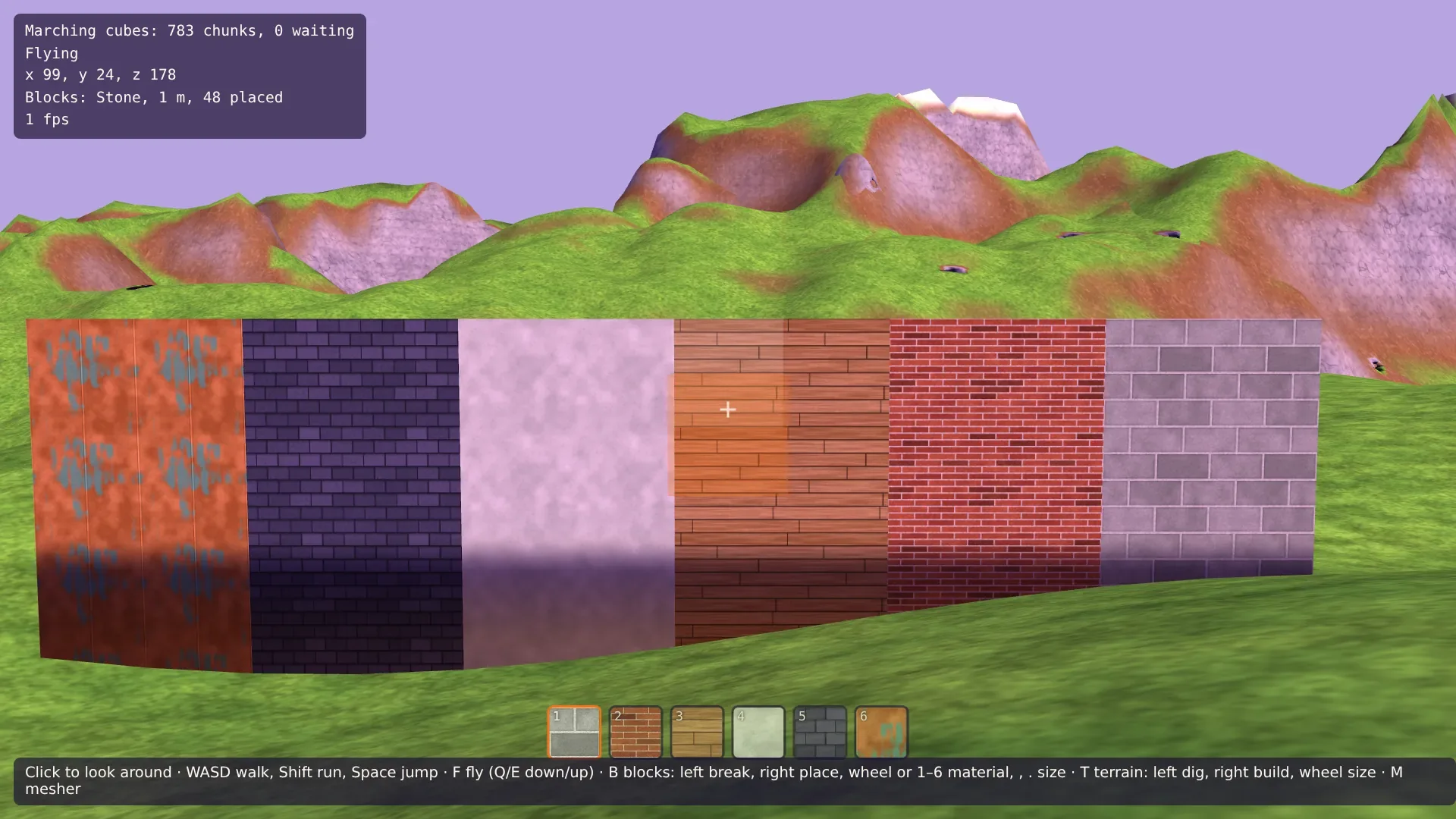
Then dig down into the ground with the terrain tool, a few meters, and put blocks at the bottom of the pit. Under the open sky they are bright; in a cave, or a pit deep enough, they get as dark as the walls, and only the lamp at the camera lights them.