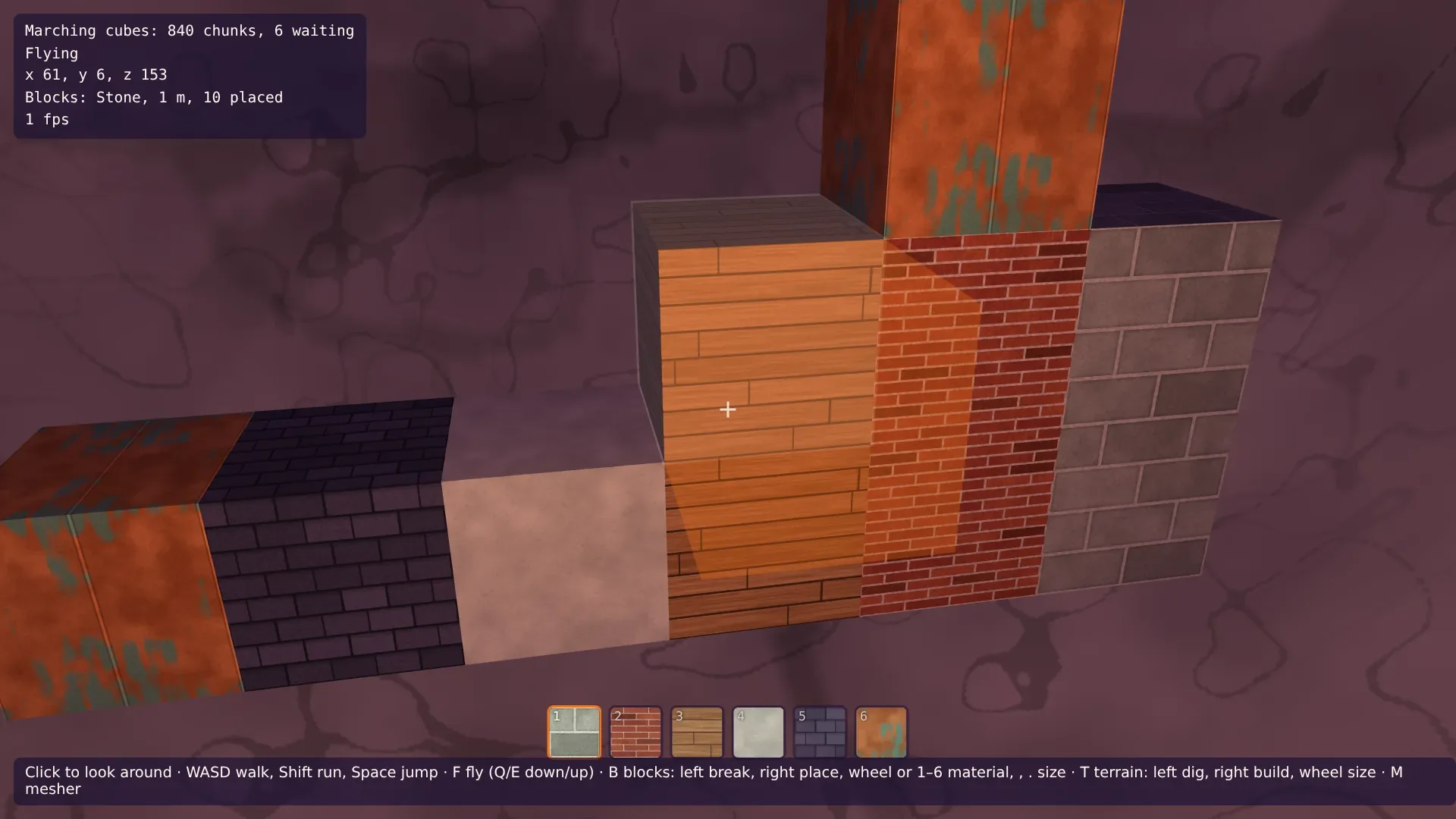
Bauen auf Voxel-Terrain in Babylon.js · Teil 2 von 10 der Serie
Teil 2: Bemalte Blöcke und ihr Licht
Mal sechs Materialien in Code, von Ziegeln bis Kupfer, und leg sie nach ihrem Ort in der Welt auf die Blöcke, damit Wände als eine Fläche wirken. Eine Leiste zeigt die Materialien, und Blöcke in Höhlen werden dunkel, aus den Lichtgittern, die die Worker ohnehin ausrechnen.
Quest-Ziele
- Texturen malen, die sich einmal pro Meter wiederholen, aus Verbänden von Steinen und Ziegeln
- Die Texturen nach der Position projizieren, damit benachbarte Blöcke einander fortsetzen
- Die Materialien in einer Leiste am unteren Bildrand zeigen
- Das Höhlenlicht in ein Gitter und ein Nachschlagen teilen und die Gitter dort behalten, wo Blöcke sind
- Die Blöcke aus diesen Gittern beleuchten, damit sie in Höhlen dunkel werden
Die Blöcke aus Teil 1 sind einfarbig. Dieser Teil bemalt sie, so wie Teil 8 der Terrain-Serie Gras und Fels bemalt hat: in Code, in die Ebenen eines Textur-Arrays, ohne Bilddateien. Und er gibt ihnen das Höhlenlicht aus Teil 11, damit ein Block in einer Höhle so dunkel ist wie die Wände um ihn herum.
Ein Meter Textur
Die Texturen des Terrains sind Rauschen, und es ist egal, wo sich eine wiederholt. Ziegel sind anders: Reihen fester Höhe, Fugen an festen Stellen. Zeigte jeder Block die ganze Textur, hätte eine Wand aus halbmetergroßen Blöcken viermal so viele Ziegel wie eine aus 1-m-Blöcken, und die Fugen träfen sich nicht. Also wird die Textur nach der Position aufgelegt: Eine Textur deckt einen Meter der Welt, und ein Block zeigt den Teil davon, der dort liegt, wo der Block ist. Zwei Blöcke nebeneinander setzen dieselben Ziegel fort, egal wie groß sie sind, und eine Wand wirkt wie eine Fläche.
Das ist wieder die Projektion des Terrains: die Textur entlang x, y und z gesehen, ausgewählt nach der Richtung, in die eine Fläche zeigt. Hier sind die Seiten eben, also nimmt jede eine Projektion. Gerundete Blöcke ab Teil 4 mischen sie.
Verbände
Steine, Ziegel und Dachschiefer liegen im Läuferverband: Reihen aus Einheiten, jede zweite Reihe um eine halbe Einheit versetzt. Eine Funktion deckt sie alle ab. Für einen Punkt der Textur rechnet sie die Reihe aus, die Einheit in der Reihe und wie weit der Punkt von der nächsten Fuge entfernt ist. Ein Punkt nahe einer Fuge bekommt Mörtel, und jede Einheit bekommt ihren eigenen Ton aus einem Hash ihrer Reihe und Nummer, damit keine zwei Ziegel ganz gleich aussehen.
Die Maler brauchen die Rausch-Helfer der Terrain-Texturen. Exportiere sie in src/textures.ts, und lass ein Rauschen sich strecken, mit einer anderen Zahl von Zellen die Textur hinauf als quer:
export type Rgb = [number, number, number];
export type Pattern = (u: number, v: number) => number;

const random = seededRandom(7);
const smooth = (t: number) => t * t * (3 - 2 * t);
const lerp = (a: number, b: number, t: number) => a + (b - a) * t;

/**
 * Noise that repeats `period` times across the texture, and `periodV` times up it:
 * random values on a grid, blended smoothly. The grid wraps around, so the texture tiles
 * without seams.
 */
export function tilingNoise(period: number, periodV = period): Pattern {
  const values = Float32Array.from({ length: period * periodV }, () => random() * 2 - 1);
  const at = (i: number, j: number) => values[(i % period) + (j % periodV) * period];
  return (u, v) => {
    const x = u * period;
    const y = v * periodV;
    const i = Math.floor(x);
    const j = Math.floor(y);
    const fx = smooth(x - i);
    const fy = smooth(y - j);
    return lerp(lerp(at(i, j), at(i + 1, j), fx), lerp(at(i, j + 1), at(i + 1, j + 1), fx), fy);
  };
}

/** Several tiling noises added up, each finer and weaker than the one before. */
export function layeredNoise(...periods: number[]): Pattern {
  const layers = periods.map((period) => tilingNoise(period));
  return (u, v) => layers.reduce((sum, layer, i) => sum + layer(u, v) / 2 ** i, 0) * 0.6;
}

export const hex = (color: string): Rgb => [1, 3, 5].map((i) => parseInt(color.slice(i, i + 2), 16)) as Rgb;
export const mix = (a: Rgb, b: Rgb, t: number): Rgb => {
  const k = Math.min(Math.max(t, 0), 1);
  return [lerp(a[0], b[0], k), lerp(a[1], b[1], k), lerp(a[2], b[2], k)];
};
export const shade = (color: Rgb, amount: number): Rgb => color.map((c) => c * (1 + amount)) as Rgb;
Die Textur muss trotzdem kacheln: Eine Einheit, die der Rand der Textur zerschneidet, muss auf der anderen Seite weitergehen. Deshalb hat jedes Muster eine ganze Zahl von Einheiten pro Meter, und deshalb nimmt der Hash die Nummer der Einheit modulo der Einheiten einer Reihe. Lege src/blockTextures.ts an:
import { MATERIALS } from './materials.ts';
import { hex, layeredNoise, mix, shade, tilingNoise, TEXTURE_SIZE, type Rgb } from './textures.ts';

/** A number from 0 to 1 that looks random, the same for the same two whole numbers. */
function hash(a: number, b: number): number {
  let h = Math.imul(a, 374761393) + Math.imul(b, 668265263);
  h = Math.imul(h ^ (h >>> 13), 1274126177);
  return ((h ^ (h >>> 16)) >>> 0) / 4294967296;
}

/**
 * Where a point lies in a wall of stones or bricks: `rows` rows up the texture, `across`
 * units along each, and every other row shifted by half a unit. The texture is one meter,
 * so `joint` is in meters: how far the point is from the nearest joint.
 */
function bond(u: number, v: number, across: number, rows: number) {
  const row = Math.floor(v * rows);
  const x = u * across + (row % 2) * 0.5;
  const unit = Math.floor(x);
  const fu = x - unit;
  const fv = v * rows - row;
  const joint = Math.min(Math.min(fu, 1 - fu) / across, Math.min(fv, 1 - fv) / rows);
  // The last unit of a shifted row is the first one again, cut in two by the edge.
  return { row, unit: unit % across, fv, joint };
}

/**
 * How to paint each material, from u along the texture and v up it, both from 0 to 1.
 * The texture covers one meter of a block's side.
 */
const PAINTERS: Record<(typeof MATERIALS)[number]['name'], (u: number, v: number) => Rgb> = (() => {
  const grain = layeredNoise(8, 16, 32);
  const fine = tilingNoise(128);
  const wood = tilingNoise(4, 128);
  const patina = layeredNoise(4, 8, 16, 32);
  const streaks = tilingNoise(32, 4);
  return {
    // Big stones, two to a row, with light mortar and a darker rim.
    Stone: (u, v) => {
      const { row, unit, joint } = bond(u, v, 2, 4);
      if (joint < 0.01) return shade(hex('#cdd0c0'), fine(u, v) * 0.1);
      const color = mix(hex('#84877a'), hex('#adb0a0'), hash(unit, row) + grain(u, v) * 0.6);
      return shade(color, -Math.max(0, 1 - joint / 0.03) * 0.25 + fine(u, v) * 0.08);
    },
    // Bricks of 25 × 6 cm, each a little different.
    Bricks: (u, v) => {
      const { row, unit, joint } = bond(u, v, 4, 16);
      if (joint < 0.007) return shade(hex('#d9cbb8'), fine(u, v) * 0.15);
      const color = mix(hex('#98402c'), hex('#c4663f'), hash(unit, row) * 0.8 + grain(u, v) * 0.4);
      return shade(color, fine(u, v) * 0.12 - (hash(row, unit) > 0.9 ? 0.25 : 0));
    },
    // Boards 12.5 cm wide, each ending somewhere else, with grain along them.
    Planks: (u, v) => {
      const board = Math.floor(v * 8);
      const along = (u + hash(board, 7)) % 1;
      const fv = v * 8 - board;
      if (Math.min(along, 1 - along) < 0.004 || Math.min(fv, 1 - fv) * 0.125 < 0.004) return hex('#4a3020');
      const color = mix(hex('#9c6a3a'), hex('#c99a62'), hash(board, 3) * 0.6 + wood(along, v) * 0.5 + 0.2);
      return shade(color, Math.sin((v * 8 + wood(along, v) * 0.3) * Math.PI * 12) * 0.05 + fine(u, v) * 0.05);
    },
    // Smooth, off-white and a little blotchy.
    Plaster: (u, v) => shade(hex('#d6dcc6'), grain(u, v) * 0.12 + (fine(u, v) > 0.55 ? -0.06 : 0)),
    // Roof slates in rows, each row's top in the shadow of the next.
    Slate: (u, v) => {
      const { row, unit, fv, joint } = bond(u, v, 5, 8);
      if (joint < 0.005) return hex('#1e1b28');
      const color = mix(hex('#3d3950'), hex('#5c5672'), hash(unit, row) + fine(u, v) * 0.3);
      return shade(color, -Math.max(0, (fv - 0.75) / 0.25) * 0.35);
    },
    // Copper sheets of half a meter, with standing seams and green patina.
    Copper: (u, v) => {
      const seam = Math.min((u * 2) % 1, 1 - ((u * 2) % 1)) * 0.5;
      const color = mix(hex('#a95e2b'), hex('#d9894a'), grain(u, v) + 0.5);
      const green = Math.min(Math.max((patina(u, v) + streaks(u, v) * 0.3 - 0.3) * 4, 0), 1);
      const sheet = mix(color, hex('#5fa38a'), green * 0.85);
      if (seam < 0.006) return shade(sheet, 0.3);
      return shade(sheet, seam < 0.012 ? -0.2 : fine(u, v) * 0.06);
    },
  };
})();

/** Paints every material: RGBA bytes, one layer after the other, in MATERIALS' order. */
export function paintBlockLayers(): Uint8Array {
  const pixels = TEXTURE_SIZE * TEXTURE_SIZE;
  const data = new Uint8Array(pixels * 4 * MATERIALS.length);
  MATERIALS.forEach(({ name }, layer) => {
    const paint = PAINTERS[name];
    for (let y = 0; y < TEXTURE_SIZE; y += 1) {
      for (let x = 0; x < TEXTURE_SIZE; x += 1) {
        // Row 0 of the texture is its bottom: v goes up, like a wall.
        const [r, g, b] = paint(x / TEXTURE_SIZE, y / TEXTURE_SIZE).map((c) => Math.min(Math.max(c, 0), 255));
        data.set([r, g, b, 255], (layer * pixels + y * TEXTURE_SIZE + x) * 4);
      }
    }
  });
  return data;
}Stein: große Quader, zwei pro 25-cm-Reihe, mit hellem Mörtel und einem dunkleren Rand an jeder Fuge.
Ziegel: 25 × 6,25 cm, ab und zu ein dunklerer.
Bretter: Bretter von 12,5 cm, jedes mit seinem eigenen Stoß irgendwo auf dem Meter, und Maserung aus einem Rauschen, das entlang des Bretts gestreckt ist.
Putz: glatt und ein wenig fleckig.
Schiefer: Reihen von Platten, der obere Teil jeder Reihe im Schatten der Reihe darüber.
Kupfer: Bleche mit Stehfalzen, und grüne Patina, wo ein Rauschen es sagt.
Die Farben liegen auf der kühlen Seite von neutral. Das Licht des Himmels ist fliederfarben und das der Sonne warm, und ein schlichtes Grau käme rosa heraus.
Das Material
Die Ebenen werden ein Textur-Array, wie die des Terrains. Erzeuge es aus Ebenen, die einmal gemalt werden, denn die Leiste unten will sie auch. Ersetze src/blockMaterial.ts:
import {
  Constants,
  RawTexture2DArray,
  ShaderMaterial,
  Texture,
  type Scene,
} from '@babylonjs/core/pure';
import fragmentSource from './block.fragment.glsl?raw';
import vertexSource from './block.vertex.glsl?raw';
import { LIGHT_UNIFORMS, setLight, type FogOptions } from './material.ts';
import { MATERIALS } from './materials.ts';
import { TEXTURE_SIZE } from './textures.ts';

/** The painted materials, as the layers of one texture array. */
export function createBlockTextures(scene: Scene, layers: Uint8Array): RawTexture2DArray {
  const textures = new RawTexture2DArray(
    layers,
    TEXTURE_SIZE,
    TEXTURE_SIZE,
    MATERIALS.length,
    Constants.TEXTUREFORMAT_RGBA,
    scene,
    true,
    false,
    Texture.TRILINEAR_SAMPLINGMODE,
  );
  textures.wrapU = Texture.WRAP_ADDRESSMODE;
  textures.wrapV = Texture.WRAP_ADDRESSMODE;
  textures.anisotropicFilteringLevel = 8;
  return textures;
}

/** The blocks' material: the painted materials, lit like the terrain. */
export function createBlockMaterial(scene: Scene, textures: RawTexture2DArray, options: FogOptions): ShaderMaterial {
  const material = new ShaderMaterial(
    'blocks',
    scene,
    { vertexSource, fragmentSource },
    {
      attributes: ['position', 'normal', 'material', 'light'],
      uniforms: ['world', 'viewProjection', ...LIGHT_UNIFORMS],
      samplers: ['layers'],
    },
  );
  material.setTexture('layers', textures);
  setLight(material, options);
  return material;
}
Der Vertex-Shader reicht Position und Normale so weiter, wie das Mesh sie hat, vor der Weltmatrix: vPattern und vPatternNormal. Für ein Region-Mesh ist das ohnehin die Position in der Welt. Teil 7 dreht fallende Blöcke, und ihr Muster muss dort bleiben, wo es auf ihnen ist. Die Nummer des Materials und das Licht werden ebenfalls Varyings. Ersetze src/block.vertex.glsl:
precision highp float;

attribute vec3 position;
attribute vec3 normal;
attribute float material;
attribute float light;

uniform mat4 world;
uniform mat4 viewProjection;

varying vec3 vPosition;
varying vec3 vNormal;
varying vec3 vPattern;
varying vec3 vPatternNormal;
varying float vMaterial;
varying float vLight;

void main() {
  vec4 worldPosition = world * vec4(position, 1.0);
  vPosition = worldPosition.xyz;
  // Blocks may be turned, but never scaled: turning the normal is enough.
  vNormal = mat3(world) * normal;
  // The pattern stays where it is on the block, however the block is turned.
  vPattern = position;
  vPatternNormal = normal;
  vMaterial = material;
  vLight = light;
  gl_Position = viewProjection * worldPosition;
}
Der Fragment-Shader tastet die Ebene dreimal ab, ein Meter Textur pro Meter Welt, und mischt nach der Muster-Normalen hoch 8: Auf einer ebenen Seite ist das genau eine Projektion. Das Licht kommt jetzt von den Vertices. Ersetze src/block.fragment.glsl:
precision highp float;
precision highp sampler2DArray;

varying vec3 vPosition;
varying vec3 vNormal;
varying vec3 vPattern;
varying vec3 vPatternNormal;
varying float vMaterial;
varying float vLight;

uniform sampler2DArray layers;
uniform vec3 cameraPosition;
uniform vec3 sunDirection;
uniform vec3 sunColor;
uniform vec3 skyColor;
uniform vec3 groundColor;
uniform vec3 caveColor;
uniform vec3 lampColor;
uniform vec3 fogColor;
uniform vec2 fogRange;

// Meters the lamp at the camera reaches.
const float LAMP_RANGE = 24.0;

void main() {
  // The material's texture, one per meter, projected along x, y and z. Flat sides take
  // one projection; the blend only matters on rounded ones.
  float layer = floor(vMaterial + 0.5);
  vec3 blend = pow(abs(normalize(vPatternNormal)), vec3(8.0));
  blend /= blend.x + blend.y + blend.z;
  vec3 color = texture(layers, vec3(vPattern.zy, layer)).rgb * blend.x
    + texture(layers, vec3(vPattern.xz, layer)).rgb * blend.y
    + texture(layers, vec3(vPattern.xy, layer)).rgb * blend.z;

  // The same light as the terrain's.
  vec3 normal = normalize(vNormal);
  float sky = vLight;
  float sun = max(dot(normal, -sunDirection), 0.0) * smoothstep(0.6, 1.0, sky);
  vec3 ambient = mix(groundColor, skyColor, normal.y * 0.5 + 0.5) * pow(sky, 1.5) + caveColor;

  vec3 toCamera = cameraPosition - vPosition;
  float distanceToCamera = length(toCamera);
  float lamp = max(dot(normal, toCamera / distanceToCamera), 0.0)
    * pow(1.0 - min(distanceToCamera / LAMP_RANGE, 1.0), 2.0) * (1.0 - sky);

  vec3 lit = color * (ambient + sunColor * sun + lampColor * lamp);

  float fog = smoothstep(fogRange.x, fogRange.y, distance(vPosition, cameraPosition));
  gl_FragColor = vec4(mix(lit, fogColor, fog), 1.0);
}
Die Leiste
Eine Leiste am unteren Bildrand zeigt die Materialien: ein Feld für jedes, mit einem Stück seiner Textur und seiner Zifferntaste. Die Bilder kommen aus denselben gemalten Ebenen: ein halber Meter von jeder, jedes zweite Pixel, aufrecht gedreht, denn die erste Zeile einer Textur ist ihr unteres Ende, die erste Zeile eines Canvas sein oberes. Lege src/hotbar.ts an:
import { MATERIALS } from './materials.ts';
import { TEXTURE_SIZE } from './textures.ts';

/** Pixels along each side of a slot's picture. */
const SWATCH = 64;

/** The bar at the bottom of the screen: a slot for each material, with its texture. */
export class Hotbar {
  private readonly slots: HTMLElement[] = [];

  /** `layers` are the painted materials, as paintBlockLayers() makes them. */
  constructor(element: HTMLElement, layers: Uint8Array) {
    MATERIALS.forEach(({ name }, layer) => {
      const slot = document.createElement('div');
      slot.className = 'slot';
      slot.title = name;
      // Half a meter of the texture, every second pixel, upside down: the texture's
      // first row is its bottom, the canvas's its top.
      const canvas = document.createElement('canvas');
      canvas.width = SWATCH;
      canvas.height = SWATCH;
      const image = new ImageData(SWATCH, SWATCH);
      for (let y = 0; y < SWATCH; y += 1) {
        for (let x = 0; x < SWATCH; x += 1) {
          const from = (layer * TEXTURE_SIZE * TEXTURE_SIZE + (SWATCH - 1 - y) * 2 * TEXTURE_SIZE + x * 2) * 4;
          image.data.set(layers.subarray(from, from + 4), (y * SWATCH + x) * 4);
        }
      }
      canvas.getContext('2d')!.putImageData(image, 0, 0);
      const key = document.createElement('span');
      key.textContent = String(layer + 1);
      slot.append(canvas, key);
      element.append(slot);
      this.slots.push(slot);
    });
  }

  /** Marks the slot of the material in hand. */
  select(material: number): void {
    this.slots.forEach((slot, i) => slot.classList.toggle('selected', i === material));
  }
}
Ergänze die Styles der Leiste am Ende von src/style.css:
#bar {
  position: fixed;
  left: 50%;
  bottom: 52px;
  display: flex;
  gap: 6px;
  transform: translateX(-50%);
  pointer-events: none;
}

#bar .slot {
  position: relative;
  width: 44px;
  height: 44px;
  border: 2px solid rgb(29 18 51 / 0.8);
  border-radius: 6px;
  overflow: hidden;
  opacity: 0.75;
}

#bar .slot.selected {
  border-color: #f97316;
  opacity: 1;
}

#bar canvas {
  display: block;
  width: 100%;
  height: 100%;
}

#bar span {
  position: absolute;
  left: 3px;
  top: 1px;
  font: 11px ui-monospace, monospace;
  text-shadow: 0 0 3px #000;
}
Und ihr Element in index.html:
<!doctype html>
<html lang="en">
  <head>
    <meta charset="UTF-8" />
    <meta name="viewport" content="width=device-width, initial-scale=1.0" />
    <title>Voxel building</title>
  </head>
  <body>
    <canvas id="game"></canvas>
    <div id="crosshair"></div>
    <div id="hud"></div>
    <div id="bar"></div>
    <div id="help">
      Click to look around · WASD walk, Shift run, Space jump · F fly (Q/E down/up) · B blocks:
      left break, right place, wheel or 1–6 material, , . size · T terrain: left dig, right build, wheel
      size · M mesher
    </div>
    <script type="module" src="/src/main.ts"></script>
  </body>
</html>
Licht von den Workern
Blöcke in einer Höhle sollen dunkel sein. Das Terrain hat sein Licht in Teil 11 ausgerechnet: ein Gitter aus Knoten im Abstand von 2 m um jeden Chunk, vom offenen Himmel aus durch die Luft gefüllt, an jedem Vertex gelesen. Die Blöcke könnten solche Gitter selbst bauen, aber ein Gitter braucht rund 50.000 Dichte-Samples, und der Hauptthread würde jedes Mal stocken, wenn du an einer neuen Stelle baust. Die Worker bauen diese Gitter ohnehin, für jeden Chunk, den sie vernetzen. Eine Region aus Blöcken ist so groß wie ein Chunk und an derselben Stelle, also deckt das Gitter des Chunks ihre Blöcke ab. Die Worker müssen es nur herausgeben.
Also wird skyLight() zu zwei Funktionen: lightGrid() baut das Gitter und hält jeden Knoten in einem Byte, 0 im Boden und 1 bis 255 in der Luft, und lightAt() liest das Gitter an den Vertices eines Meshes. Ersetze src/skyLight.ts:
import type { EditStore } from './edits.ts';
import { CHUNK_SIZE } from './grid.ts';
import { highestGround } from './terrain.ts';

/** Meters between the nodes of the light grid. */
const SPACING = 2;
/** How far the sky's light reaches into caves, through the air: further in it is dark. */
const REACH = 16;
const STEPS = REACH / SPACING;
/** How far around a chunk the light can come from, in meters. */
export const LIGHT_REACH = REACH + 2 * SPACING;
/**
 * A node counts as air only at least this far from the ground. Two nodes are 2 m apart,
 * so any rock between them keeps one of them within 1 m: light can't pass through.
 */
const CLEARANCE = 1;
/** Vertices read the light this far out along their normal, among the air nodes there. */
const LOOK_OUT = 1.5;
const UNREACHED = 255;

/**
 * The light of the nodes around a chunk, one byte each: 0 in the ground, and in the air
 * 1 + 254 × how much of the sky's light reaches the node.
 */
export interface LightGrid {
  /** The first node, in nodes from the world's origin. */
  low: number[];
  /** Nodes along each axis. */
  size: number[];
  nodes: Uint8Array;
}

/**
 * How much of the sky's light reaches the nodes from LIGHT_REACH around a chunk: 1 under
 * the open sky, less the further it is through the air to it. `origin` is the chunk's
 * low corner.
 */
export function lightGrid(origin: { x: number; y: number; z: number }, edits: EditStore): LightGrid {
  // The nodes from LIGHT_REACH below the chunk's low corner to as far past its high one,
  // numbered on a grid the whole world shares, so neighboring chunks agree.
  const low = [origin.x, origin.y, origin.z].map((o) => Math.floor((o - LIGHT_REACH) / SPACING));
  const high = [origin.x, origin.y, origin.z].map((o) => Math.ceil((o + CHUNK_SIZE + LIGHT_REACH) / SPACING));
  const [nx, ny, nz] = [0, 1, 2].map((axis) => high[axis] - low[axis] + 1);
  const node = (i: number, j: number, k: number) => i + nx * (j + ny * k);
  const air = new Uint8Array(nx * ny * nz);
  const steps = new Uint8Array(nx * ny * nz).fill(UNREACHED);
  const queue = new Int32Array(nx * ny * nz);
  let queued = 0;

  // Above this height no ground rises over the grid: everything up there sees the sky.
  const size = (nx - 1) * SPACING;
  let top = highestGround(low[0] * SPACING, low[2] * SPACING, size);
  for (let cz = Math.floor((low[2] * SPACING) / CHUNK_SIZE); cz <= Math.floor((high[2] * SPACING) / CHUNK_SIZE); cz += 1) {
    for (let cx = Math.floor((low[0] * SPACING) / CHUNK_SIZE); cx <= Math.floor((high[0] * SPACING) / CHUNK_SIZE); cx += 1) {
      top = Math.max(top, (edits.highestLayer(cx, cz) + 1) * CHUNK_SIZE);
    }
  }

  for (let k = 0; k < nz; k += 1) {
    for (let i = 0; i < nx; i += 1) {
      const x = (low[0] + i) * SPACING;
      const z = (low[2] + k) * SPACING;
      // Down the column from the top: the sky reaches every node above the first
      // solid one, also those above the grid.
      let open = true;
      for (let y = Math.ceil(top / SPACING) * SPACING; y > high[1] * SPACING && open; y -= SPACING) {
        if (edits.sample(x, y, z) >= -CLEARANCE) open = false;
      }
      for (let j = ny - 1; j >= 0; j -= 1) {
        const index = node(i, j, k);
        air[index] = edits.sample(x, (low[1] + j) * SPACING, z) < -CLEARANCE ? 1 : 0;
        if (!air[index]) open = false;
        if (open) {
          steps[index] = 0;
          queue[queued++] = index;
        }
      }
    }
  }

  // From the open nodes into the caves, one step at a time: each node learns how many
  // steps through the air it is from the sky.
  const neighbors = [1, -1, nx, -nx, nx * ny, -nx * ny];
  for (let head = 0; head < queued; head += 1) {
    const index = queue[head];
    const next = steps[index] + 1;
    if (next > STEPS) continue;
    const i = index % nx;
    const j = Math.floor(index / nx) % ny;
    const k = Math.floor(index / (nx * ny));
    for (let n = 0; n < 6; n += 1) {
      // Not past the edge of the grid.
      if ((n === 0 && i === nx - 1) || (n === 1 && i === 0)) continue;
      if ((n === 2 && j === ny - 1) || (n === 3 && j === 0)) continue;
      if ((n === 4 && k === nz - 1) || (n === 5 && k === 0)) continue;
      const other = index + neighbors[n];
      if (!air[other] || steps[other] !== UNREACHED) continue;
      steps[other] = next;
      queue[queued++] = other;
    }
  }

  const nodes = new Uint8Array(nx * ny * nz);
  for (let index = 0; index < nodes.length; index += 1) {
    if (!air[index]) continue;
    const light = steps[index] === UNREACHED ? 0 : 1 - steps[index] / STEPS;
    nodes[index] = 1 + Math.round(light * 254);
  }
  return { low, size: [nx, ny, nz], nodes };
}

/**
 * How much of the sky's light reaches each vertex, from 0 to 1, read from a grid of light.
 * `positions` and `normals` are a mesh's, positions from `origin`.
 */
export function lightAt(
  grid: LightGrid,
  origin: { x: number; y: number; z: number },
  positions: Float32Array,
  normals: Float32Array,
): Float32Array {
  const { low, nodes } = grid;
  const [nx, ny, nz] = grid.size;
  // Each vertex blends the light of the air nodes around a point a little way out.
  const light = new Float32Array(positions.length / 3);
  for (let v = 0; v < light.length; v += 1) {
    const p = [0, 1, 2].map((axis) => {
      const position = [origin.x, origin.y, origin.z][axis] + positions[v * 3 + axis];
      return (position + normals[v * 3 + axis] * LOOK_OUT) / SPACING - low[axis];
    });
    const [i0, j0, k0] = p.map(Math.floor);
    let sum = 0;
    let weights = 0;
    for (let c = 0; c < 8; c += 1) {
      const [i, j, k] = [i0 + (c & 1), j0 + ((c >> 1) & 1), k0 + (c >> 2)];
      if (i < 0 || j < 0 || k < 0 || i >= nx || j >= ny || k >= nz) continue;
      const node = nodes[i + nx * (j + ny * k)];
      if (!node) continue;
      const weight =
        (c & 1 ? p[0] - i0 : 1 - (p[0] - i0)) *
        ((c >> 1) & 1 ? p[1] - j0 : 1 - (p[1] - j0)) *
        (c >> 2 ? p[2] - k0 : 1 - (p[2] - k0));
      sum += weight * ((node - 1) / 254);
      weights += weight;
    }
    light[v] = weights > 0 ? sum / weights : 0;
  }
  return light;
}
Der Auftrag eines Chunks sagt, ob er sein Gitter herausgeben soll. Ein Chunk ohne Oberfläche, ganz Luft, bekommt ein Gitter nur dann: Es könnten Blöcke in der Luft sein. Ersetze in src/chunks.ts buildChunk():
/** A built chunk: its mesh, and its grid of light if it was asked for. */
export interface BuiltChunk {
  /** null when the chunk holds no surface. */
  mesh: ChunkMesh | null;
  light: LightGrid | null;
}

/**
 * Samples the terrain in a chunk and meshes it. The light is worked out for the mesh, and
 * handed out too with `keepLight`, for the blocks.
 */
export function buildChunk(
  chunk: ChunkPosition,
  mesher: MesherName,
  edits: EditStore,
  keepLight: boolean,
): BuiltChunk {
  const origin = { x: chunk.x * CHUNK_SIZE, y: chunk.y * CHUNK_SIZE, z: chunk.z * CHUNK_SIZE };
  const grid = new DensityGrid().fill(density, origin);
  edits.applyTo(grid, origin);
  const surface = grid.hasSurface();
  const light = surface || keepLight ? lightGrid(origin, edits) : null;
  if (!surface) return { mesh: null, light };
  const mesh = MESHERS[mesher].mesh(grid);

  // Meters below the generated ground, for the material: soil first, then rock.
  const { positions } = mesh;
  const depths = new Float32Array(positions.length / 3);
  for (let i = 0; i < depths.length; i += 1) {
    const x = origin.x + positions[i * 3];
    const y = origin.y + positions[i * 3 + 1];
    const z = origin.z + positions[i * 3 + 2];
    depths[i] = surfaceHeight(x, z) - y;
  }
  const vertexLight = lightAt(light!, origin, mesh.positions, mesh.normals);
  return { mesh: { ...mesh, depths, light: vertexLight }, light: keepLight ? light : null };
}
Der Worker gibt die Angabe weiter und übergibt das Gitter mit dem Mesh. Ersetze src/chunkWorker.ts:
import { buildChunk, type BuiltChunk, type ChunkPosition } from './chunks.ts';
import { EditStore, type Edit } from './edits.ts';
import type { MesherName } from './meshers.ts';

export interface ChunkJob {
  chunk: ChunkPosition;
  mesher: MesherName;
  /** Whether to hand out the chunk's grid of light. */
  keepLight: boolean;
}

/** What the page sends: a chunk to build, or an edit for the worker's copy of the edits. */
export type WorkerMessage = ({ type: 'build' } & ChunkJob) | { type: 'edit'; edit: Edit };

export interface ChunkResult extends BuiltChunk {
  /** Milliseconds the worker spent on the chunk. */
  time: number;
}

// Every worker keeps its own copy of the edits, made from the same edits as the page's.
const edits = new EditStore();

self.onmessage = (event: MessageEvent<WorkerMessage>) => {
  const message = event.data;
  if (message.type === 'edit') {
    edits.apply(message.edit);
    return;
  }
  const started = performance.now();
  const { mesh, light } = buildChunk(message.chunk, message.mesher, edits, message.keepLight);
  const result: ChunkResult = { mesh, light, time: performance.now() - started };
  // Hand the arrays' memory over to the page instead of copying it.
  const transfer: Transferable[] = mesh
    ? [mesh.positions.buffer, mesh.normals.buffer, mesh.indices.buffer, mesh.depths.buffer, mesh.light.buffer]
    : [];
  if (light) transfer.push(light.nodes.buffer);
  self.postMessage(result, { transfer });
};
Die Welt behält die Gitter der Chunks, in denen Blöcke stehen: Ein Gitter hat 50 KB, und es gibt Hunderte Chunks. Sie weiß nichts von Blöcken, also fragt sie: wantsLight sagt ihr, ob ein Chunk sein Gitter braucht, und onLight sagt den Blöcken, dass ein neues da ist. Ergänze in src/world.ts die Felder von World:
/** Asked for each chunk: whether to keep its grid of light, for the blocks in it. */
wantsLight: (position: ChunkPosition) => boolean = () => false;
/** Called when a chunk has a new grid of light. */
onLight: (position: ChunkPosition) => void = () => {};
private readonly chunks = new Map<string, Chunk>();
private readonly lights = new Map<string, LightGrid>();
Ergänze eine Methode, die ein Gitter liest:
/** A chunk's grid of light, if it was kept. */
lightGrid(position: ChunkPosition): LightGrid | undefined {
  return this.lights.get(chunkKey(position));
}
In dropFar() geht das Gitter mit dem Chunk: this.lights.delete(key); nach this.chunks.delete(key);. Ein Chunk, der gebaut wurde, bevor er Blöcke hatte, hat kein Gitter; startJobs() baut ihn dafür noch einmal. Ersetze sie:
/** Gives every free worker the chunk that needs building most: edited ones, then the nearest. */
private startJobs(): void {
  if (this.workers.free === 0) return;
  const wanted: { position: ChunkPosition; distance: number }[] = [];
  // Chunks that an edit changed come first, wherever they are.
  for (const chunk of this.chunks.values()) {
    if (chunk.batch && chunk.pending < 0) wanted.push({ position: chunk.position, distance: -1 });
  }
  // Then the chunks around the camera, nearest first.
  const center = this.center;
  for (let dz = -VIEW_RADIUS; dz <= VIEW_RADIUS; dz += 1) {
    for (let dx = -VIEW_RADIUS; dx <= VIEW_RADIUS; dx += 1) {
      if (dx * dx + dz * dz > VIEW_RADIUS * VIEW_RADIUS) continue;
      const x = center.x + dx;
      const z = center.z + dz;
      for (let y = LOWEST_LAYER; y <= this.top(x, z); y += 1) {
        const chunk = this.chunks.get(chunkKey({ x, y, z }));
        // A chunk that is built is built again only for a grid of light it lacks.
        const built = chunk && chunk.shown === chunk.version &&
          (this.lights.has(chunkKey({ x, y, z })) || !this.wantsLight({ x, y, z }));
        if (chunk && (chunk.batch || chunk.pending >= 0 || built)) continue;
        const distance = Math.hypot(
          (x + 0.5) * CHUNK_SIZE - this.focus.x,
          (y + 0.5) * CHUNK_SIZE - this.focus.y,
          (z + 0.5) * CHUNK_SIZE - this.focus.z,
        );
        wanted.push({ position: { x, y, z }, distance });
      }
    }
  }
  wanted.sort((a, b) => a.distance - b.distance);

  for (const { position } of wanted.slice(0, this.workers.free)) {
    const chunk = this.chunks.get(chunkKey(position)) ?? this.addChunk(position);
    const version = chunk.version;
    const batch = chunk.batch;
    chunk.batch = null;
    chunk.pending = version;
    const keepLight = this.wantsLight(position);
    this.workers.run({ chunk: position, mesher: this.mesher, keepLight }).then((result) => {
      const finished = { chunk, version, data: result.mesh, light: result.light };
      if (batch) {
        batch.results.push(finished);
        this.settle(batch);
      } else {
        this.finished.push([finished]);
      }
      // The worker is free again: no need to wait for the next frame.
      this.startJobs();
    });
  }
}
Das Gitter kommt mit dem Mesh und wird behalten, wenn das Mesh gezeigt wird, damit die Blöcke ihr neues Licht im selben Frame bekommen wie das Terrain. Ein Edit beleuchtet die Chunks um sich herum neu, wie in Teil 11, und mit ihnen die Blöcke dort. Ersetze showFinished():
/** Shows the meshes the workers made, as many groups as fit into the frame's budget. */
private showFinished(): void {
  const started = performance.now();
  while (this.finished.length > 0 && performance.now() - started < SHOW_BUDGET) {
    for (const { chunk, version, data, light } of this.finished.shift()!) {
      chunk.pending = -1;
      // Dropped while it was being built: the chunk is gone.
      if (this.chunks.get(chunkKey(chunk.position)) !== chunk) continue;
      chunk.mesh?.dispose();
      chunk.mesh = data ? this.createChunkMesh(chunk.position, data) : null;
      chunk.shown = version;
      if (light) {
        this.lights.set(chunkKey(chunk.position), light);
        this.onLight(chunk.position);
      }
    }
  }
}
Die Blöcke beleuchten
Die Blockwelt fragt nach den Gittern der Regionen, in denen sie Blöcke hat, und baut eine Region neu, wenn ein neues Gitter kommt. Um den Chunk einer Region zu finden, braucht sie die Koordinaten aus dem Schlüssel zurück. Ergänze in src/blocks.ts:
/** The cell a key stands for: cellKey backwards. */
export function cellOfKey(key: number): [number, number, number] {
  return [Math.floor(key / 2 ** 32) - 32768, (Math.floor(key / 65536) % 65536) - 32768, (key % 65536) - 32768];
}
Das Licht pro Vertex kommt aus lightAt(). Die Block-Meshes haben ihre Positionen in Metern vom Ursprung der Welt, also bekommt es 0 als Ursprung. Bis das Gitter einer Region da ist, sehen ihre Blöcke den ganzen Himmel. Ersetze src/blockWorld.ts:
import type { Material, Mesh, Scene } from '@babylonjs/core/pure';
import { BlockStore, cellKey, cellOfKey, regionOf, type Block } from './blocks.ts';
import { meshBlocks } from './blockMesher.ts';
import { createMesh } from './meshData.ts';
import { lightAt } from './skyLight.ts';
import type { World } from './world.ts';

/** The blocks in the scene: one mesh per region, built again when its blocks change. */
export class BlockWorld {
  readonly store = new BlockStore();
  private readonly meshes = new Map<number, Mesh>();
  /** The regions whose mesh is out of date. */
  private readonly dirty = new Set<number>();
  private readonly scene: Scene;
  private readonly material: Material;
  private readonly world: World;

  constructor(scene: Scene, material: Material, world: World) {
    this.scene = scene;
    this.material = material;
    this.world = world;
    this.store.onChange = (block) => this.touch(block);
    // A region is as big as a chunk, and at the same place: the chunk's grid of light
    // covers the region's blocks. The world keeps the grids of chunks with blocks in them.
    world.wantsLight = ({ x, y, z }) => this.store.inRegion(cellKey(x, y, z)).size > 0;
    world.onLight = ({ x, y, z }) => {
      if (this.store.inRegion(cellKey(x, y, z)).size > 0) this.dirty.add(cellKey(x, y, z));
    };
  }

  /** Once a frame: builds the meshes of the regions that changed. */
  update(): void {
    for (const region of this.dirty) this.build(region);
    this.dirty.clear();
  }

  /**
   * A block came or went. Its region is out of date, and so are the regions of the blocks
   * around it, whose sides it covers or uncovers.
   */
  private touch(block: Block): void {
    this.dirty.add(regionOf(block.x, block.y, block.z));
    const { x, y, z, size } = block;
    for (let k = z - 1; k <= z + size; k += 1) {
      for (let j = y - 1; j <= y + size; j += 1) {
        for (let i = x - 1; i <= x + size; i += 1) {
          const other = this.store.at(i, j, k);
          if (other && other !== block) this.dirty.add(regionOf(other.x, other.y, other.z));
        }
      }
    }
  }

  private build(region: number): void {
    this.meshes.get(region)?.dispose();
    this.meshes.delete(region);
    const blocks = this.store.inRegion(region);
    const data = meshBlocks(blocks, this.store);
    if (!data) return;
    const mesh = createMesh(`blocks ${region}`, data, this.scene);
    mesh.setVerticesData('material', data.materials, false, 1);
    // The positions are from the world's origin. Until the chunk has a grid of light,
    // the blocks see the whole sky.
    const [x, y, z] = cellOfKey(region);
    const grid = this.world.lightGrid({ x, y, z });
    const light = grid
      ? lightAt(grid, { x: 0, y: 0, z: 0 }, data.positions, data.normals)
      : new Float32Array(data.positions.length / 3).fill(1);
    mesh.setVerticesData('light', light, false, 1);
    mesh.material = this.material;
    // Tells the tools that a ray hit blocks, not the ground.
    mesh.metadata = 'blocks';
    mesh.freezeWorldMatrix();
    this.meshes.set(region, mesh);
  }
}
Male in src/main.ts die Ebenen und erzeuge die Leiste, gleich nach hud:
// The materials are painted once, for the blocks and for the bar.
const blockLayers = paintBlockLayers();
const hotbar = new Hotbar(document.querySelector<HTMLElement>('#bar')!, blockLayers);
Erzeuge das Material aus den Ebenen, und gib der Blockwelt die Welt mit:
const blockMaterial = createBlockMaterial(scene, createBlockTextures(scene, blockLayers), fog);
const blocks = new BlockWorld(scene, blockMaterial, world);
Und markiere im Frame das Material in der Hand, nachdem die Blöcke aktualisiert sind:
blocks.update();
hotbar.select(tool === 'blocks' ? blockTool.material : -1);
Die Importe bekommen paintBlockLayers, createBlockTextures und Hotbar dazu. Der Kommentar bei RegisterEnginesExtensionsEngineRawTexture() kann jetzt sagen, dass es beiden Textur-Arrays dient.
Ausprobieren
Bau eine Wand aus jedem Material. Die Fugen laufen von Block zu Block weiter, auch zwischen Größen: Eine Reihe halbmetergroßer Ziegel setzt die Ziegel eines 1-m-Blocks fort.
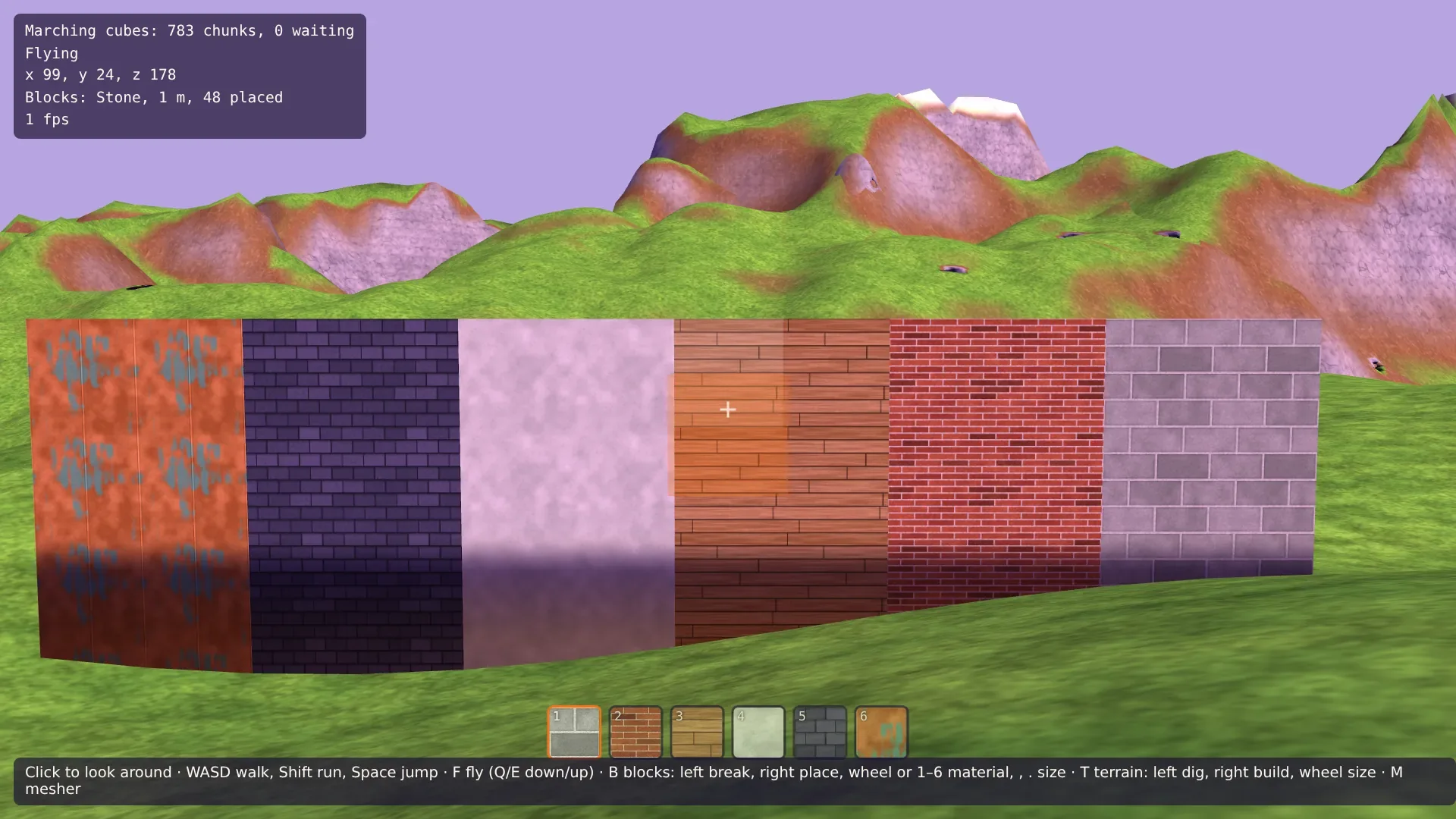
Grab dann mit dem Terrain-Werkzeug ein paar Meter in den Boden und setz Blöcke auf den Grund der Grube. Unter offenem Himmel sind sie hell; in einer Höhle oder einer ausreichend tiefen Grube werden sie so dunkel wie die Wände, und nur die Lampe an der Kamera beleuchtet sie.