
Glattes Voxel-Terrain in Babylon.js · Teil 11 von 12 der Serie
Teil 11: Höhlenlicht
Lass das Licht des Himmels nur so weit in eine Höhle, wie es durch die Luft kommt: ein Gitter aus Lichtknoten, von offenem Himmel aus in Breitensuche gefüllt, an jedem Vertex gelesen, in benachbarten Chunks gleich, und eine Lampe für die Dunkelheit.
Quest-Ziele
- Messen, wie weit jeder Punkt durch die Luft vom offenen Himmel entfernt ist
- Kein Licht durch dünne Decken lassen
- Das Licht so ausrechnen, dass sich benachbarte Chunks an ihren Grenzen einig sind
- Die Chunks um und unter einem Edit neu beleuchten
- Sonne und Himmel in Höhlen dämpfen und eine Lampe an der Kamera ergänzen
Geh in Teil 10 in eine Höhle, und sie ist so hell wie das Feld draußen: Der Shader beleuchtet jede Oberfläche mit Sonne und Himmel, ob sie die sehen kann oder nicht. Echte Höhlen werden ein paar Schritte hinein dunkel. Das Licht kommt durch die Öffnung und verblasst auf dem Weg.
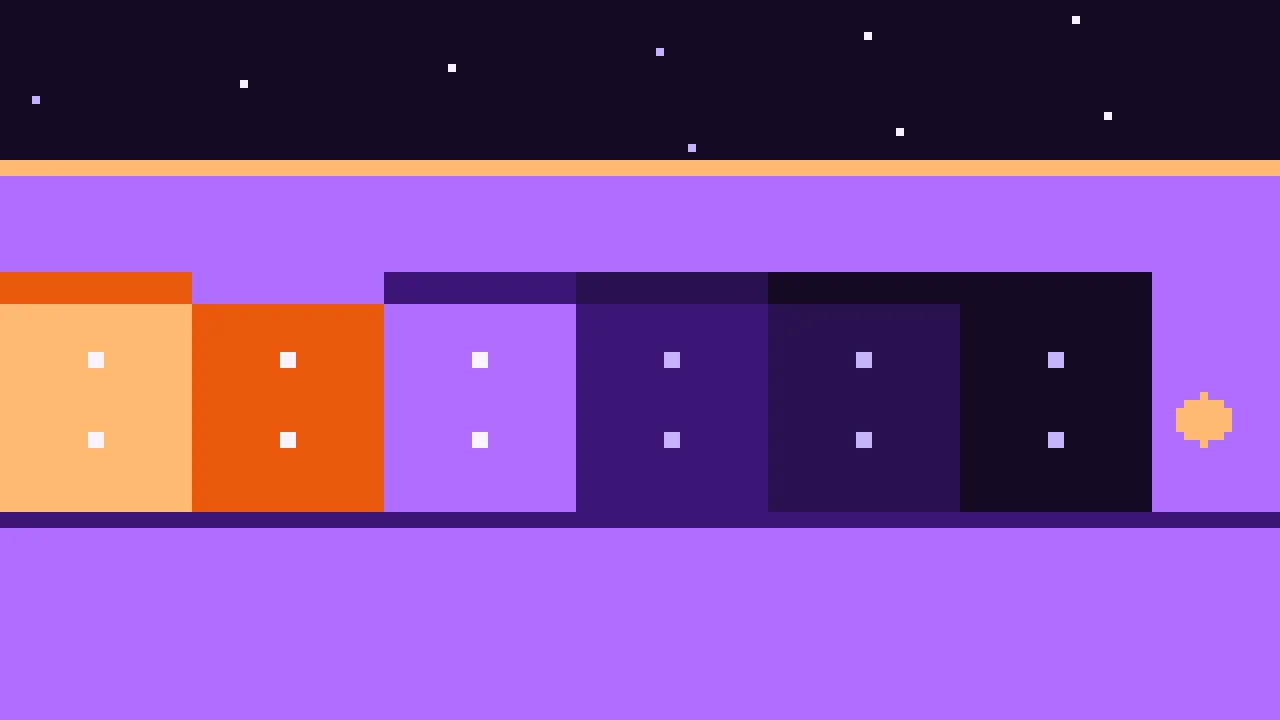
Schritte zum Himmel
Richtiges Licht folgte Strahlen, die in der Höhle herumspringen, viel zu langsam für eine Welt, die sich beim Graben ändert. Ein guter Ersatz ist eine einzige Frage für jeden Punkt: Wie weit müsstest du durch die Luft gehen, um den offenen Himmel zu sehen? Unter offenem Himmel gar nicht, und das Licht ist voll. Im Höhleneingang ein paar Meter, und tief drinnen zu weit, und dunkel.
Die Antwort kommt aus einem Gitter von Lichtknoten, 2 m voneinander entfernt:
Ein Knoten ist offen, wenn nichts Festes über ihm liegt, bis ganz nach oben. Offene Knoten sind 0 Schritte vom Himmel entfernt.
Von den offenen Knoten breitet sich das Licht in die Luft aus, einen Knoten pro Schritt, in die sechs Richtungen: eine Breitensuche. Jeder Knoten erfährt die wenigsten Schritte, die es braucht, ihn zu erreichen. Feste Knoten halten das Licht auf.
Nach 8 Schritten, 16 m, ist es dunkel. Das Licht eines Knotens ist 1 minus seine Schritte durch 8.
Licht, das nur in Schritten entlang der Achsen um Ecken geht, ist keine Physik, aber es sieht richtig aus: hell am Eingang, nach innen verblassend, dunkel, wo ein Tunnel abbiegt.
Kein Licht durch die Decke
Knoten im Abstand von 2 m haben ein Problem: Eine Felsdecke von einem Meter kann zwischen zweien liegen, mit Luft darüber und Luft darunter, und das Licht schritte geradewegs hindurch. Deshalb zählt ein Knoten nur als Luft, wenn er mindestens einen Meter vom Boden entfernt ist, bei einer Dichte unter -1. Jeder Fels zwischen zwei Knoten im Abstand von 2 m liegt dann innerhalb eines Meters von einem davon, was diesen fest macht: Der Schritt ist blockiert. Schmale Spalten blockieren das Licht auch, aber ein so schmaler Riss wäre ohnehin dunkel.
Dasselbe Licht auf beiden Seiten
Jeder Chunk rechnet sein Licht für sich aus, in seinem Worker. Damit das Licht an der Grenze eines Chunks passt, müssen beide Chunks für die Knoten, die sie teilen, dieselben Schritte bekommen. Zwei Dinge sorgen dafür:
Die Knoten liegen auf einem Gitter für die ganze Welt, alle 2 m ab dem Ursprung, also teilen sich die Chunks dieselben Knoten.
Jeder Chunk rechnet die Knoten seines eigenen Raums aus und 20 m darum herum. Licht, das einen Knoten im Chunk überhaupt erreicht, kam höchstens 16 m weit, also liegt sein ganzer Weg in diesem Raum. Beide Chunks sehen den ganzen Weg und zählen dieselben Schritte.
Ob ein Knoten offen ist, braucht die Säule über ihm, bis ganz nach oben. Die Suche liest jede Säule von über dem höchsten Boden, aus Teil 7 und den Edits, bis zum ersten festen Knoten.
Von Knoten zu Vertices
Ein Vertex liegt auf der Oberfläche, und die Knoten um ihn liegen teils im Fels. Nur Luftknoten werden gemischt, mit den trilinearen Gewichten wie zuvor. Aber ein Vertex direkt unter einer Knotenschicht, mit den Knoten darüber weniger als einen Meter entfernt, kann gar keinen Luftknoten um sich haben und würde auf offenem Boden schwarz. Deshalb liest jeder Vertex das Licht 1,5 m entlang seiner Normale weiter draußen, ein Stück in der Luft, wo Luftknoten sind. Lege src/skyLight.ts an:
import type { EditStore } from './edits.ts';
import { CHUNK_SIZE } from './grid.ts';
import { highestGround } from './terrain.ts';

/** Meters between the nodes of the light grid. */
const SPACING = 2;
/** How far the sky's light reaches into caves, through the air: further in it is dark. */
const REACH = 16;
const STEPS = REACH / SPACING;
/** How far around a chunk the light can come from, in meters. */
export const LIGHT_REACH = REACH + 2 * SPACING;
/**
 * A node counts as air only at least this far from the ground. Two nodes are 2 m apart,
 * so any rock between them keeps one of them within 1 m: light can't pass through.
 */
const CLEARANCE = 1;
/** Vertices read the light this far out along their normal, among the air nodes there. */
const LOOK_OUT = 1.5;
const UNREACHED = 255;

/**
 * How much of the sky's light reaches each vertex of a chunk, from 0 to 1: 1 under the
 * open sky, less the further it is through the air to it. `positions` and `normals` are
 * the chunk's mesh, positions from `origin`.
 */
export function skyLight(
  origin: { x: number; y: number; z: number },
  positions: Float32Array,
  normals: Float32Array,
  edits: EditStore,
): Float32Array {
  // The nodes from LIGHT_REACH below the chunk's low corner to as far past its high one,
  // numbered on a grid the whole world shares, so neighboring chunks agree.
  const low = [origin.x, origin.y, origin.z].map((o) => Math.floor((o - LIGHT_REACH) / SPACING));
  const high = [origin.x, origin.y, origin.z].map((o) => Math.ceil((o + CHUNK_SIZE + LIGHT_REACH) / SPACING));
  const [nx, ny, nz] = [0, 1, 2].map((axis) => high[axis] - low[axis] + 1);
  const node = (i: number, j: number, k: number) => i + nx * (j + ny * k);
  const air = new Uint8Array(nx * ny * nz);
  const steps = new Uint8Array(nx * ny * nz).fill(UNREACHED);
  const queue = new Int32Array(nx * ny * nz);
  let queued = 0;

  // Above this height no ground rises over the grid: everything up there sees the sky.
  const size = (nx - 1) * SPACING;
  let top = highestGround(low[0] * SPACING, low[2] * SPACING, size);
  for (let cz = Math.floor((low[2] * SPACING) / CHUNK_SIZE); cz <= Math.floor((high[2] * SPACING) / CHUNK_SIZE); cz += 1) {
    for (let cx = Math.floor((low[0] * SPACING) / CHUNK_SIZE); cx <= Math.floor((high[0] * SPACING) / CHUNK_SIZE); cx += 1) {
      top = Math.max(top, (edits.highestLayer(cx, cz) + 1) * CHUNK_SIZE);
    }
  }

  for (let k = 0; k < nz; k += 1) {
    for (let i = 0; i < nx; i += 1) {
      const x = (low[0] + i) * SPACING;
      const z = (low[2] + k) * SPACING;
      // Down the column from the top: the sky reaches every node above the first
      // solid one, also those above the grid.
      let open = true;
      for (let y = Math.ceil(top / SPACING) * SPACING; y > high[1] * SPACING && open; y -= SPACING) {
        if (edits.sample(x, y, z) >= -CLEARANCE) open = false;
      }
      for (let j = ny - 1; j >= 0; j -= 1) {
        const index = node(i, j, k);
        air[index] = edits.sample(x, (low[1] + j) * SPACING, z) < -CLEARANCE ? 1 : 0;
        if (!air[index]) open = false;
        if (open) {
          steps[index] = 0;
          queue[queued++] = index;
        }
      }
    }
  }

  // From the open nodes into the caves, one step at a time: each node learns how many
  // steps through the air it is from the sky.
  const neighbors = [1, -1, nx, -nx, nx * ny, -nx * ny];
  for (let head = 0; head < queued; head += 1) {
    const index = queue[head];
    const next = steps[index] + 1;
    if (next > STEPS) continue;
    const i = index % nx;
    const j = Math.floor(index / nx) % ny;
    const k = Math.floor(index / (nx * ny));
    for (let n = 0; n < 6; n += 1) {
      // Not past the edge of the grid.
      if ((n === 0 && i === nx - 1) || (n === 1 && i === 0)) continue;
      if ((n === 2 && j === ny - 1) || (n === 3 && j === 0)) continue;
      if ((n === 4 && k === nz - 1) || (n === 5 && k === 0)) continue;
      const other = index + neighbors[n];
      if (!air[other] || steps[other] !== UNREACHED) continue;
      steps[other] = next;
      queue[queued++] = other;
    }
  }

  // Each vertex blends the light of the air nodes around a point a little way out.
  const light = new Float32Array(positions.length / 3);
  for (let v = 0; v < light.length; v += 1) {
    const p = [0, 1, 2].map((axis) => {
      const position = [origin.x, origin.y, origin.z][axis] + positions[v * 3 + axis];
      return (position + normals[v * 3 + axis] * LOOK_OUT) / SPACING - low[axis];
    });
    const [i0, j0, k0] = p.map(Math.floor);
    let sum = 0;
    let weights = 0;
    for (let c = 0; c < 8; c += 1) {
      const [i, j, k] = [i0 + (c & 1), j0 + ((c >> 1) & 1), k0 + (c >> 2)];
      if (i < 0 || j < 0 || k < 0 || i >= nx || j >= ny || k >= nz) continue;
      const index = node(i, j, k);
      if (!air[index]) continue;
      const weight =
        (c & 1 ? p[0] - i0 : 1 - (p[0] - i0)) *
        ((c >> 1) & 1 ? p[1] - j0 : 1 - (p[1] - j0)) *
        (c >> 2 ? p[2] - k0 : 1 - (p[2] - k0));
      sum += weight * (steps[index] === UNREACHED ? 0 : 1 - steps[index] / STEPS);
      weights += weight;
    }
    light[v] = weights > 0 ? sum / weights : 0;
  }
  return light;
}lowundhighsind der erste und der letzte Knoten auf jeder Achse, in Knotennummern, von 20 m vor der Ecke des Chunks bis 20 m hinter seiner gegenüberliegenden Seite.Die erste Schleife liest jede Säule von oben nach unten.
openbleibt wahr bis zum ersten festen Knoten, und jeder Knoten bis dahin kommt mit 0 Schritten in diequeue.Die zweite Schleife ist die Suche: Sie nimmt Knoten vorn aus der Warteschlange und hängt ihre Nachbarn an, die Luft und noch nicht erreicht sind, mit einem Schritt mehr. Ein einfaches Array und ein wachsender Index sind eine Warteschlange, die nie verschieben muss.
Die letzte Schleife mischt das Licht für jeden Vertex, aus den Luftknoten um seinen Punkt 1,5 m weiter draußen.
Der Worker rechnet das Licht nach dem Mesh aus, mit den Edits, und schickt es mit. Importiere in src/chunks.ts skyLight, ergänze das Licht in ChunkMesh und beende buildChunk() damit:
/** A chunk's mesh, with how far below the ground each vertex lies and how much sky it sees. */
export interface ChunkMesh extends MeshData {
  depths: Float32Array;
  light: Float32Array;
}

const light = skyLight(origin, mesh.positions, mesh.normals, edits);
return { ...mesh, depths, light };
Übertrage es in src/chunkWorker.ts mit den anderen Arrays:
const transfer = mesh
  ? [mesh.positions.buffer, mesh.normals.buffer, mesh.indices.buffer, mesh.depths.buffer, mesh.light.buffer]
  : [];
Das Licht dauert etwa so lange wie der Rest des Chunks, also braucht ein Chunk jetzt etwa doppelt so lange. Zwei benachbarte Chunks geben ihren geteilten Vertices dasselbe Licht, bis auf die letzte Stelle, mit beiden Meshern.
Neues Licht nach einem Edit
Grab ein Loch in die Decke einer Höhle, und das Licht ändert sich: um das Loch und darunter, wo der Himmel jetzt hinunterreicht. Die Chunks dort müssen neu gebaut werden, obwohl sich ihre Form nicht geändert hat. Importiere in src/world.ts LIGHT_REACH und zähle am Ende von edit() die Chunks in Reichweite des Lichts um die geänderten Werte hoch, von der untersten Schicht an:
// The light changes around the edit, and below it, where the sky may reach now: the
// chunks there are built again too, but not held back for the batch.
const lightFirst = (axis: number) => Math.ceil((box.low[axis] - CHUNK_SIZE - LIGHT_REACH) / CHUNK_SIZE);
const lightLast = (axis: number) => Math.floor((box.high[axis] + LIGHT_REACH) / CHUNK_SIZE);
for (let z = lightFirst(2); z <= lightLast(2); z += 1) {
  for (let x = lightFirst(0); x <= lightLast(0); x += 1) {
    for (let y = LOWEST_LAYER; y <= lightLast(1); y += 1) {
      const chunk = this.chunks.get(chunkKey({ x, y, z }));
      if (chunk && chunk.batch !== batch) chunk.version += 1;
    }
  }
}
Sie gehören nicht zum Batch: Ihre Form ist dieselbe wie vorher, also hinterlässt es keinen Riss, sie einen Frame später zu zeigen, nur Licht, das nachkommt. Ergänze in createChunkMesh() das Licht als zweites Attribut, unter der Tiefe:
mesh.setVerticesData('light', data.light, false, 1);Die Shader
Der Vertex-Shader gibt das Licht weiter. Ersetze src/terrain.vertex.glsl:
precision highp float;

attribute vec3 position;
attribute vec3 normal;
attribute float depth;
attribute float light;

uniform mat4 world;
uniform mat4 viewProjection;

varying vec3 vPosition;
varying vec3 vNormal;
varying float vDepth;
varying float vLight;

void main() {
  vec4 worldPosition = world * vec4(position, 1.0);
  vPosition = worldPosition.xyz;
  // Chunks are only moved, never turned or scaled, so the normal stays as it is.
  vNormal = normal;
  vDepth = depth;
  vLight = light;
  gl_Position = viewProjection * worldPosition;
}
Der Fragment-Shader nutzt es für beide Arten von Licht. Die Sonne braucht freie Sicht auf den Himmel, also verblasst sie zwischen 1 und 0,6: In einem Höhleneingang liegen die Wände schon im Schatten. Das Licht des Himmels reicht weiter und verblasst mit dem Licht hoch 1,5. Ein schwaches violettes Leuchten hält die dunkelsten Ecken davon ab, schwarz zu sein, und eine warme Lampe an der Kamera beleuchtet die Wände in deiner Nähe, höchstens 24 m weit, und nur, wo es dunkel ist: Draußen wäre sie ein heller Kreis um dich. Ersetze src/terrain.fragment.glsl:
precision highp float;
precision highp sampler2DArray;

varying vec3 vPosition;
varying vec3 vNormal;
varying float vDepth;
varying float vLight;

uniform sampler2DArray layers;
uniform vec3 cameraPosition;
uniform vec3 sunDirection;
uniform vec3 sunColor;
uniform vec3 skyColor;
uniform vec3 groundColor;
uniform vec3 caveColor;
uniform vec3 lampColor;
uniform vec3 fogColor;
uniform vec2 fogRange;

// The layers of the texture array.
const float GRASS = 0.0;
const float SOIL = 1.0;
const float ROCK = 2.0;
const float SNOW = 3.0;
// Meters the lamp at the camera reaches.
const float LAMP_RANGE = 24.0;
// Meters one texture covers, and a second, much larger size against visible repeats.
const float TILE = 4.0;
const float LARGE_TILE = 27.0;

// A texture at both sizes, half and half.
vec3 sampleLayer(vec2 p, float layer) {
  return (texture(layers, vec3(p / TILE, layer)).rgb + texture(layers, vec3(p / LARGE_TILE, layer)).rgb) * 0.5;
}

// A layer seen from three sides: the texture projected along x, y and z, blended by how
// much the surface faces each way.
vec3 triplanar(float layer, vec3 blend) {
  return sampleLayer(vPosition.zy, layer) * blend.x
    + sampleLayer(vPosition.xz, layer) * blend.y
    + sampleLayer(vPosition.xy, layer) * blend.z;
}

void main() {
  vec3 normal = normalize(vNormal);
  // Raised to the 4th power, so that the blend between the sides stays narrow.
  vec3 blend = pow(abs(normal), vec3(4.0));
  blend /= blend.x + blend.y + blend.z;

  // Grass on gentle slopes at the surface, rock on steep ones and deeper down, soil
  // between them, and snow high up.
  float flat_ = normal.y;
  float grass = smoothstep(0.7, 0.85, flat_) * (1.0 - smoothstep(0.5, 2.0, vDepth));
  float rock = max(1.0 - smoothstep(0.45, 0.7, flat_), smoothstep(3.0, 6.0, vDepth));
  float snow = smoothstep(105.0, 120.0, vPosition.y) * smoothstep(0.55, 0.75, flat_);

  vec3 color = triplanar(SOIL, blend);
  if (grass > 0.0) color = mix(color, triplanar(GRASS, blend), grass);
  if (rock > 0.0) color = mix(color, triplanar(ROCK, blend), rock);
  if (snow > 0.0) color = mix(color, triplanar(SNOW, blend), snow);

  // Light from the sun, which needs a clear view of the sky, and from the sky, which
  // reaches further in. More from above than from below, and a faint glow in caves.
  float sky = vLight;
  float sun = max(dot(normal, -sunDirection), 0.0) * smoothstep(0.6, 1.0, sky);
  vec3 ambient = mix(groundColor, skyColor, normal.y * 0.5 + 0.5) * pow(sky, 1.5) + caveColor;

  // A lamp at the camera for the dark: brightest close by, gone at LAMP_RANGE.
  vec3 toCamera = cameraPosition - vPosition;
  float distanceToCamera = length(toCamera);
  float lamp = max(dot(normal, toCamera / distanceToCamera), 0.0)
    * pow(1.0 - min(distanceToCamera / LAMP_RANGE, 1.0), 2.0) * (1.0 - sky);

  vec3 lit = color * (ambient + sunColor * sun + lampColor * lamp);

  float fog = smoothstep(fogRange.x, fogRange.y, distance(vPosition, cameraPosition));
  gl_FragColor = vec4(mix(lit, fogColor, fog), 1.0);
}
Das Material bekommt das neue Attribut und die zwei Farben. Ersetze src/material.ts:
import {
  Color3,
  Constants,
  RawTexture2DArray,
  ShaderMaterial,
  Texture,
  Vector2,
  Vector3,
  type Scene,
} from '@babylonjs/core/pure';
import fragmentSource from './terrain.fragment.glsl?raw';
import vertexSource from './terrain.vertex.glsl?raw';
import { LAYERS, paintLayers, TEXTURE_SIZE } from './textures.ts';

/** The sky's color, a hazy lilac, which the fog fades to. */
export const SKY = Color3.FromHexString('#b8a4e0');

/** The terrain's material: painted textures, projected from three sides, and lit. */
export function createTerrainMaterial(scene: Scene, fogStart: number, fogEnd: number): ShaderMaterial {
  const material = new ShaderMaterial(
    'terrain',
    scene,
    { vertexSource, fragmentSource },
    {
      attributes: ['position', 'normal', 'depth', 'light'],
      uniforms: [
        'world', 'viewProjection', 'cameraPosition', 'sunDirection',
        'sunColor', 'skyColor', 'groundColor', 'caveColor', 'lampColor', 'fogColor', 'fogRange',
      ],
      samplers: ['layers'],
    },
  );

  const textures = new RawTexture2DArray(
    paintLayers(),
    TEXTURE_SIZE,
    TEXTURE_SIZE,
    LAYERS.length,
    Constants.TEXTUREFORMAT_RGBA,
    scene,
    true,
    false,
    Texture.TRILINEAR_SAMPLINGMODE,
  );
  textures.wrapU = Texture.WRAP_ADDRESSMODE;
  textures.wrapV = Texture.WRAP_ADDRESSMODE;
  // Sharper textures on ground seen at a flat angle.
  textures.anisotropicFilteringLevel = 8;
  material.setTexture('layers', textures);

  // A warm, low sun, a cool sky and a dark violet below.
  material.setVector3('sunDirection', new Vector3(0.5, -0.65, -0.55).normalize());
  material.setColor3('sunColor', Color3.FromHexString('#ffd8a8').scale(1.1));
  material.setColor3('skyColor', Color3.FromHexString('#c4b5fd').scale(0.6));
  material.setColor3('groundColor', Color3.FromHexString('#3b1676').scale(0.6));
  // In caves: a faint violet glow, and a warm lamp.
  material.setColor3('caveColor', Color3.FromHexString('#5b21b6').scale(0.3));
  material.setColor3('lampColor', Color3.FromHexString('#fdba74').scale(1.2));
  material.setColor3('fogColor', SKY);
  material.setVector2('fogRange', new Vector2(fogStart, fogEnd));
  return material;
}Ausprobieren
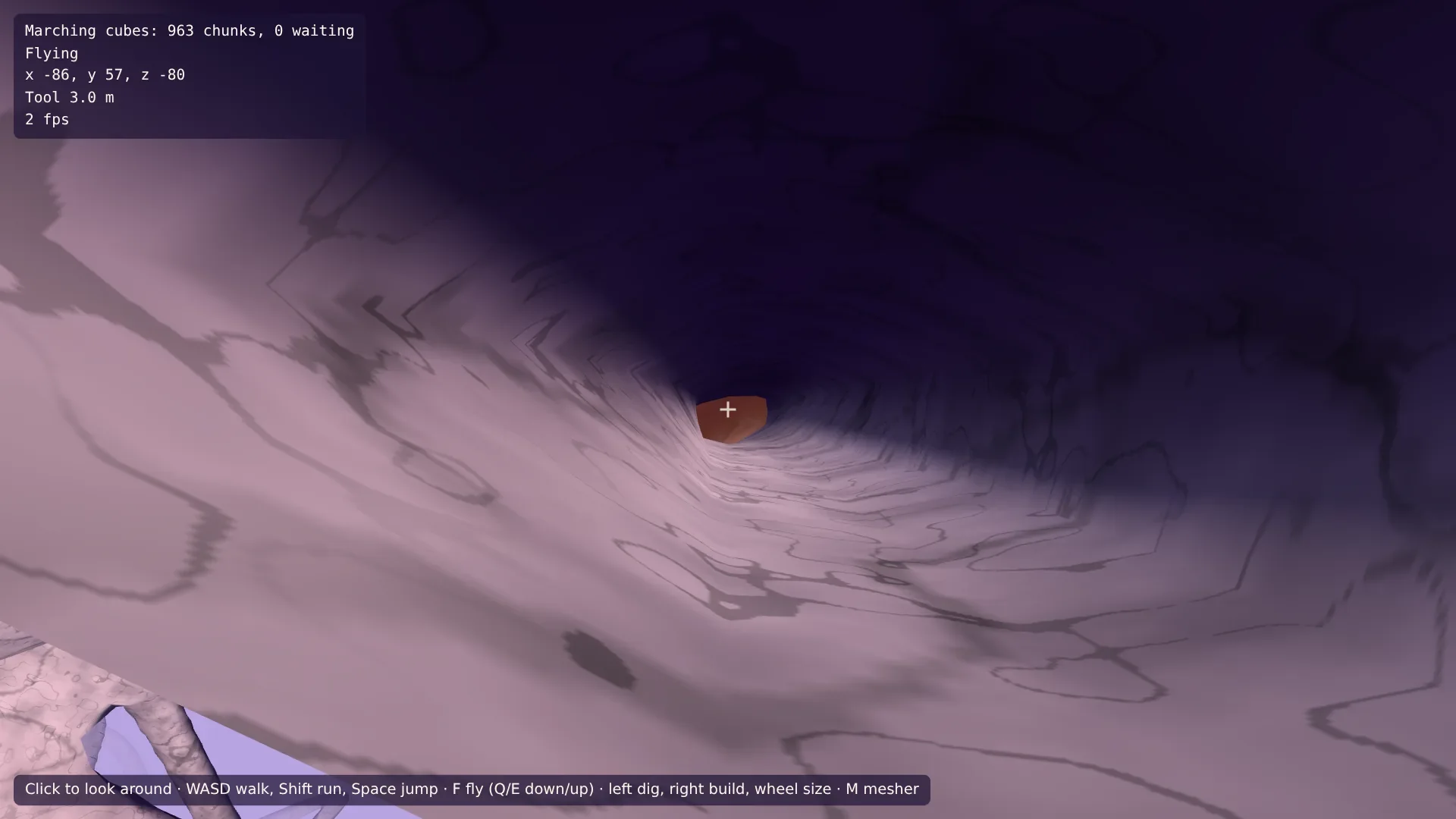
Geh zu einem der Höhleneingänge am Hang vor dir und hinein. Ein paar Schritte drin verlieren die Wände die Sonne; weiter drinnen verblasst das Licht des Himmels, und die Lampe übernimmt und beleuchtet die Wände um dich, während der Tunnel vor dir dunkel bleibt. Schau zurück: Der Eingang leuchtet. Grab jetzt ein Loch nach oben durch die Decke, und einen Moment später fällt Licht rund um das Loch herein.
Die Welt endet noch 250 m entfernt im Nebel. Im letzten Teil reicht sie bis zum Horizont.