
End-to-End Tests With Playwright: Frontend, Backend and Database · Part 1 of 14 in the series
Part 1: The App Under Test
See how the suite of this series is laid out, in four sections that each have a job, then build the small app it tests: a quest board with a Vue frontend, a Hono API and a PostgreSQL database.
End-to-End Tests With Playwright: Frontend, Backend and DatabasePart 1 of 14
On this page

Quest objectives
- Know the four sections of the suite and what each one is for
- Understand what "end to end" means and why not every check goes through the browser
- Run PostgreSQL in a container and create the table with a Drizzle migration
- Build an API with Hono that gets its database handed in
- Build the page with Vue, including its loading, failed and empty states
A test suite that only clicks through a browser can tell you that something is broken. It rarely tells you where. In this series you build one that does: a small app with a frontend, an API and a database, and a suite of tests in four sections, each with a job of its own.
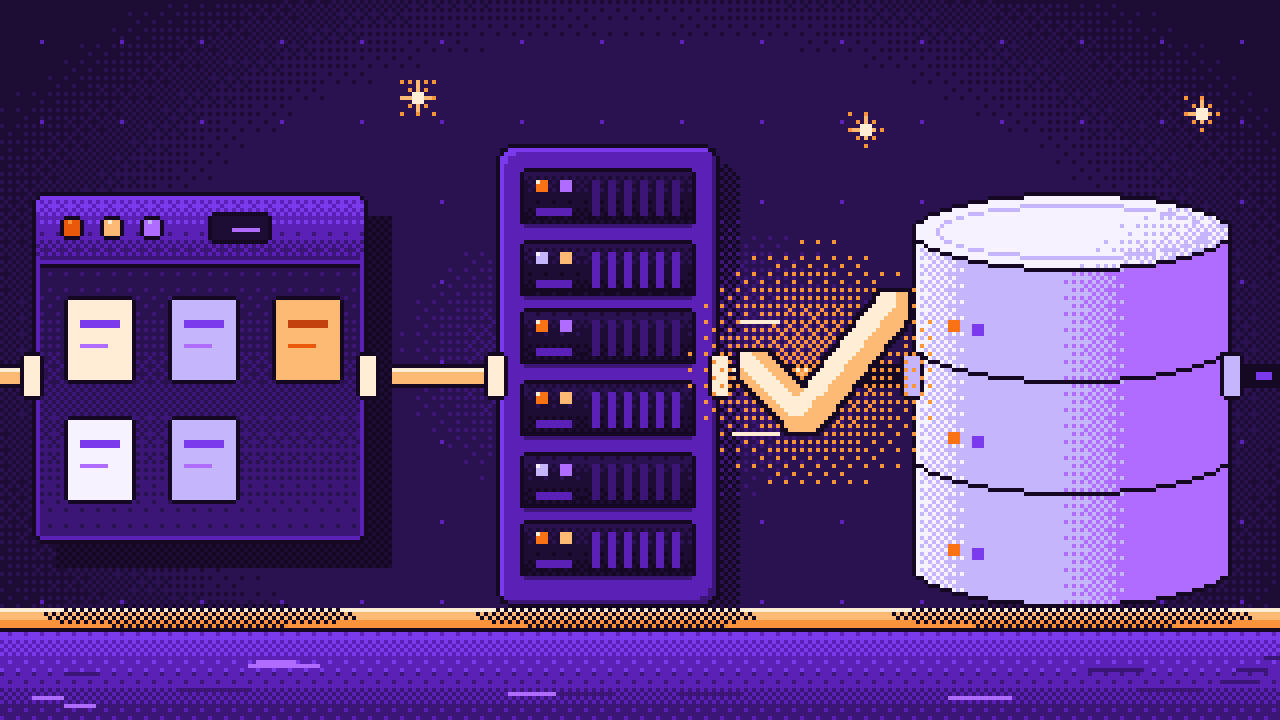
The tool is Playwright. It is best known for driving a browser, but it is also a complete test runner, and it can send HTTP requests without any browser at all. That is enough to test a whole app with it, layer by layer:
database: no browser and no HTTP. These tests talk to PostgreSQL through the app's own database code. They check constraints, defaults and queries, and that the migrations and the schema agree.
backend: no browser. These tests send HTTP requests to the real API and look into the database before and after.
frontend: a real browser, but every answer of the API comes from the test. That is fast, and it can produce states a real backend rarely gives you, such as loading and errors.
e2e: a real browser, the real API and the real database. Few tests, each one a whole flow.
All four live in one Playwright configuration and start with one command. They run in parallel, and no test sees the data of another. At the end the suite has 81 tests, needs about nine seconds for them, eight tests at a time, and a pipeline on GitHub or GitLab runs it on every push.
End to end means: a test uses the app the way a person does, through the browser, with the real API and the real database behind it, from one end to the other. Such a test proves the most, because nothing in it is faked. It is also the slowest kind, and when it fails it only says that something along the way is wrong: the page, the API, the database, or how they fit together.
So this series does not send every check through the browser. Whether the database refuses a title of 81 characters is a question for the database, and asking it there takes milliseconds. Each layer's details are tested where they are cheap, the end-to-end tests stay few, and when something breaks, the section that turns red tells you where to look.
Parts 1 to 3 build the app, the first test and the four sections. Part 4 gives every test a clean database. Parts 5 to 8 fill the sections, one each. Part 9 shows what to do when a test fails. In parts 10 and 11 the app gets a login, and the suite learns to log in once for all tests. Parts 12 and 13 add accessibility checks and screenshot comparisons, and part 14 puts everything into a pipeline.
First you need something to test, so this part has no test in it yet. You build the app: the quest board. It is a single page with a form that adds a quest with a title and a reward in gold, a list in which a quest can be ticked off or deleted, and a line that counts how many quests are still open.
The app is small on purpose, but it has what a real one has: a frontend built with Vue, an API built with Hono, and a PostgreSQL database that the API talks to through Drizzle. Three things about the way it is built will matter in later parts, so look out for them: the database has rules of its own, the API gets its database handed in instead of fetching it itself, and the page gives its elements proper labels.
Set up the project
You need three things on your machine:
Node.js, version 24 or newer. It runs TypeScript files directly, so the server needs no build step.
Docker with Docker Compose. Only PostgreSQL runs in a container; the app and the tests run with Node on your machine.
An editor and a terminal. The commands are written for macOS and Linux. On Windows, best use WSL.
Create a folder questboard, and in it the file package.json:
{
  "name": "questboard",
  "version": "1.0.0",
  "private": true,
  "type": "module",
  "scripts": {
    "dev:api": "node --env-file=.env --watch server/index.ts",
    "dev:web": "vite",
    "build": "vite build",
    "start": "node --env-file=.env server/index.ts",
    "db:generate": "drizzle-kit generate",
    "db:migrate": "node --env-file=.env server/db/migrate.ts",
    "typecheck": "vue-tsc --noEmit"
  },
  "dependencies": {
    "@hono/node-server": "^2.1.9",
    "drizzle-orm": "^0.45.4",
    "hono": "^4.13.19",
    "pg": "^8.23.1",
    "vue": "^3.5.45"
  },
  "devDependencies": {
    "@types/node": "^26.6.6",
    "@types/pg": "^8.23.1",
    "@vitejs/plugin-vue": "^6.0.11",
    "drizzle-kit": "^0.31.11",
    "typescript": "~6.0",
    "vite": "^8.3.8",
    "vue-tsc": "^3.3.14"
  }
}
"type": "module" says that the files of this project are ES modules, with import and export. The scripts are the commands you will use throughout the series:
dev:apistarts the API. Node runs the TypeScript fileserver/index.tsdirectly,--env-file=.envgives it the settings from.env, and--watchrestarts it whenever you change one of its files.dev:webstarts Vite, the development server for the frontend.buildturns the frontend into files for production, andstartruns the API without watching.db:generateanddb:migrateare for migrations, the files that change the database. Both come up in a moment.typecheckruns vue-tsc, which checks the types in all.tsand.vuefiles. vue-tsc needs TypeScript 6, which is whytypescriptis held at~6.0.
Install the packages:
$ npm installTypeScript gets its settings from tsconfig.json:
{
  "compilerOptions": {
    "target": "ES2024",
    "module": "ESNext",
    "moduleResolution": "Bundler",
    "lib": ["ES2024", "DOM", "DOM.Iterable"],
    "types": ["node", "vite/client"],
    "strict": true,
    "noEmit": true,
    "skipLibCheck": true,
    "allowImportingTsExtensions": true,
    "verbatimModuleSyntax": true,
    "erasableSyntaxOnly": true
  },
  "include": ["server", "web/src", "*.ts"]
}
Node does not compile TypeScript. It removes the types and runs what is left. Two of these settings make sure your code fits that way of working. allowImportingTsExtensions permits imports that end in .ts, and Node needs them like that, because it looks for a file under its real name. erasableSyntaxOnly forbids the few TypeScript features that are more than types and therefore cannot be removed, such as enums. noEmit fits in with both: TypeScript only checks here and never writes a file.
Two small files are left. .gitignore keeps out of git what does not belong there:
node_modules
.env
web/dist
And .env holds the one setting the app needs, the address of its database. It contains a password, so it stays on your machine:
DATABASE_URL=postgres://questboard:questboard@localhost:5432/questboardThe database
The database behind that address does not exist yet. Docker Compose provides it. Create compose.yml:
services:
  db:
    image: postgres:18-alpine
    ports:
      - '5432:5432'
    environment:
      POSTGRES_USER: questboard
      POSTGRES_PASSWORD: questboard
      POSTGRES_DB: questboard
    volumes:
      - db-data:/var/lib/postgresql
    healthcheck:
      test: ['CMD-SHELL', 'pg_isready -U questboard']
      interval: 5s
      timeout: 3s
      retries: 10

volumes:
  db-data:
One service, db: PostgreSQL 18, reachable on port 5432 of your machine, with a user, a password and a database that are all called questboard, as in .env. The volume keeps the data when the container is replaced, and the healthcheck asks every five seconds whether PostgreSQL takes connections.
The app talks to the database through Drizzle. You describe your tables in TypeScript, write your queries with those descriptions, and a second tool, Drizzle Kit, turns changes of the descriptions into migrations. Drizzle Kit reads its settings from drizzle.config.ts:
import { defineConfig } from 'drizzle-kit';

export default defineConfig({
  dialect: 'postgresql',
  schema: './server/db/schema.ts',
  out: './drizzle',
  dbCredentials: { url: process.env.DATABASE_URL! },
});
That is: which kind of database, where the tables are described, into which folder the migrations go, and how the database is reached. Now the description itself, in server/db/schema.ts:
import { sql } from 'drizzle-orm';
import { boolean, check, integer, pgTable, text, timestamp } from 'drizzle-orm/pg-core';

export const quests = pgTable(
  'quests',
  {
    id: integer().primaryKey().generatedAlwaysAsIdentity(),
    title: text().notNull().unique(),
    reward: integer().notNull().default(10),
    done: boolean().notNull().default(false),
    createdAt: timestamp('created_at', { withTimezone: true }).notNull().defaultNow(),
  },
  (table) => [
    check('quests_title_length', sql`char_length(${table.title}) between 1 and 80`),
    check('quests_reward_range', sql`${table.reward} between 0 and 1000`),
  ],
);

export type Quest = typeof quests.$inferSelect;
One table, quests, and most of what is written here is a rule:
idis an identity column: the database counts it up by itself.titlemust be there, andunique()means that no two quests can have the same title.rewardanddonehave defaults: 10 gold, and not done.createdAt, stored in the columncreated_at, is the moment the row was inserted, unless someone says otherwise.The two
checklines are check constraints: conditions the database tests whenever a row is inserted or changed. A title has 1 to 80 characters, and a reward lies between 0 and 1000.
The API will check the same things before it writes anything. The constraints are worth having all the same, because they hold no matter who writes to the table: the API, a script, or somebody with a database tool. Part 5 tests exactly these rules.
The last line derives the TypeScript type of a row from the table, so the type and the table cannot drift apart.
Next, the connection. Create server/db/client.ts:
import { drizzle } from 'drizzle-orm/node-postgres';
import pg from 'pg';

/** Opens a pool of connections to one database. Whoever opens it also closes it: `pool.end()`. */
export function connect(url: string) {
  const pool = new pg.Pool({ connectionString: url });
  return { pool, db: drizzle({ client: pool }) };
}

export type Db = ReturnType<typeof connect>['db'];
connect opens a pool, a handful of connections that are reused, and wraps it in Drizzle's db object, which the queries are written with. It returns both, because whoever opened the pool has to close it again.
Note what the function does not do: it does not read DATABASE_URL. The address is a parameter. That looks like a detail now. From part 4 on, the tests use exactly this to connect to other databases than the one in your .env.
The first one to call it is the script that runs the migrations, server/db/migrate.ts:
import { migrate } from 'drizzle-orm/node-postgres/migrator';
import { connect } from './client.ts';

// Brings the database up to date: runs every migration in drizzle/ that has not run yet.
const { db, pool } = connect(process.env.DATABASE_URL!);
await migrate(db, { migrationsFolder: './drizzle' });
await pool.end();
console.log('The database is up to date.');
Now start the database, let Drizzle Kit write the first migration, and run it:
$ docker compose up --detach --wait$ npx drizzle-kit generate --name create_quests1 tablesquests 5 columns 0 indexes 0 fks[✓] Your SQL migration file ➜ drizzle/0000_create_quests.sql 🚀$ npm run db:migrateThe database is up to date.
--detach gives you the terminal back, and --wait returns only when the health check says that PostgreSQL is ready. The second command is the one behind the script db:generate. It compares schema.ts with the migrations that exist so far, none, and writes the difference as SQL. --name gives the file a name that says what it does, which is why it is typed out here. The database is not touched until the third command. This is the file in drizzle/:
CREATE TABLE "quests" (
	"id" integer PRIMARY KEY GENERATED ALWAYS AS IDENTITY (sequence name "quests_id_seq" INCREMENT BY 1 MINVALUE 1 MAXVALUE 2147483647 START WITH 1 CACHE 1),
	"title" text NOT NULL,
	"reward" integer DEFAULT 10 NOT NULL,
	"done" boolean DEFAULT false NOT NULL,
	"created_at" timestamp with time zone DEFAULT now() NOT NULL,
	CONSTRAINT "quests_title_unique" UNIQUE("title"),
	CONSTRAINT "quests_title_length" CHECK (char_length("quests"."title") between 1 and 80),
	CONSTRAINT "quests_reward_range" CHECK ("quests"."reward" between 0 and 1000)
);
Everything from schema.ts is there, in SQL: the identity column, the defaults, and three constraints with names, quests_title_unique, quests_title_length and quests_reward_range. Beside the file, Drizzle Kit keeps its own notes in drizzle/meta. Both belong in git: the migrations are part of your app.
The API
The API has three files. The first holds the queries, server/quests.ts:
import { asc, eq } from 'drizzle-orm';
import type { Db } from './db/client.ts';
import { quests } from './db/schema.ts';

/** All quests: the open ones first, and the oldest first within each group. */
export function listQuests(db: Db) {
  return db.select().from(quests).orderBy(asc(quests.done), asc(quests.id));
}

export async function createQuest(db: Db, input: { title: string; reward: number }) {
  const [quest] = await db.insert(quests).values(input).returning();
  return quest;
}

/** The changed quest, or undefined if there is none with this id. */
export async function setQuestDone(db: Db, id: number, done: boolean) {
  const [quest] = await db.update(quests).set({ done }).where(eq(quests.id, id)).returning();
  return quest;
}

/** Whether there was a quest to delete. */
export async function deleteQuest(db: Db, id: number) {
  const deleted = await db.delete(quests).where(eq(quests.id, id)).returning({ id: quests.id });
  return deleted.length > 0;
}
These four functions are everything the app does with its table. Each of them takes the database as its first argument, and returning() makes PostgreSQL hand back the row it stored or changed, so no second query is needed. listQuests sets the order of the board: open quests first, and within each group the oldest first.
The second file is the API itself, server/app.ts:
import { serveStatic } from '@hono/node-server/serve-static';
import { sql } from 'drizzle-orm';
import { Hono } from 'hono';
import type { Db } from './db/client.ts';
import { createQuest, deleteQuest, listQuests, setQuestDone } from './quests.ts';

/** The whole API. It gets its database handed in, so the same code can run on any database. */
export function createApp(db: Db) {
  const app = new Hono();

  app.get('/api/health', async (c) => {
    await db.execute(sql`select 1`);
    return c.json({ ok: true });
  });

  app.get('/api/quests', async (c) => c.json(await listQuests(db)));

  app.post('/api/quests', async (c) => {
    const input = readQuest(await c.req.json().catch(() => null));
    if (typeof input === 'string') return c.json({ error: input }, 400);
    try {
      return c.json(await createQuest(db, input), 201);
    } catch (error) {
      if (isUniqueViolation(error)) {
        return c.json({ error: 'A quest with this title already exists.' }, 409);
      }
      throw error;
    }
  });

  app.patch('/api/quests/:id', async (c) => {
    const body = await c.req.json().catch(() => null);
    if (typeof body?.done !== 'boolean') return c.json({ error: 'done must be true or false.' }, 400);
    const quest = await setQuestDone(db, Number(c.req.param('id')) || 0, body.done);
    return quest ? c.json(quest) : c.json({ error: 'There is no such quest.' }, 404);
  });

  app.delete('/api/quests/:id', async (c) => {
    const deleted = await deleteQuest(db, Number(c.req.param('id')) || 0);
    return deleted ? c.body(null, 204) : c.json({ error: 'There is no such quest.' }, 404);
  });

  // Everything else is the built frontend, if there is one in web/dist.
  app.use('*', serveStatic({ root: './web/dist' }));

  return app;
}

/** The checked input for a new quest, or a sentence that says what is wrong with it. */
function readQuest(body: unknown): { title: string; reward: number } | string {
  const { title, reward = 10 } = (body ?? {}) as { title?: unknown; reward?: unknown };
  if (typeof title !== 'string' || title.trim() === '') return 'A quest needs a title.';
  if (title.trim().length > 80) return 'The title can have 80 characters at most.';
  if (typeof reward !== 'number' || !Number.isInteger(reward) || reward < 0 || reward > 1000) {
    return 'The reward must be a whole number from 0 to 1000.';
  }
  return { title: title.trim(), reward };
}

/** PostgreSQL reports a broken unique constraint with the code 23505. */
function isUniqueViolation(error: unknown) {
  const cause = (error as { cause?: { code?: string } }).cause;
  return cause?.code === '23505';
}
createApp(db). The API is not a thing that exists once in a module. It is a function that builds an app around the database it is given, and nothing in it reaches for a global connection. Today one caller uses it, with your development database. Later the tests call it too, several times at once and each time with a different database. That only works because of this one parameter.
The health check. /api/health sends select 1 to the database before it answers. So an OK means that the API is running and reaches its database. In the next part Playwright uses this address to find out when the server is ready.
Checking the input. readQuest returns either the checked input or a sentence that says what is wrong with it, and the route turns the sentence into an answer with status 400. A body that is not JSON at all becomes null in the catch and ends in the same place.
The title that is taken. The API does not ask whether a title exists before it inserts. It inserts, and lets the unique constraint decide. If the database refuses, Drizzle throws an error that carries PostgreSQL's original one in cause, with the code 23505 for a broken unique constraint. The route answers that with 409 and a sentence a person can read. Every other error is thrown on.
Changing and deleting. Number(…) || 0 turns an id that is not a number into 0. No quest has that id, so nonsense in the address ends like an unknown id does: with 404. A successful delete answers with 204, which means "done, and there is nothing to send".
The last line hands every other request to the files in web/dist, the built frontend. During development Vite serves the page and this line has nothing to do. Part 8 is where it is needed.
The third file starts all of it, server/index.ts:
import { serve } from '@hono/node-server';
import { createApp } from './app.ts';
import { connect } from './db/client.ts';

const { db } = connect(process.env.DATABASE_URL!);
const port = Number(process.env.PORT ?? 3000);

serve({ fetch: createApp(db).fetch, port }, () => {
  console.log(`The quest board is on http://localhost:${port}`);
});
It connects to the database from .env, builds the app around it and serves it on port 3000, unless PORT says otherwise. Start the API and leave it running:
$ npm run dev:apiThe quest board is on http://localhost:3000
The frontend
The page is built with Vue and served by Vite during development. Vite's settings are in vite.config.ts:
import vue from '@vitejs/plugin-vue';
import { defineConfig } from 'vite';

export default defineConfig({
  root: 'web',
  plugins: [vue()],
  server: {
    // The page asks for /api/..., and Vite passes those requests on to the API.
    proxy: { '/api': 'http://localhost:3000' },
  },
});
root: 'web' says that the frontend lives in the folder web, which is also why a build ends up in web/dist. The proxy solves a small problem: the page comes from Vite's server on one port, the API runs on another. So the page asks its own address for /api/…, and Vite passes those requests on to port 3000.
The page itself starts with two short files, web/index.html and web/src/main.ts:
<!doctype html>
<html lang="en">
  <head>
    <meta charset="UTF-8" />
    <meta name="viewport" content="width=device-width, initial-scale=1.0" />
    <title>Quest Board</title>
  </head>
  <body>
    <div id="app"></div>
    <script type="module" src="/src/main.ts"></script>
  </body>
</html>import { createApp } from 'vue';
import App from './App.vue';
import './style.css';
createApp(App).mount('#app');Everything the page says to the API goes through web/src/api.ts:
export interface Quest {
  id: number;
  title: string;
  reward: number;
  done: boolean;
  createdAt: string;
}

/** One request to the API. An answer that is not OK becomes an error with the API's message. */
async function call<T>(path: string, method = 'GET', body?: unknown): Promise<T> {
  const response = await fetch(`/api${path}`, {
    method,
    headers: body === undefined ? undefined : { 'Content-Type': 'application/json' },
    body: body === undefined ? undefined : JSON.stringify(body),
  });
  if (!response.ok) {
    const answer = await response.json().catch(() => null);
    throw new Error(answer?.error ?? 'Something went wrong. Please try again.');
  }
  return response.status === 204 ? (undefined as T) : response.json();
}

export const api = {
  list: () => call<Quest[]>('/quests'),
  create: (title: string, reward: number) => call<Quest>('/quests', 'POST', { title, reward }),
  setDone: (id: number, done: boolean) => call<Quest>(`/quests/${id}`, 'PATCH', { done }),
  remove: (id: number) => call<void>(`/quests/${id}`, 'DELETE'),
};
call sends one request. If the answer is not OK, it throws an error whose message is the sentence the API sent, or a general one if there is none. The page will show that message as it is. api gives the four requests names, and Quest describes a quest the way it arrives: like the row in the table, only that createdAt is a string, because JSON has no dates.
The page is one component, web/src/App.vue:
<script setup lang="ts">
import { computed, onMounted, ref } from 'vue';
import { api, type Quest } from './api.ts';

const quests = ref<Quest[]>([]);
const state = ref<'loading' | 'ready' | 'failed'>('loading');
const title = ref('');
const reward = ref(10);
const problem = ref('');

const open = computed(() => quests.value.filter((quest) => !quest.done).length);

async function load() {
  state.value = 'loading';
  try {
    quests.value = await api.list();
    state.value = 'ready';
  } catch {
    state.value = 'failed';
  }
}

/** Runs one change, and shows the API's message if it does not work out. */
async function attempt(change: () => Promise<void>) {
  problem.value = '';
  try {
    await change();
  } catch (error) {
    problem.value = (error as Error).message;
  }
}

const add = () =>
  attempt(async () => {
    quests.value.push(await api.create(title.value, reward.value));
    title.value = '';
    reward.value = 10;
  });

const toggle = (quest: Quest) =>
  attempt(async () => {
    quest.done = (await api.setDone(quest.id, !quest.done)).done;
  });

const remove = (quest: Quest) =>
  attempt(async () => {
    await api.remove(quest.id);
    quests.value = quests.value.filter((other) => other.id !== quest.id);
  });

onMounted(load);
</script>

<template>
  <main>
    <h1>Quest Board</h1>

    <form @submit.prevent="add">
      <label>
        New quest
        <input v-model.trim="title" maxlength="80" required />
      </label>
      <input v-model.number="reward" type="number" min="0" max="1000" placeholder="Reward" required />
      <button>Add quest</button>
    </form>
    <p v-if="problem" role="alert" class="problem">{{ problem }}</p>

    <p v-if="state === 'loading'">Loading quests…</p>
    <div v-else-if="state === 'failed'" role="alert" class="problem">
      <p>The quests could not be loaded.</p>
      <button @click="load">Try again</button>
    </div>
    <p v-else-if="quests.length === 0">No quests yet. Add the first one!</p>
    <template v-else>
      <ul aria-label="Quests">
        <li v-for="quest in quests" :key="quest.id" :class="{ done: quest.done }">
          <label>
            <input type="checkbox" :checked="quest.done" @change="toggle(quest)" />
            {{ quest.title }}
          </label>
          <span class="reward">{{ quest.reward }} gold</span>
          <button class="delete" :aria-label="`Delete ${quest.title}`" @click="remove(quest)">✕</button>
        </li>
      </ul>
      <p class="count">{{ open }} of {{ quests.length }} quests open</p>
    </template>
  </main>
</template>
state says how far loading the list has come: loading until the list has arrived, then ready, or failed if the request did not work out. The template shows exactly one of four things for it: the line "Loading quests…", an alert with a "Try again" button that calls load once more, the sentence "No quests yet. Add the first one!" for an empty list, or the list with the count under it.
attempt wraps every change. It clears the last problem, runs the change, and if the API says no, it puts the API's message into problem, which the template shows as an alert under the form. add, toggle and remove are all written with it. Each of them changes the list only after the API has answered, so the page never shows something the server did not confirm.
The template uses what HTML has to offer. The text field sits in a <label> that says "New quest". required, maxlength, min and max let the browser turn down obvious mistakes before a request is sent. The list has a name, "Quests", and the delete button, which shows only a ✕, gets its name from aria-label: "Delete" and the quest's title. Problems are marked with role="alert". All of that helps people who use a screen reader, and it will help the tests, which find elements by exactly these roles and names. The reward field has only a placeholder so far. The series comes back to that.
The last file is web/src/style.css. It is only about looks, so copy it:
:root {
  color-scheme: dark;
  font: 16px/1.5 system-ui, sans-serif;
  color: #f3e8ff;
  background: #1d0c33;
}

main {
  max-width: 34rem;
  margin: 3rem auto;
  padding: 0 1rem;
}

h1 {
  color: #f97316;
}

form {
  display: flex;
  align-items: end;
  gap: 0.5rem;
}

form label {
  flex: 1;
  display: grid;
  gap: 0.25rem;
}

input,
button {
  font: inherit;
  padding: 0.4rem 0.6rem;
  color: inherit;
  background: #2a1150;
  border: 2px solid #5b21b6;
  border-radius: 4px;
}

input[type='number'] {
  width: 6rem;
}

button {
  cursor: pointer;
  background: #5b21b6;
}

ul {
  padding: 0;
  list-style: none;
}

li {
  display: flex;
  align-items: center;
  gap: 0.75rem;
  padding: 0.5rem 0;
  border-bottom: 1px solid #2a1150;
}

li label {
  flex: 1;
}

li.done label {
  color: #5b4a78;
  text-decoration: line-through;
}

.reward {
  color: #fdba74;
}

.delete {
  padding: 0 0.5rem;
  background: none;
}

.problem {
  color: #fdba74;
}

.count {
  color: #c4b5fd;
}
Start the frontend in a second terminal:
$ npm run dev:web VITE v8.3.8 ready in 175 ms ➜ Local: http://localhost:5173/
Open http://localhost:5173. The board says "No quests yet. Add the first one!". Do that: add "Find the lost sword" for 50 gold, "Feed the dragon" for 10 and "Map the cave" for 25, and tick the dragon.
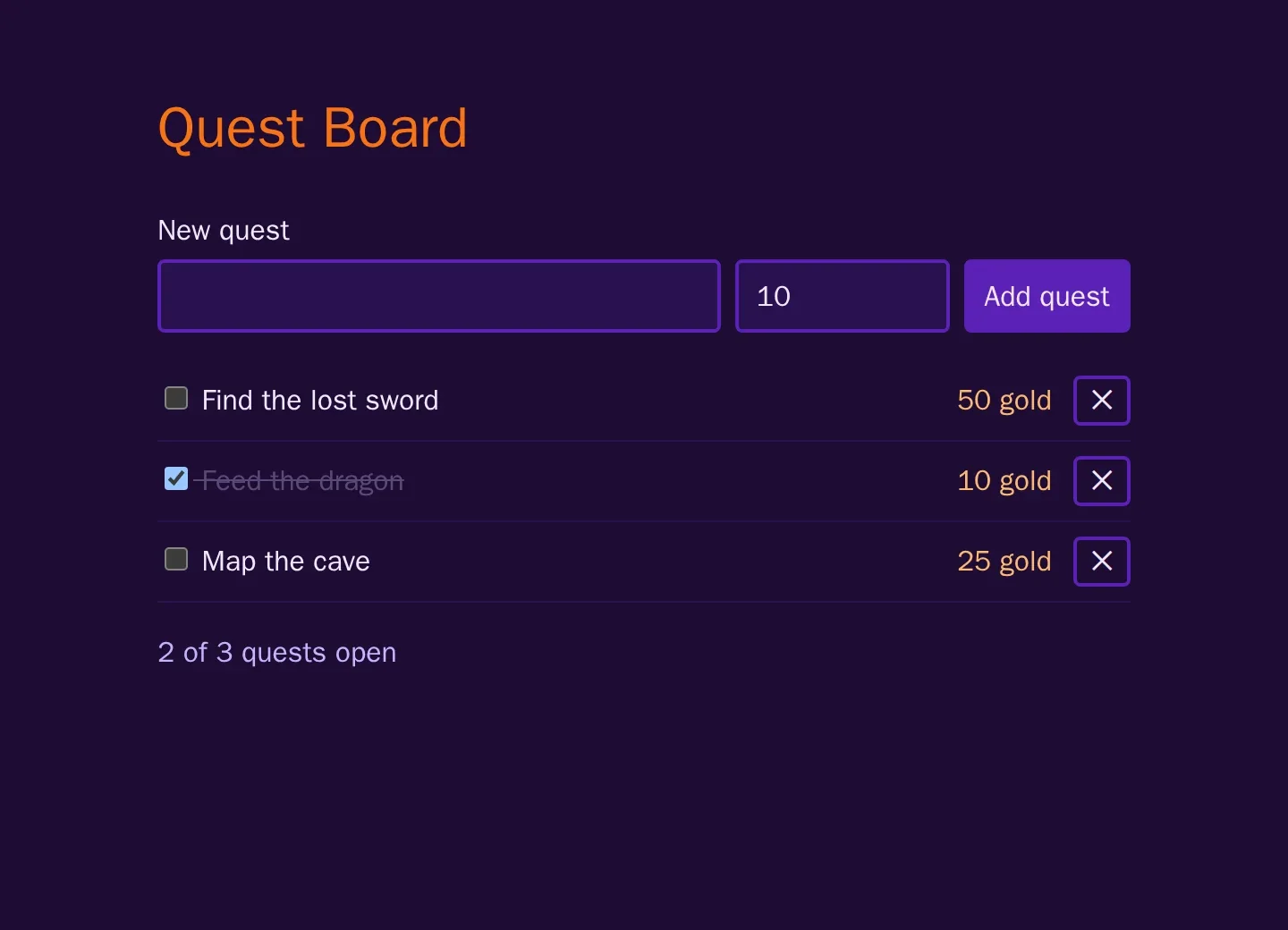
Reload the page, and "Feed the dragon" moves to the end of the list: that is the order from listQuests, open quests first.
The page is one way to talk to the API, not the only one. Ask the API directly, in a third terminal. With --json, curl sends the data as JSON in a POST request:
$ curl http://localhost:3000/api/health{"ok":true}$ curl http://localhost:3000/api/quests --json '{"title":"Find the lost sword"}'{"error":"A quest with this title already exists."}$ curl http://localhost:3000/api/quests --json '{"title":""}'{"error":"A quest needs a title."}
The first line is the health check. The second tries a title the board already has and gets the sentence that belongs to the 409. The third sends an empty title and gets the answer from readQuest. These two requests did not come from the page, and both were turned down: the rules are in the API and in the database, not only in the form.
What you have now
An app with three layers: a page in the browser, an API behind it, and a database with rules of its own. It works, as far as you can tell from clicking through it once. That is the weak spot: nothing checks it, and there is not a single test.
In the next part you install Playwright and write the first one: a browser that opens the board and adds a quest all by itself.
Comments
The comments are GitHub Discussions: sign in with GitHub to write one.
The comments come from GitHub, through giscus. Loading them sends your IP address to giscus.app and GitHub.