
Your Portfolio With Manablox · Part 6 of 7 in the series
Part 6: Gallery, Contact and the Finishing Touches
Style the remaining sections, add a field to a content type for a contact button, describe your pages for search engines and build the site for production.

Quest objectives
- Style the gallery, the call to action, the about page and the quote
- Add a field to a block type in the admin
- Describe every page for search engines and link previews
- Answer unknown addresses with a friendly 404 page
- Check the code and make a production build
The home page and the projects are done. Four block types still look plain: the gallery, the call to action, the image with text and the quote. After them comes the contact page, and then everything a site needs before it goes online.
The gallery
The gallery uses the same grid trick as the cards: as many columns as fit.
---
import { fieldAttribute } from '@manablox/live-preview';
import { assetUrl } from '@manablox/public-sdk';
import { assets, text } from '../../lib/fields';

interface Props {
  block: Record<string, unknown>;
  path: (string | number)[];
}

const { block, path } = Astro.props;
const headline = text(block.headline);
const images = assets(block.images);
---

<section class="block block-gallery" {...fieldAttribute(path)}>
  {headline && <h2 {...fieldAttribute([...path, 'headline'])}>{headline}</h2>}
  <div class="images" {...fieldAttribute([...path, 'images'])}>
    {
      images.map((image) => (
        <img
          class="rounded"
          src={assetUrl(image, { preset: 'card' })}
          alt={image.alt ?? ''}
          width={image.width ?? undefined}
          height={image.height ?? undefined}
          loading="lazy"
        />
      ))
    }
  </div>
</section>

<style>
  .images {
    display: grid;
    grid-template-columns: repeat(auto-fill, minmax(14rem, 1fr));
    gap: 1rem;
  }
</style>
The call to action
The call to action at the end of the home page becomes a dark box with the pink button in the middle:
---
import { fieldAttribute } from '@manablox/live-preview';
import { link, text } from '../../lib/fields';

interface Props {
  block: Record<string, unknown>;
  path: (string | number)[];
}

const { block, path } = Astro.props;
const headline = text(block.headline);
const textValue = text(block.text);
const button = link(block.button);
---

<section class="block block-call-to-action" {...fieldAttribute(path)}>
  {headline && <h2 {...fieldAttribute([...path, 'headline'])}>{headline}</h2>}
  {textValue && <p class="lead" {...fieldAttribute([...path, 'text'])}>{textValue}</p>}
  {
    button && (
      <p {...fieldAttribute([...path, 'button'])}>
        <a class="button" href={button.href}>{button.label}</a>
      </p>
    )
  }
</section>

<style>
  .block-call-to-action {
    border-radius: var(--radius);
    background: var(--ink);
    color: white;
    padding: 3rem 2rem;
    text-align: center;
  }
  .lead {
    color: #cfc8e6;
  }
</style>
The about page
The about page uses two more blocks. Image and text puts the picture next to the text, but only when the screen is wide enough. That is what the @media (min-width: 48rem) rule does: below 48rem, about 768 pixels, picture and text sit below each other.
---
import { fieldAttribute } from '@manablox/live-preview';
import { assetUrl } from '@manablox/public-sdk';
import { assets, html, link, text } from '../../lib/fields';

interface Props {
  block: Record<string, unknown>;
  path: (string | number)[];
}

const { block, path } = Astro.props;
const headline = text(block.headline);
const body = html(block.body);
const image = assets(block.image)[0];
const button = link(block.button);
---

<section class="block block-media-text" {...fieldAttribute(path)}>
  {
    image && (
      <img
        class="rounded"
        src={assetUrl(image, { preset: 'card' })}
        alt={image.alt ?? ''}
        width={image.width ?? undefined}
        height={image.height ?? undefined}
        loading="lazy"
        {...fieldAttribute([...path, 'image'])}
      />
    )
  }
  <div>
    {headline && <h2 {...fieldAttribute([...path, 'headline'])}>{headline}</h2>}
    {body && <div {...fieldAttribute([...path, 'body'])} set:html={body} />}
    {
      button && (
        <p {...fieldAttribute([...path, 'button'])}>
          <a class="button" href={button.href}>{button.label}</a>
        </p>
      )
    }
  </div>
</section>

<style>
  .block-media-text {
    display: grid;
    gap: 2rem;
    align-items: center;
  }
  /* Side by side once there is room for both. */
  @media (min-width: 48rem) {
    .block-media-text {
      grid-template-columns: 1fr 1.5fr;
    }
  }
</style>
The Quote becomes a <figure> with a <blockquote> and a caption for who said it, the HTML elements made for quotes:
---
import { fieldAttribute } from '@manablox/live-preview';
import { text } from '../../lib/fields';

interface Props {
  block: Record<string, unknown>;
  path: (string | number)[];
}

const { block, path } = Astro.props;
const quote = text(block.quote);
const author = text(block.author);
const role = text(block.role);
---

<figure class="block block-quote" {...fieldAttribute(path)}>
  {quote && <blockquote {...fieldAttribute([...path, 'quote'])}>“{quote}”</blockquote>}
  <figcaption>
    {author && <strong {...fieldAttribute([...path, 'author'])}>{author}</strong>}
    {role && <span {...fieldAttribute([...path, 'role'])}>, {role}</span>}
  </figcaption>
</figure>

<style>
  .block-quote {
    margin-inline: 0;
    border-left: 6px solid var(--pink);
    padding-left: 1.5rem;
  }
  blockquote {
    margin: 0 0 0.75rem;
    font-size: 1.75rem;
    line-height: 1.3;
  }
  figcaption {
    color: var(--muted);
  }
</style>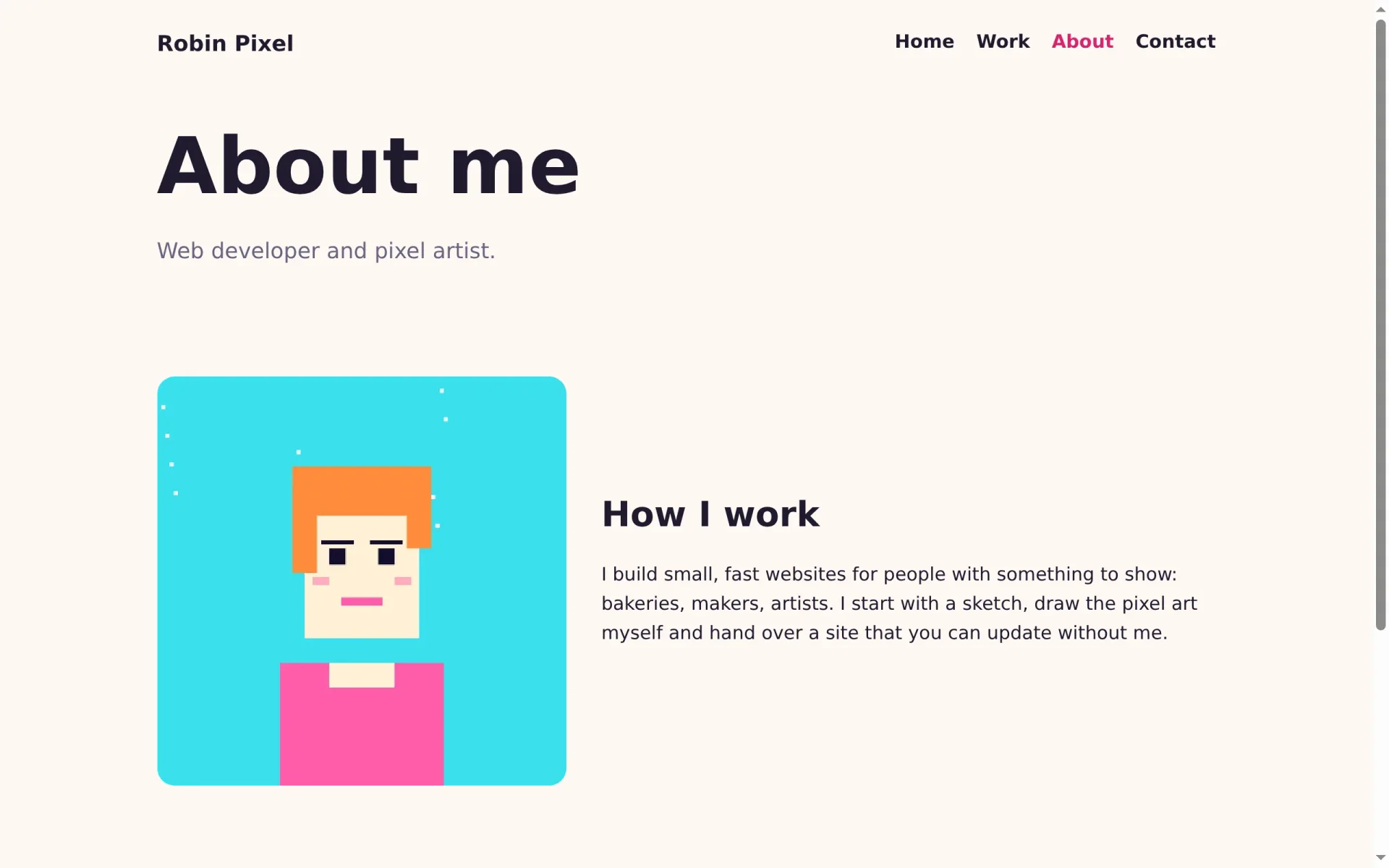
A contact button
The contact form of the designed site does not work on your own frontend. It sends its messages through the site process, which holds a secret key, and the public API only reads. A simple button that opens an email to you does the job without any server code. But where does the email address come from?
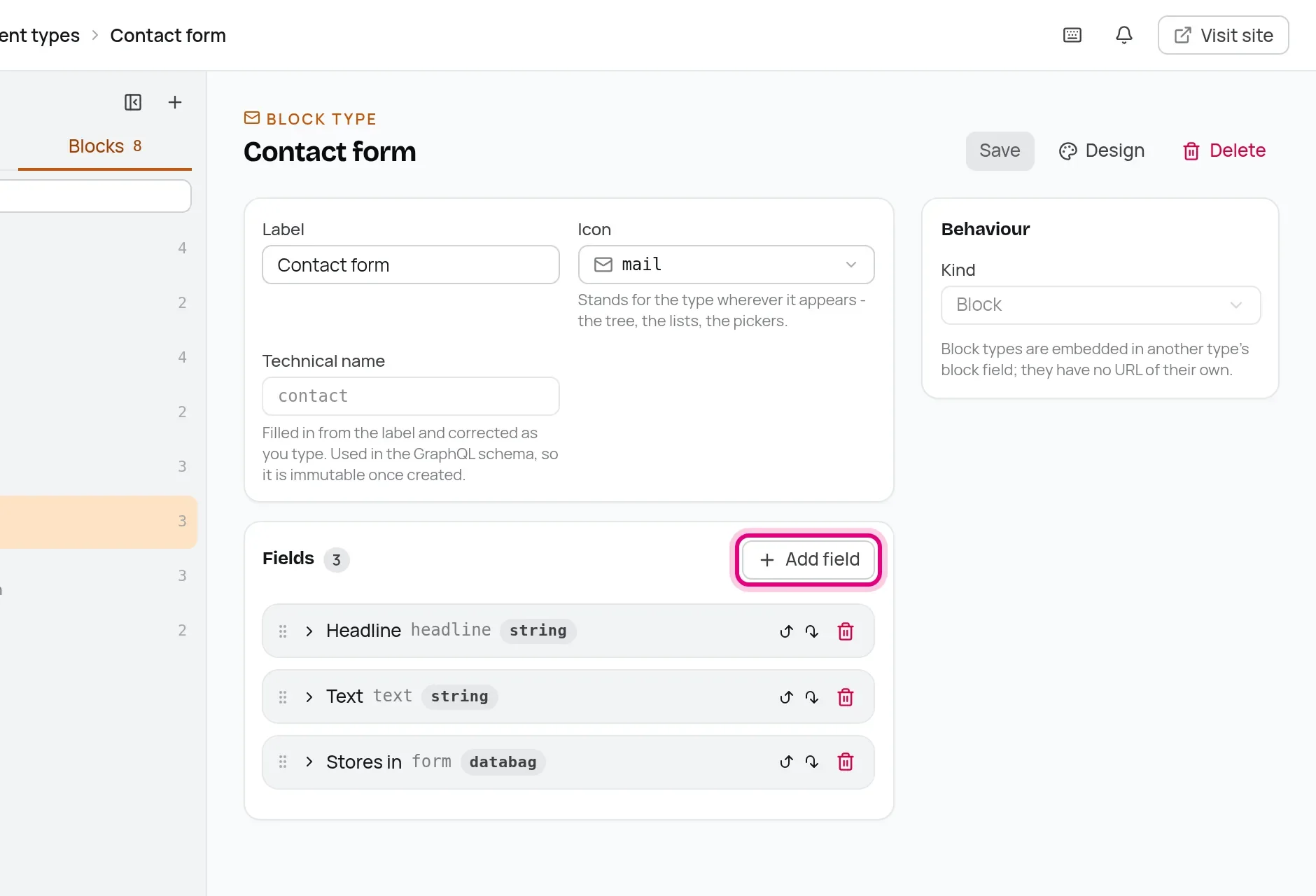
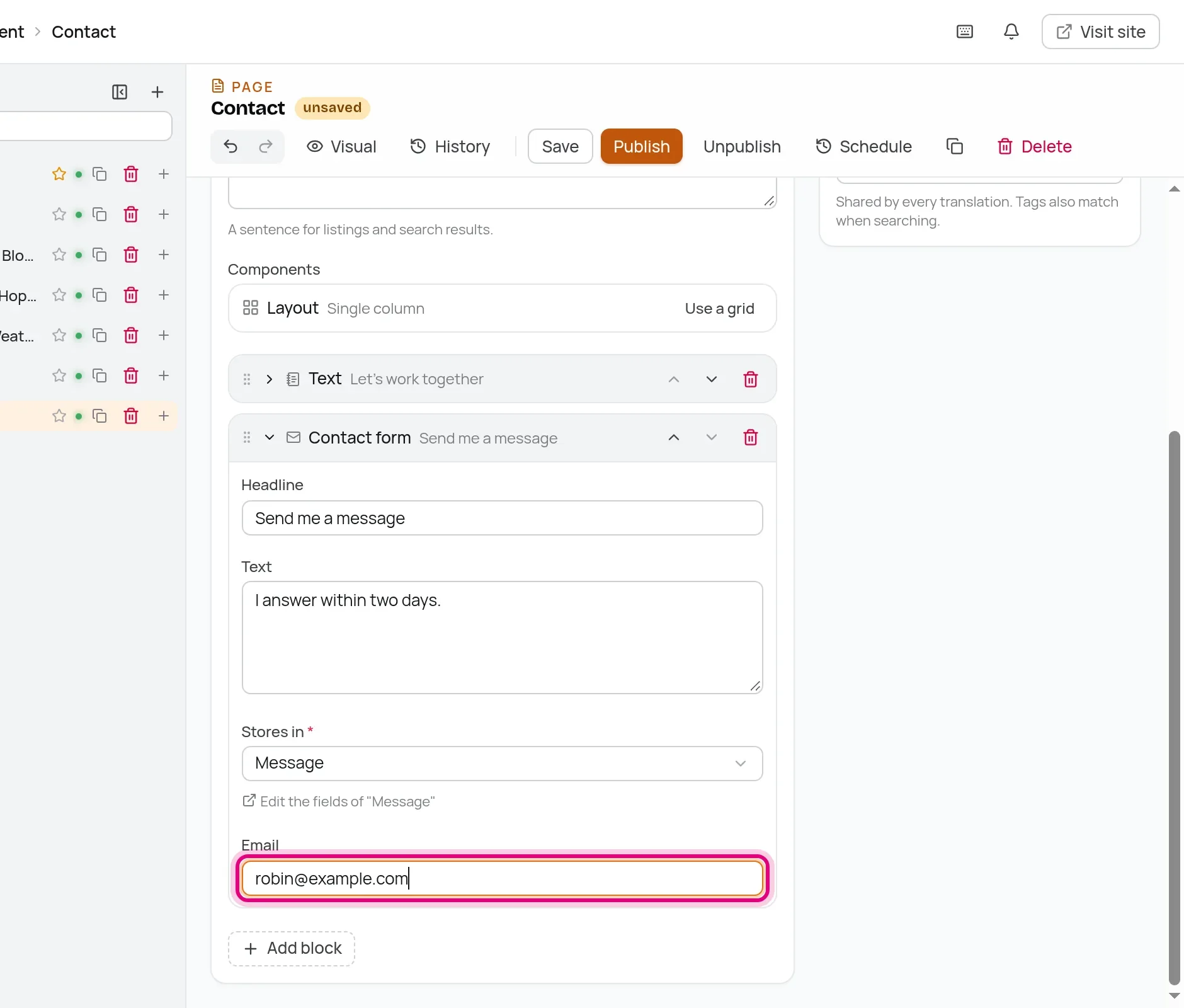
From the CMS, of course. Add a field to the Contact form block: in the admin, open Content types, switch to Blocks, open Contact form and click Add field.
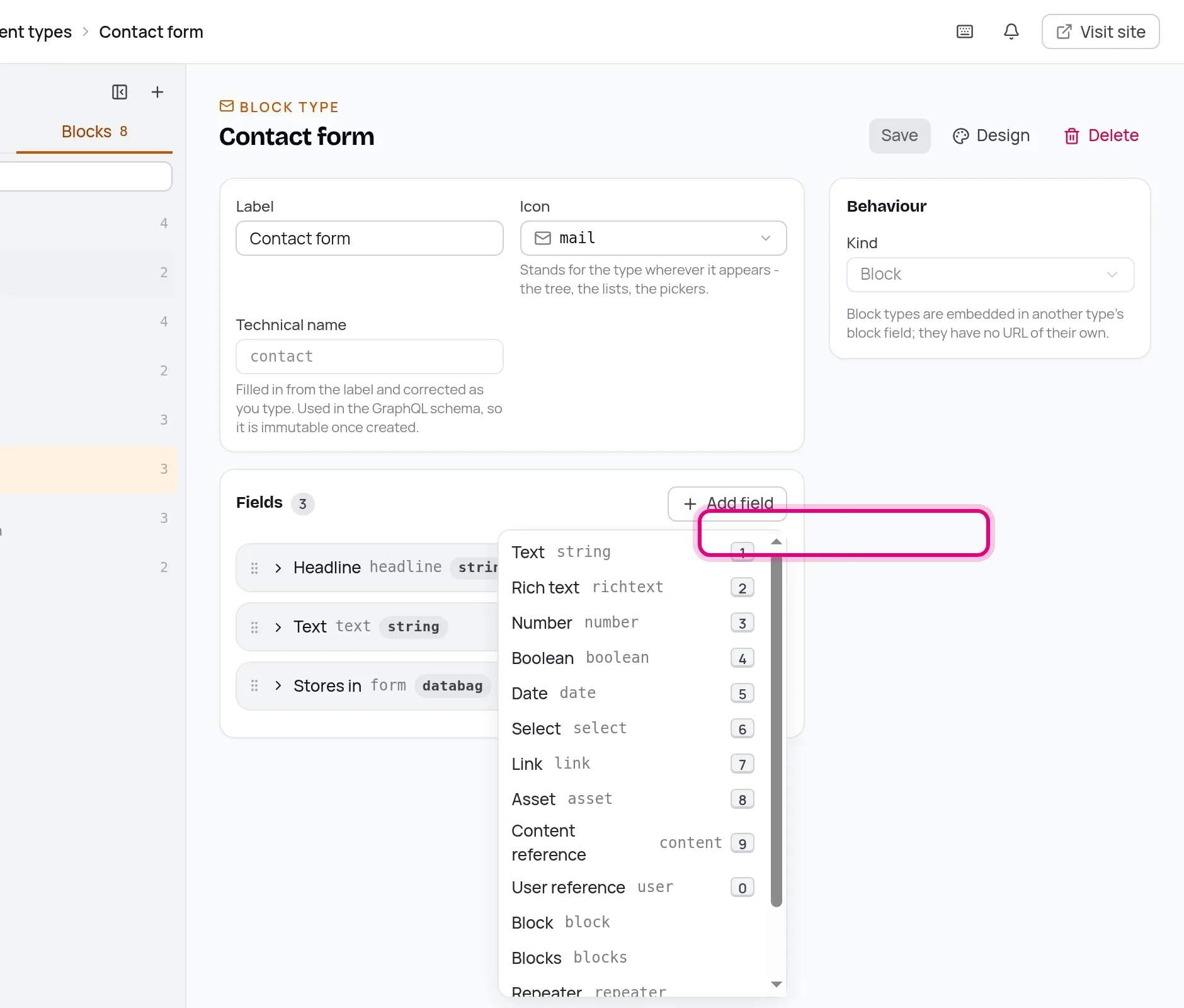
An email address is text, so choose Text.
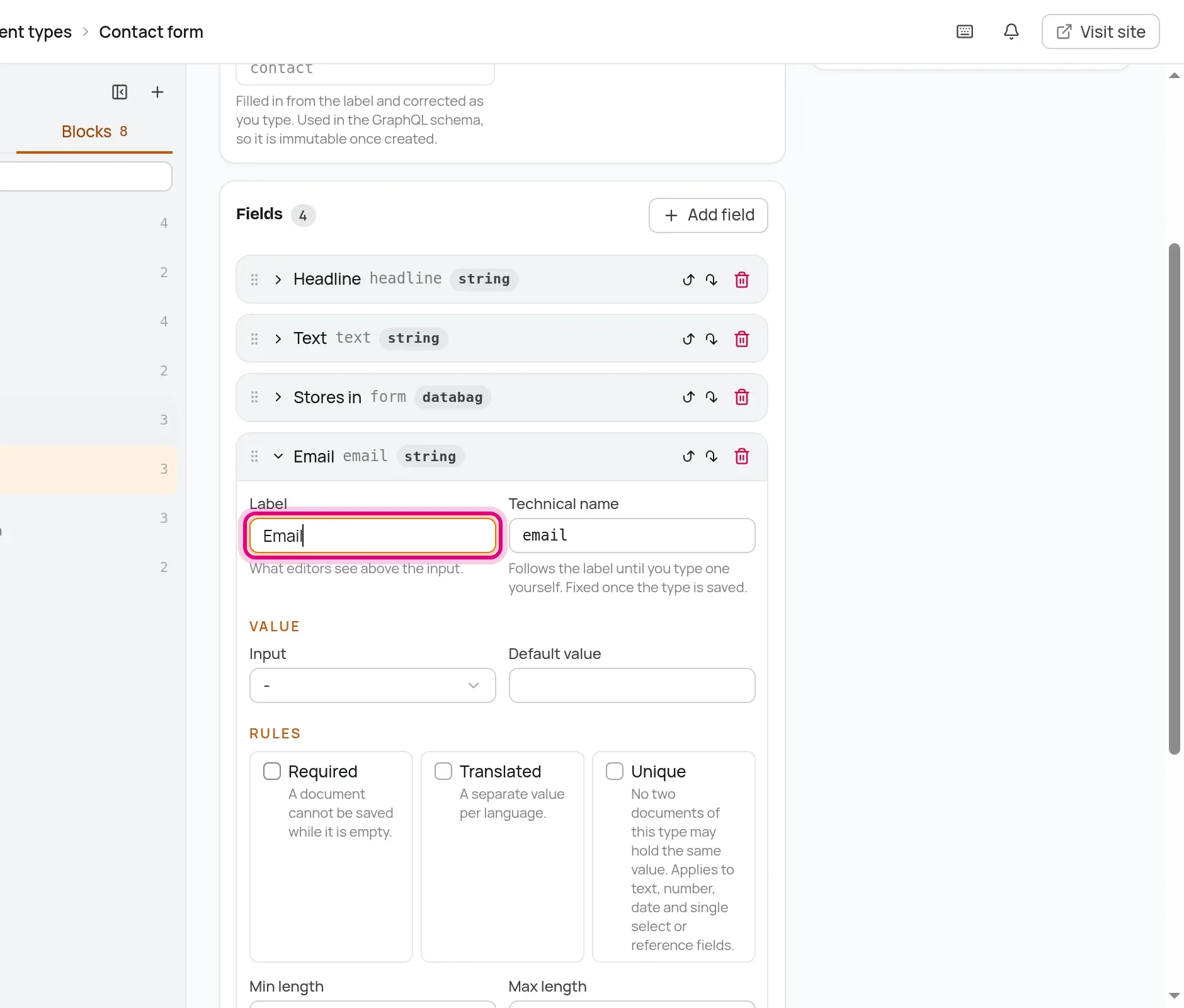
Set the Label to Email. The technical name becomes email, and that is the name your code reads. Click Save.
Now open the Contact page, unfold its Contact form block, and there is the new field. Type your address and publish.
In the component, the form field goes and the button comes. mailto: links open the visitor's email program with your address already filled in.
---
import { fieldAttribute } from '@manablox/live-preview';
import { text } from '../../lib/fields';

interface Props {
  block: Record<string, unknown>;
  path: (string | number)[];
}

const { block, path } = Astro.props;
const headline = text(block.headline);
const textValue = text(block.text);
const email = text(block.email);
---

<section class="block block-contact" {...fieldAttribute(path)}>
  {headline && <h2 {...fieldAttribute([...path, 'headline'])}>{headline}</h2>}
  {textValue && <p class="lead" {...fieldAttribute([...path, 'text'])}>{textValue}</p>}
  {
    email && (
      <p {...fieldAttribute([...path, 'email'])}>
        <a class="button" href={`mailto:${email}`}>Write me an email</a>
      </p>
    )
  }
</section>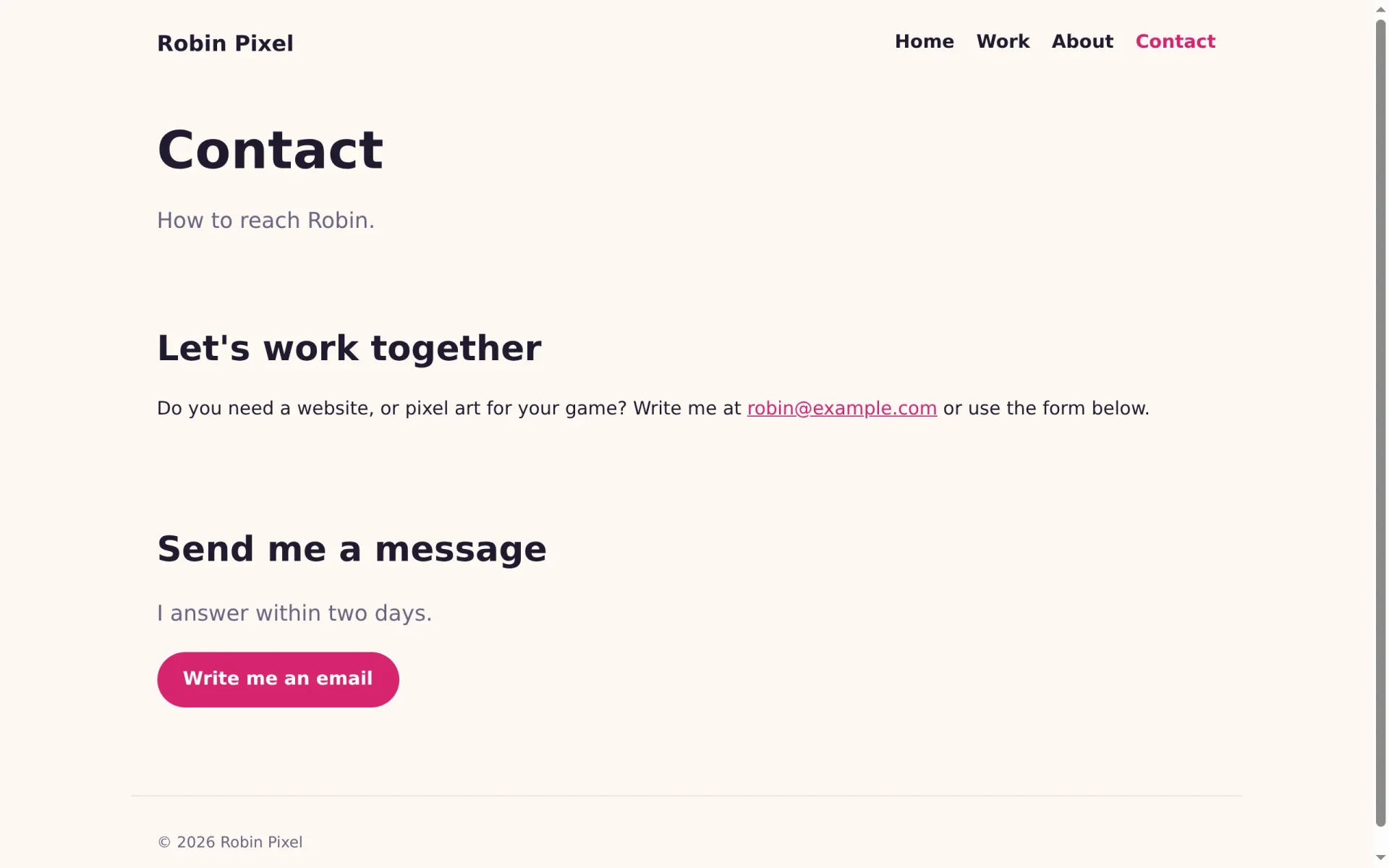
For search engines and link previews
When someone shares a link to your portfolio, messengers and social networks show a preview with a title, a description and a picture. Search engines show the description under the title, too. They read all of it from <meta> tags in the <head> of the page. The layout gets two new props for them. Replace the interface Props and the line after it in src/layouts/Site.astro:
interface Props {
  title: string;
  description?: string | null;
  image?: string | null;
  bare?: boolean;
}

const { title, description, image, bare = false } = Astro.props;
and add the tags right below the <title>:
<title>{title === siteName ? title : `${title} · ${siteName}`}</title>
    {description && <meta name="description" content={description} />}
    <meta property="og:title" content={title} />
    {description && <meta property="og:description" content={description} />}
    {image && <meta property="og:image" content={image} />}
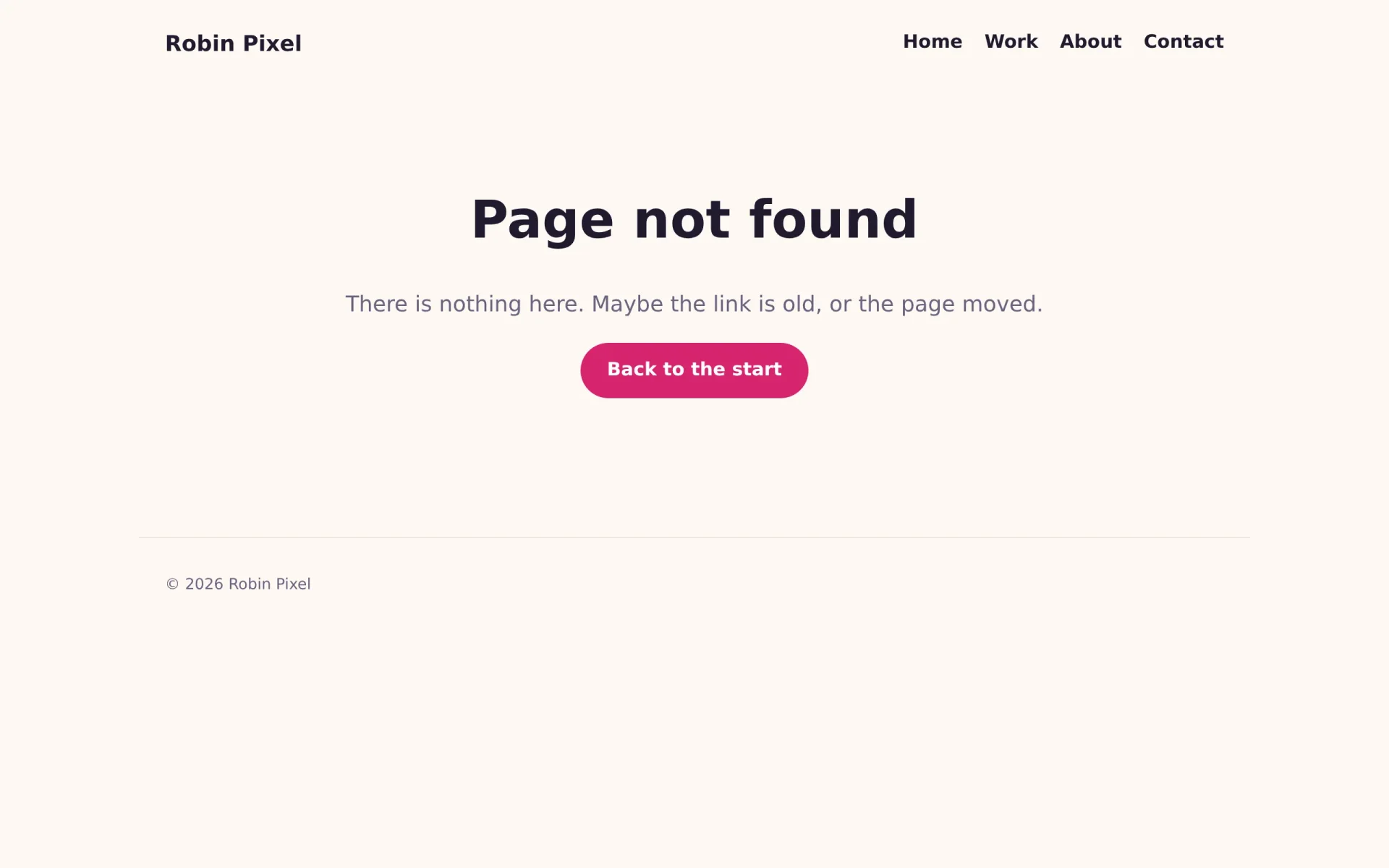
The page route fills them in: the summary becomes the description, and the cover of a project becomes the picture. While you are in that file, it also gets a real 404 page. Until now an unknown address got an empty answer; now it gets your layout, a short message and a way back.
---
import { assetUrl, blocksOf, gridOf, ManabloxError } from '@manablox/public-sdk';
import Blocks from '../components/Blocks.astro';
import { contentRenderers } from '../components/content/index';
import Site from '../layouts/Site.astro';
import { assets, text } from '../lib/fields';
import { manablox } from '../lib/manablox';

const client = manablox();
const path = Astro.url.pathname;

let page: Record<string, unknown> | null = null;
let failure: string | null = null;

try {
  // `expand` inlines the relations the components show, which would otherwise be ids.
  page = await client.byPermalink(path, {
    expand: ['cover', 'gallery', 'image', 'images', 'projects'],
  });
} catch (error) {
  failure = error instanceof ManabloxError ? error.message : String(error);
}

const notFound = !failure && !page;
const fields = (page?.fields ?? {}) as Record<string, unknown>;
const blocks = blocksOf(fields.components) as Record<string, unknown>[];
const grid = gridOf(fields.components);
const Content = page ? contentRenderers[String(page.type)] : undefined;

// What search engines and link previews show: the summary, and the cover if there is one.
const description = text(fields.summary);
const cover = assets(fields.cover)[0];
const image = cover ? assetUrl(cover, { preset: 'hero' }) : null;

Astro.response.status = failure ? 503 : notFound ? 404 : 200;
Astro.response.headers.set(
  'cache-control',
  failure ? 'no-store' : 'public, max-age=0, s-maxage=300',
);
---

<Site
  title={failure ? 'Something went wrong' : notFound ? 'Page not found' : String(page?.title ?? '')}
  description={description}
  image={image}
>
  {
    notFound ? (
      <div class="state">
        <h1>Page not found</h1>
        <p class="lead">There is nothing here. Maybe the link is old, or the page moved.</p>
        <a class="button" href="/">Back to the start</a>
      </div>
    ) : failure ? (
      <div class="state">
        <h1>Something went wrong</h1>
        <p>{failure}</p>
      </div>
    ) : Content ? (
      <Content node={{ title: String(page?.title ?? ''), fields }} />
    ) : (
      <article>
        <h1>{String(page?.title || 'Untitled')}</h1>
        <Blocks blocks={blocks} path={['components']} grid={grid} />
      </article>
    )
  }
</Site>

<style>
  .state {
    padding: 4rem 0;
    text-align: center;
  }
  .state h1 {
    font-size: 3rem;
  }
</style>
Astro.response.status still tells browsers and search engines that the page does not exist, so the 404 page never ends up in search results. Check the tags with curl, which fetches a page in the terminal, or with View page source in your browser:
$ curl -s http://localhost:3005/work/pixel-weather | grep '<meta'<meta charset="utf-8"><meta name="viewport" content="width=device-width, initial-scale=1"><meta name="description" content="A tiny weather app that shows the forecast as pixel art landscapes."><meta property="og:title" content="Pixel Weather"><meta property="og:description" content="A tiny weather app that shows the forecast as pixel art landscapes."><meta property="og:image" content="http://localhost:3100/media/29d8b48b-b908-49b5-9572-d477c8a05115/hero.webp?s=wY1eoDbUJRYSujfWdOJ0ssPEJUGe4gL6&v=mw0c4cpy">
Check it on a phone
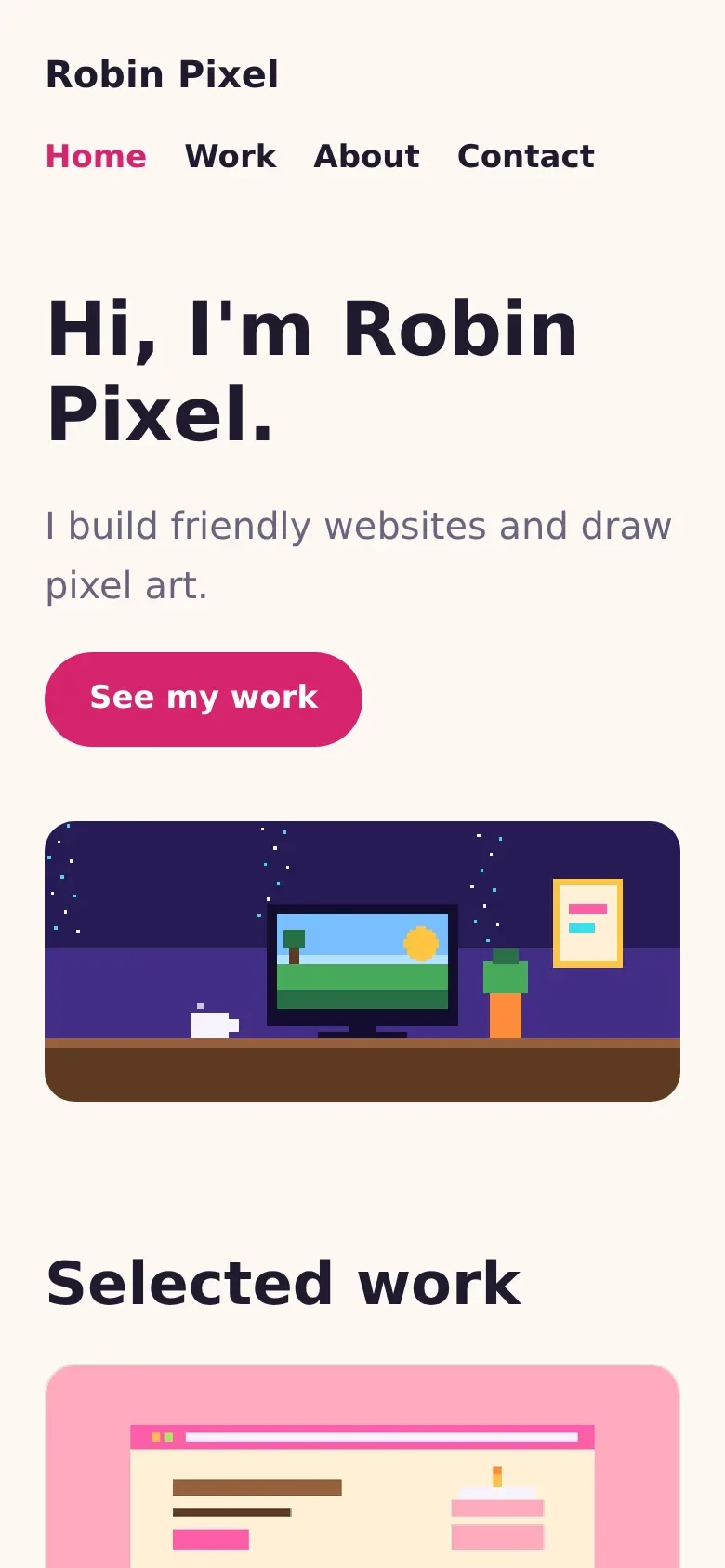
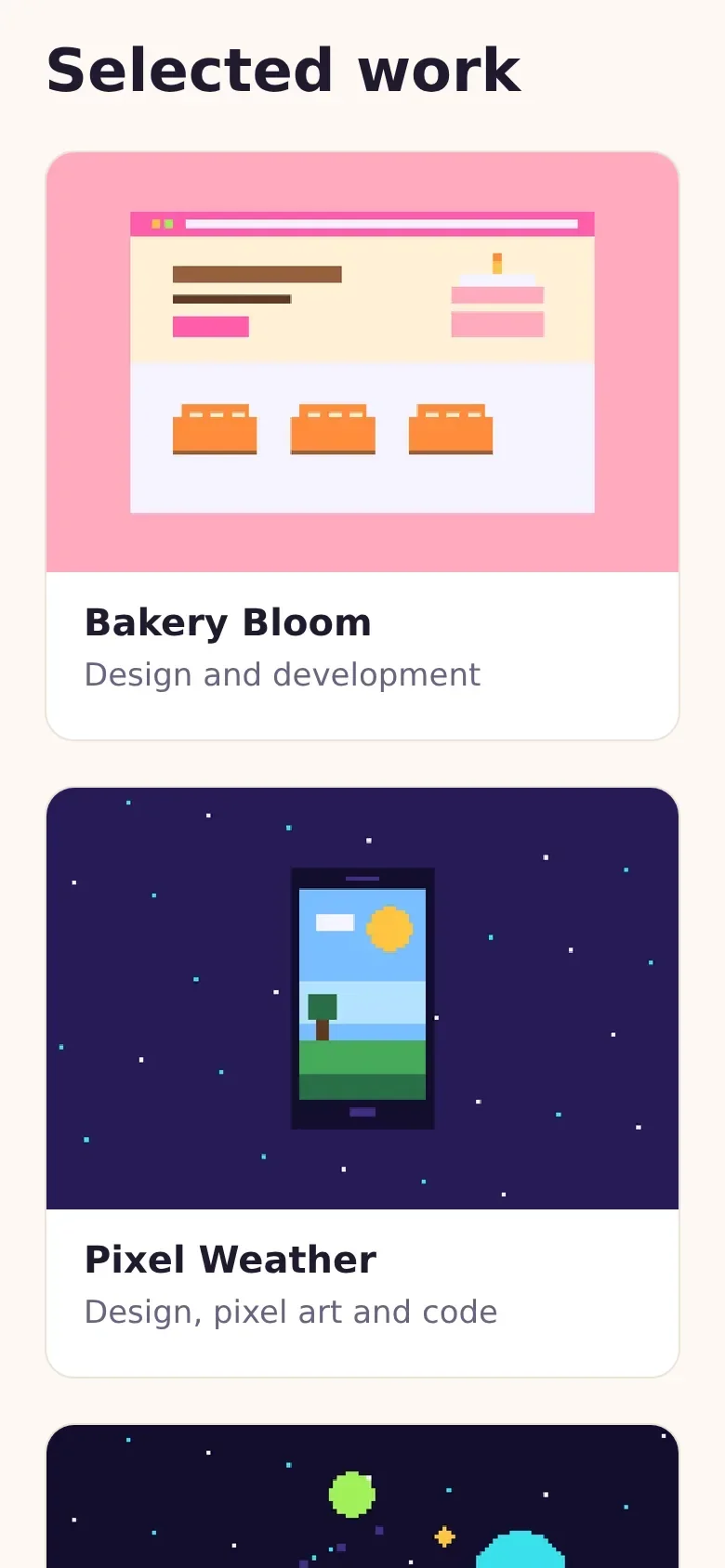
Most visitors will come on a phone. Open your browser's developer tools (F12) and switch on the device toolbar to see the site at phone size. The header wraps, the hero headline shrinks with clamp(), and the cards stack into one column:
Check the code
pnpm typecheck runs astro check, which looks through every file for mistakes, such as a misspelled variable or a prop that a component does not have:
$ pnpm typecheck07:16:29 [check] Getting diagnostics for Astro files in /home/robin/projects/my-site...Result (36 files):- 0 errors- 0 warnings- 0 hints
The production build
pnpm dev is made for working: it watches your files and rebuilds what changed. A real server runs a build instead: the finished, optimized site, built once. Stop the dev server with Ctrl+C, build and start it:
$ pnpm build07:17:04 [build] output: "server"07:17:04 [build] adapter: @astrojs/node07:17:04 [build] Building server entrypoints...07:17:04 [build] Server built in 435ms07:17:04 [build] Complete!$ pnpm start07:17:10 [@astrojs/node] Server listening on local: http://localhost:3005
Open localhost:3005: the same site, now as it will run on the server. The build lives in dist/, and pnpm start runs dist/server/entry.mjs with Node. Change some content in the admin and reload: the build reads the CMS while it runs, so content changes show up without a new build, within half a minute, because the client in src/lib/manablox.ts keeps answers for 30 seconds. Only code changes need a new build.
Your portfolio is finished. In the last part, it goes online.