
Pong in TypeScript · Part 2 of 2 in the series
Part 2: Ball, Collisions and Score
Add the ball, detect collisions with axis-aligned bounding boxes, let players aim with the paddle and keep score.
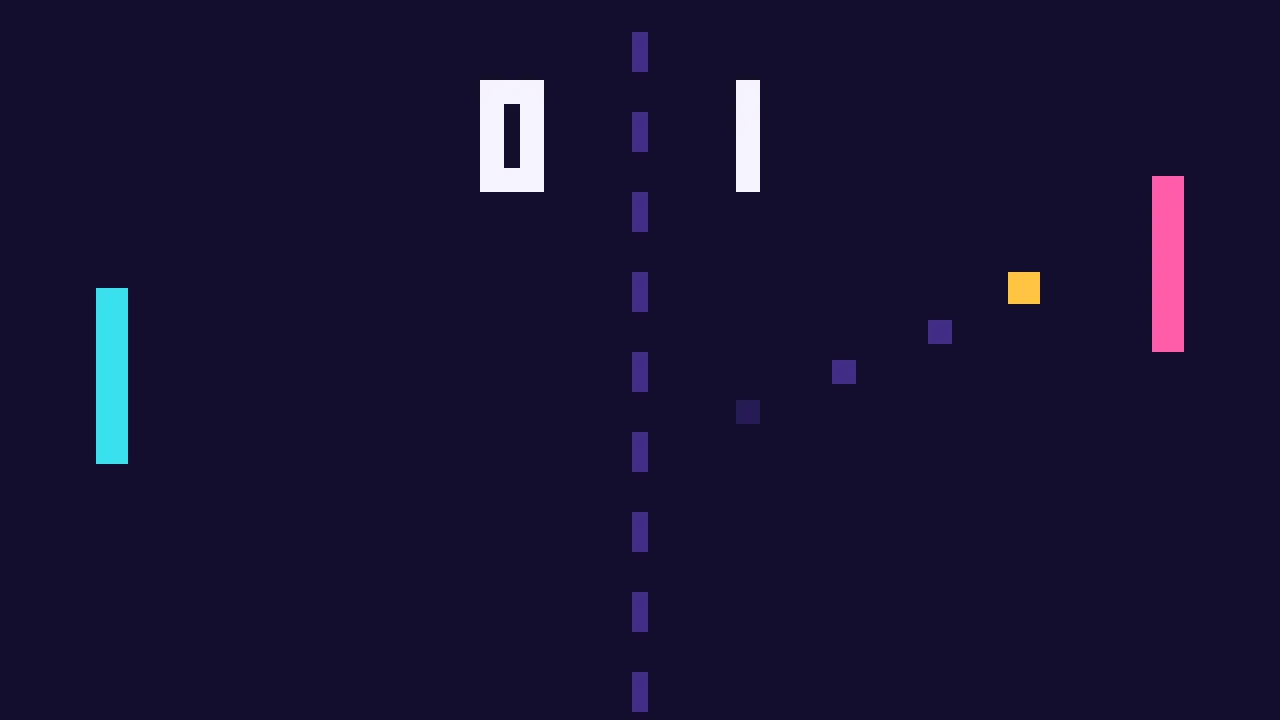
Quest objectives
- Move a ball with a velocity vector
- Detect collisions between two rectangles
- Let the hit position decide the bounce angle
- Track and draw the score
You have a game loop and two paddles, but nothing to hit yet. This part adds the ball and everything that comes with it. All the code below goes into the same src/main.ts from part 1.
The ball
The ball has a position and a velocity. Add this below your paddles:
const BALL_SIZE = 12;
const BALL_SPEED = 360;
const MAX_BALL_SPEED = 900;

const ball = { x: 0, y: 0, vx: 0, vy: 0 };
const score = { left: 0, right: 0 };

function resetBall(direction: 1 | -1): void {
  ball.x = canvas.width / 2 - BALL_SIZE / 2;
  ball.y = canvas.height / 2 - BALL_SIZE / 2;

  // Up to 30 degrees up or down, so no two serves are the same.
  const angle = (Math.random() - 0.5) * (Math.PI / 3);
  ball.vx = Math.cos(angle) * BALL_SPEED * direction;
  ball.vy = Math.sin(angle) * BALL_SPEED;
}

resetBall(1);
The velocity comes from an angle: cos gives the horizontal part and sin the vertical part. This keeps the ball's total speed the same, no matter which angle comes up.
Collisions
Two rectangles overlap if they overlap on both axes. This check is known as AABB (axis-aligned bounding box), and you will find it in almost every 2D game.
A plain bounce would make the game predictable, so the classic Pong trick comes into play: where the ball hits the paddle decides where it goes. A hit near the edge sends it off at a steep angle of up to 60 degrees. That gives players a way to aim.
function hits(paddle: Paddle): boolean {
  return (
    ball.x < paddle.x + PADDLE_WIDTH &&
    ball.x + BALL_SIZE > paddle.x &&
    ball.y < paddle.y + PADDLE_HEIGHT &&
    ball.y + BALL_SIZE > paddle.y
  );
}

function bounce(paddle: Paddle, direction: 1 | -1): void {
  const paddleCenter = paddle.y + PADDLE_HEIGHT / 2;
  const ballCenter = ball.y + BALL_SIZE / 2;

  // -1 at the top edge of the paddle, 1 at the bottom edge.
  const offset = (ballCenter - paddleCenter) / (PADDLE_HEIGHT / 2);
  const angle = clamp(offset, -1, 1) * (Math.PI / 3);
  const speed = Math.min(Math.hypot(ball.vx, ball.vy) * 1.05, MAX_BALL_SPEED);

  ball.vx = Math.cos(angle) * speed * direction;
  ball.vy = Math.sin(angle) * speed;
}

function updateBall(dt: number): void {
  ball.x += ball.vx * dt;
  ball.y += ball.vy * dt;

  const bottom = canvas.height - BALL_SIZE;
  if (ball.y < 0) {
    ball.y = 0;
    ball.vy = Math.abs(ball.vy);
  } else if (ball.y > bottom) {
    ball.y = bottom;
    ball.vy = -Math.abs(ball.vy);
  }

  if (ball.vx < 0 && hits(left)) bounce(left, 1);
  if (ball.vx > 0 && hits(right)) bounce(right, -1);

  if (ball.x + BALL_SIZE < 0) {
    score.right += 1;
    resetBall(1);
  } else if (ball.x > canvas.width) {
    score.left += 1;
    resetBall(-1);
  }
}Bring it together
Finally, replace update() and draw() so that they include the ball, a center line and the score:
function update(dt: number): void {
  movePaddle(left, 'KeyW', 'KeyS', dt);
  movePaddle(right, 'ArrowUp', 'ArrowDown', dt);
  updateBall(dt);
}

function draw(): void {
  ctx.fillStyle = '#1a1a2e';
  ctx.fillRect(0, 0, canvas.width, canvas.height);

  ctx.strokeStyle = '#ffffff55';
  ctx.setLineDash([10, 14]);
  ctx.lineWidth = 4;
  ctx.beginPath();
  ctx.moveTo(canvas.width / 2, 0);
  ctx.lineTo(canvas.width / 2, canvas.height);
  ctx.stroke();

  ctx.fillStyle = '#ffffff';
  for (const paddle of [left, right]) {
    ctx.fillRect(paddle.x, paddle.y, PADDLE_WIDTH, PADDLE_HEIGHT);
  }
  ctx.fillRect(ball.x, ball.y, BALL_SIZE, BALL_SIZE);

  ctx.font = '40px monospace';
  ctx.textAlign = 'center';
  ctx.fillText(String(score.left), canvas.width / 2 - 60, 56);
  ctx.fillText(String(score.right), canvas.width / 2 + 60, 56);
}
That's it, you have a complete game of Pong. Grab a friend and play a round.
Where to go next
Add a simple computer opponent: move the right paddle towards
ball.yat a limited speed.End the game when a player reaches 10 points.
Add sound effects with the Web Audio API.