
A First-Person Controller in Babylon.js · Part 8 of 11 in the series
Part 8: Climbing Onto Ledges
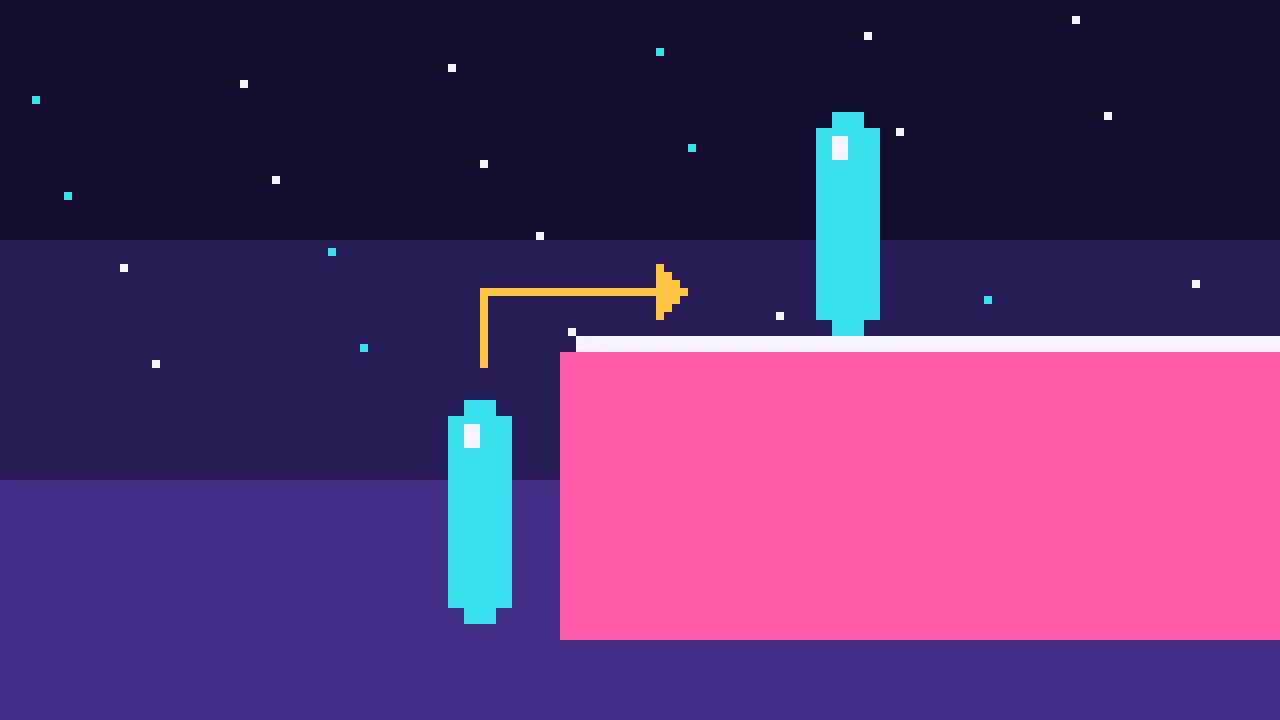
Find a ledge in front of the player with two rays, check with shape casts that the capsule fits on the way up, and climb over the edge on a scripted path, from the ground and from a jump.
Quest objectives
- Find a ledge with one ray down and one ray forward
- Check with shape casts that the capsule fits on the way up and over
- Climb over the edge on a scripted path
- Climb from the ground with a jump, and from the air by moving at a ledge
- End up crouched where there is no room to stand
A jump of 1.2 m gets the player onto a 1 m box, and no higher. Games let the player climb onto higher things: walk at a waist-high wall and press jump, and the character pulls themselves up. That move is called a mantle, and it works with any block in the level, without marking it.
Ledges in the level
Behind the start, this part adds four blocks: 1.2 m, 1.6 m and 2.2 m high, and one of 1.2 m with a roof 1.3 m above it, which leaves room only to crouch. Add them to buildLevel(), and mantle: '#ff5caa' to the colors:
// Behind the start: ledges to climb onto. The last one leaves room only to crouch.
  build.block('mantle-1', { size: [2, 1.2, 2], at: [-4.5, 0.6, -9], color: 'mantle' });
  build.block('mantle-2', { size: [2, 1.6, 2], at: [-1.5, 0.8, -9], color: 'mantle' });
  build.block('mantle-3', { size: [2, 2.2, 2], at: [1.5, 1.1, -9], color: 'mantle' });
  build.block('mantle-4', { size: [2, 1.2, 2], at: [4.5, 0.6, -9], color: 'mantle' });
  build.block('mantle-4-roof', { size: [2, 0.3, 2], at: [4.5, 2.65, -9], color: 'mantle' });
The player climbs onto ledges that are between 50 cm and 1.3 m above the feet. Lower ones they can step or jump onto, higher ones they cannot reach yet. Add the range to PLAYER in src/settings.ts:
/** Climbing onto a ledge: from this high above the feet... */
  mantleMin: 0.5,
  /** ...up to this high. */
  mantleMax: 1.3,
Finding a ledge
A ledge is a walkable top with a wall under it. Two rays find one:
A ray down, 80 cm in front of the player's center, from the highest ledge height to the lowest. It finds the top, and its normal says whether that top can be stood on.
A ray forward, 5 cm under the top. It finds the wall, which way it faces, and how far away it is. Without a wall, the top was a slope, not a ledge.
The player keeps a ledge as its height, the wall's normal and the distance to it. At the top of src/player.ts, add 'mantle' to the modes and the types for a ledge and for a climb:
export type Mode = 'walk' | 'air' | 'ladder' | 'mantle';

/** The top of something the player can climb onto, and the wall below it. */
interface Ledge {
  top: number;
  /** The wall's normal, pointing at the player. */
  normal: Vector3;
  /** Horizontal distance from the player's center to the wall. */
  distance: number;
}

/** A scripted climb onto a ledge: straight up to `via`, then over the edge to `to`. */
interface Mantle {
  from: Vector3;
  via: Vector3;
  to: Vector3;
  time: number;
  duration: number;
}
Add a field private mantle: Mantle | null = null; to the class, and a section for ledges at its end, starting with the search:
/**
   * Looks for a ledge in `forward` from `center`, whose top is between `min` and `max`
   * above the feet: a ray down just past the wall finds the top, a ray forward just under
   * the top finds the wall.
   */
  private findLedge(center: Vector3, forward: Vector3, min: number, max: number): Ledge | null {
    const feet = center.y - this.controller.footOffset;
    const reach = PLAYER.radius + 0.45;
    const above = new Vector3(center.x + forward.x * reach, feet + max, center.z + forward.z * reach);
    const below = new Vector3(above.x, feet + min, above.z);
    const down = raycast(above, below);
    if (!down || down.hitNormalWorld.y < this.controller.maxSlopeCosine) return null;
    const top = down.hitPointWorld.y;
    if (top > feet + max - 0.01) return null;

    const from = new Vector3(center.x, top - 0.05, center.z);
    const face = raycast(from, from.add(forward.scale(reach)));
    if (!face || Math.abs(face.hitNormalWorld.y) > 0.3) return null;
    const normal = face.hitNormalWorld.clone();
    normal.y = 0;
    normal.normalize();
    if (Vector3.Dot(normal, forward) > -0.5) return null;
    const distance = Math.hypot(face.hitPointWorld.x - center.x, face.hitPointWorld.z - center.z);
    return { top, normal, distance };
  }
A Havok ray that starts inside a box does not hit that box. So when a block is taller than max, the ray down starts inside it and finds nothing, and the block is not a ledge, which is right. The check against max - 0.01 catches a top right at the start of the ray. The wall has to face the player, within 60 degrees, so a ledge is not grabbed from the side.
When to climb
Two moments start a climb:
/** From the ground, jump climbs onto a ledge in reach. */
  private tryClimbing(): boolean {
    if (this.input.axis('back', 'forward') <= 0) return false;
    const center = this.controller.getPosition();
    const ledge = this.findLedge(center, this.look.forward(), PLAYER.mantleMin, PLAYER.mantleMax);
    return ledge !== null && this.startMantle(ledge);
  }

  /** In the air, moving at a ledge climbs onto it. */
  private tryGrab(): boolean {
    if (this.grabCooldown > 0 || this.input.down('crouch') || this.input.axis('back', 'forward') <= 0) return false;
    const center = this.controller.getPosition();
    const low = this.findLedge(center, this.look.forward(), PLAYER.mantleMin, PLAYER.mantleMax);
    return low !== null && this.startMantle(low);
  }
On the ground, the jump key climbs instead of jumping when a ledge is in front and the player moves forward.
walk()asks first. It clears the jump, so the climb does not leave a jump behind for later:
if (this.jumpTimer > 0) {
      // A jump next to a ledge climbs onto it instead.
      this.jumpTimer = 0;
      if (this.tryClimbing()) return;
      this.jump();
      return;
    }
In the air, moving forward at a ledge climbs it. A jump at the 1.6 m block gets the feet within 1.3 m of its top on the way up, and the climb starts there. In
air(), after the ladder:if (this.tryLadder() || this.tryGrab()) return;
Holding C in the air does not grab: crouching means "let me fall".
Room for the climb
The climb goes straight up until the feet are above the top, then forward over the edge, until the capsule stands on the top just behind it. Both legs of that path are checked with shape casts before anything moves: if the standing capsule does not fit, the crouching one is tried, so a climb into a low gap ends crouched. Add these to the ledges section:
/**
   * Checks that the capsule fits on the way up and over the edge, standing or else
   * crouching, and starts the climb.
   */
  private startMantle(ledge: Ledge): boolean {
    const center = this.controller.getPosition();
    const feet = center.y - this.controller.footOffset;
    const over = ledge.normal.scale(-(ledge.distance + PLAYER.radius + 0.1));
    for (const crouch of [false, true]) {
      const shape = crouch ? this.crouchShape : this.standShape;
      const half = (crouch ? PLAYER.crouchHeight : PLAYER.standHeight) / 2;
      const from = new Vector3(center.x, feet + half, center.z);
      const via = new Vector3(center.x, ledge.top + half + 0.05, center.z);
      const to = via.add(over);
      if (sweepHits(shape, from, via) || sweepHits(shape, via, to)) continue;

      if (this.crouching !== crouch) this.setCrouching(crouch);
      const height = ledge.top - feet;
      this.mantle = { from, via, to, time: 0, duration: 0.2 + 0.2 * height };
      this.mode = 'mantle';
      this.velocity.setAll(0);
      this.controller.setVelocity(this.velocity);
      return true;
    }
    return false;
  }

  private climbOver(dt: number): void {
    const mantle = this.mantle!;
    mantle.time += dt;
    const t = Math.min(mantle.time / mantle.duration, 1);
    // The first 60 percent of the time goes up, the rest over the edge.
    const position =
      t < 0.6
        ? Vector3.Lerp(mantle.from, mantle.via, smooth(t / 0.6))
        : Vector3.Lerp(mantle.via, mantle.to, smooth((t - 0.6) / 0.4));
    this.controller.setPosition(position);
    if (t === 1) {
      this.mode = 'walk';
      this.mantle = null;
    }
  }
The climb itself is scripted: climbOver() puts the capsule on the path with setPosition(), the first 60 percent of the time going up and the rest going over, and the controller does not move it on its own. That is safe because the shape casts already checked the path. A higher ledge takes longer: 0.2 s plus 0.2 s per meter. smooth() eases each leg in and out. Add it after the other helpers at the end of the file:
function smooth(t: number): number {
  return t * t * (3 - 2 * t);
}
In update(), the climb gets its case, and while it runs, the controller is neither given a velocity nor integrated:
update(dt: number): void {
    if (this.controller.getPosition().y < -20) this.respawn();
    const support = this.controller.checkSupport(dt, DOWN);
    this.velocity.copyFrom(this.controller.getVelocity());

    this.coyoteTimer = Math.max(this.coyoteTimer - dt, 0);
    this.jumpTimer = Math.max(this.jumpTimer - dt, 0);
    this.grabCooldown = Math.max(this.grabCooldown - dt, 0);
    if (this.input.pressedNow('jump')) this.jumpTimer = PLAYER.jumpBuffer;
    this.running = !this.crouching && this.input.down('run') && this.input.axis('back', 'forward') > 0;

    if (this.mode === 'walk' || this.mode === 'air') this.updateStance();

    switch (this.mode) {
      case 'walk':
        this.walk(dt, support);
        break;
      case 'air':
        this.air(dt, support);
        break;
      case 'ladder':
        this.climbLadder(support);
        break;
      case 'mantle':
        this.climbOver(dt);
        break;
    }

    if (this.mode !== 'mantle') {
      this.controller.setVelocity(this.velocity);
      this.controller.integrate(dt, support, GRAVITY);
    }

    const eye = this.crouching ? PLAYER.crouchEye : PLAYER.standEye;
    this.eyeHeight += (eye - this.eyeHeight) * (1 - Math.exp(-12 * dt));
}Try it
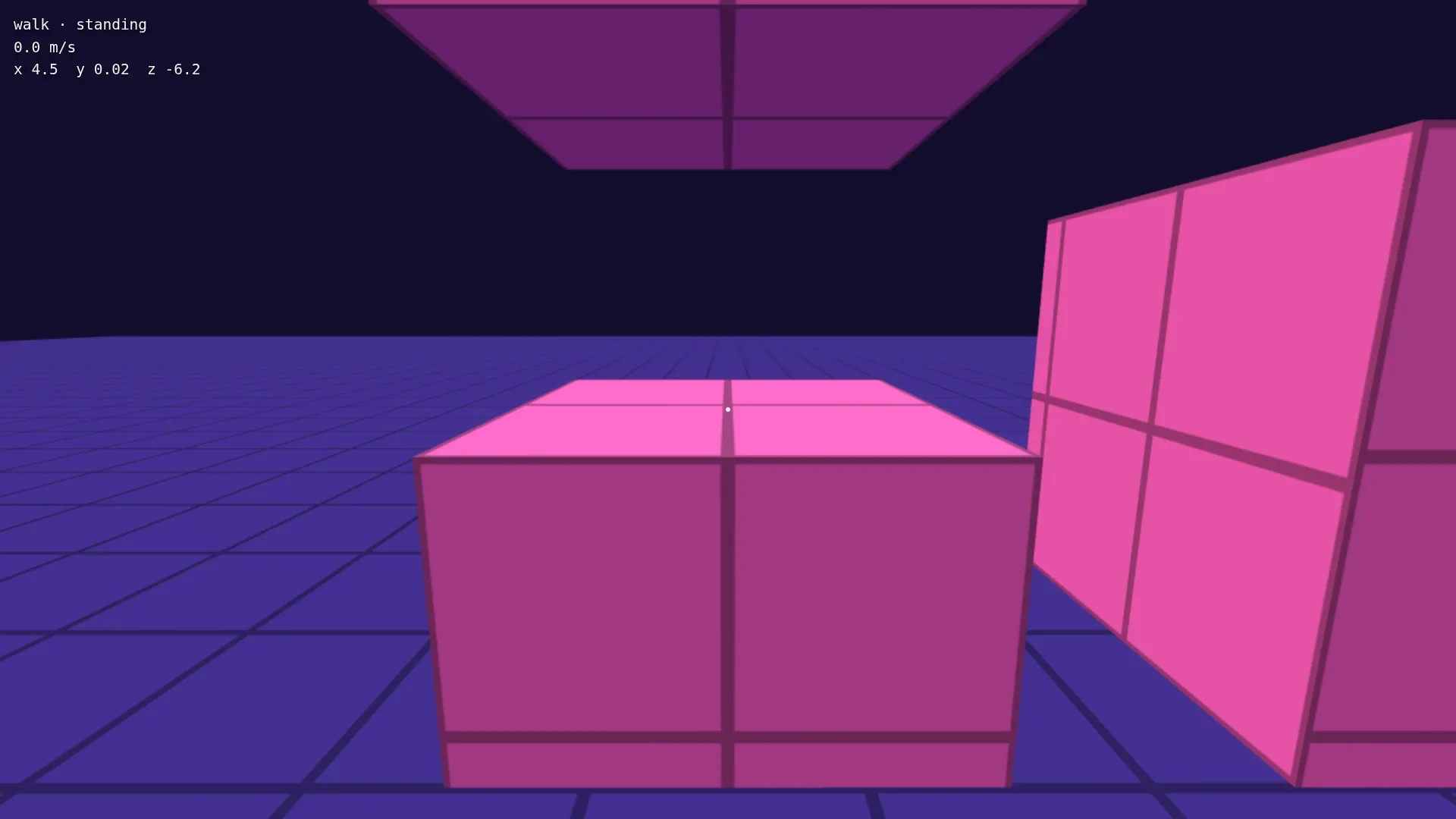
Walk up to the 1.2 m block behind the start, keep W held and press Space: the HUD shows mantle for a moment, and you stand on top. Jump at the 1.6 m and 2.2 m blocks, and you climb onto them too. Climb onto the last one, under the roof, and you end up crouched:
In the next part the player grabs ledges that are out of reach for this, hangs from them and moves along.